DuraLabelKodiakUserGuidev0.6(Prerelease)Page11of28
Loading Printing Ribbons
Theprintingribbonsprovidethe“ink”fortheprintingprocess.Eachnewribbonissoldasaroll,which
canbeloadedintoaribboncartridge;thecartridgesaretheninstalledintoKodiakbyslidingtheminto
placeovertheprintheads.Aslabelsareprinted,theusedribbonwillbecollectedontake‐uprollsfor
laterdisposal.
Therearetwoprintheads,markedwiththenumbers“1”and“2.”Eachprintheadneedsaribbon
cartridgeloadedwithribbonandinstalledproperlyinorderforKodiaktoprint.
Loading Ribbon Into a Ribbon Cartridge
Startwithanemptyribboncartridge.IfyourcartridgesarealreadyloadedintoyourKodiak,youcan
removethembyunlatchingeachprintheadandraisingitbyliftingitsorangetab.Whentheprinthead
isfullyraised,itwilllockintoplace,andyoucansimplyslidethecartridgeoutbypullingitshandle.
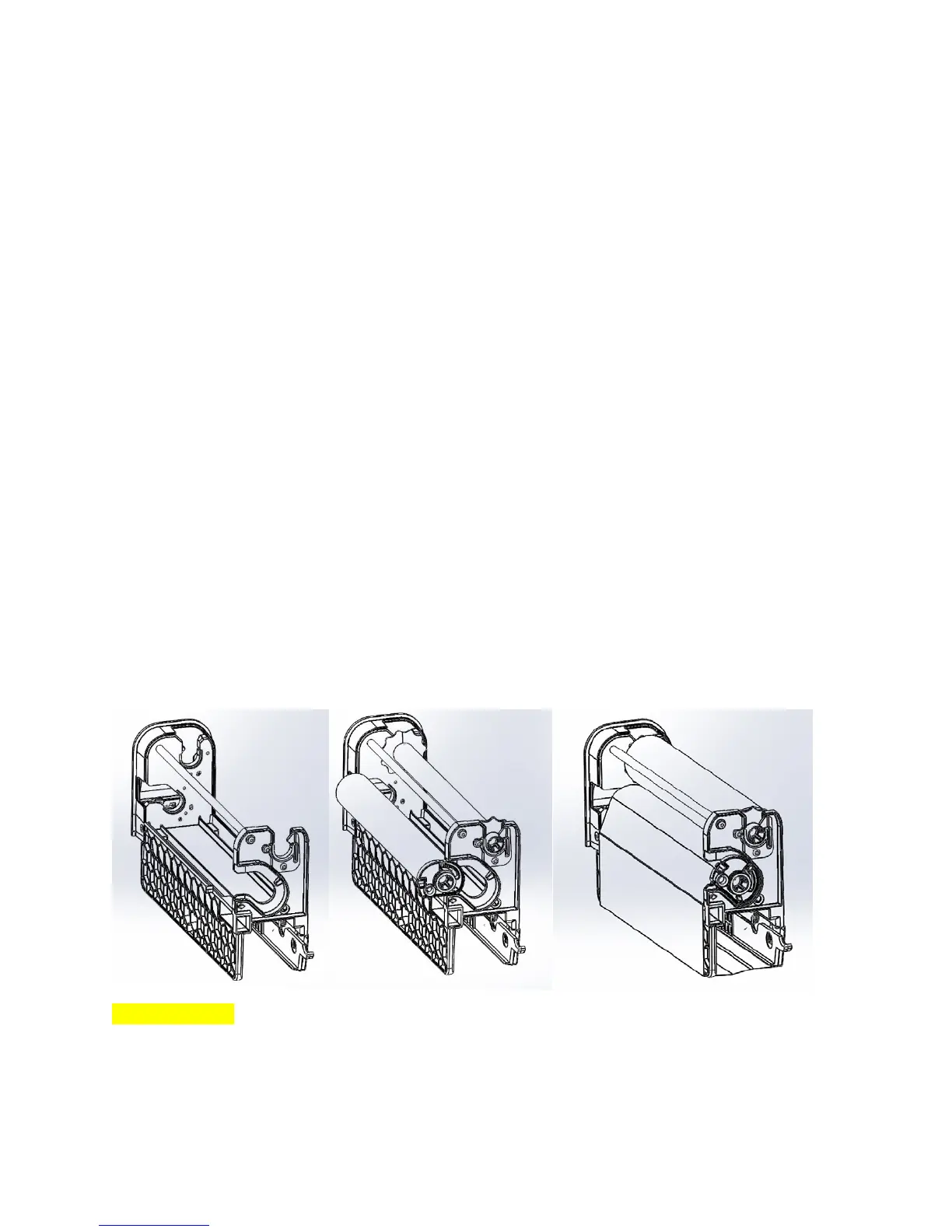
Toloadanewribbonintoaribboncartridge,followthesesteps:
1. Insertanemptyribbontake‐uprollintotheslotsatthetopofthecartridge.Pressfirmlyateach
endtolatchthetake‐uprollintoplace.
2. Insertafreshribbonrollintothesideofcartridge.Alignthearrowontheribbonendcapwith
thearrowonthesideofthecartridge;theflatedgeoftheribbon’slargeendcapshouldreston
thebottomofitschannel.Pressfirmlyateachendtolatchtheribbonintoplace.
3. Findtheendoftherollofribbon.Pullitout,andunwinditaroundthebottomofthecartridge,
anduptothetake‐uproll.Adheretheribbontothetake‐uproll,usingapieceoftape,if
needed.
4. Takeupanyslackintheribbonbyturningthetake‐uproll.Yourcartridgeisnowreadytoinstall
intoKodiak.
[Imagesnotfinal]
Installing a Ribbon Cartridge Into Kodiak
Ifaprintheadisinitsloweredposition,youwillneedtoraiseitinordertoinstallaribboncartridge
there;unlatchtheprintheadandraiseitbyliftingitsorangetab.



 To Next Page