DuraLabelKodiakUserGuidev0.6(Prerelease)Page12of28
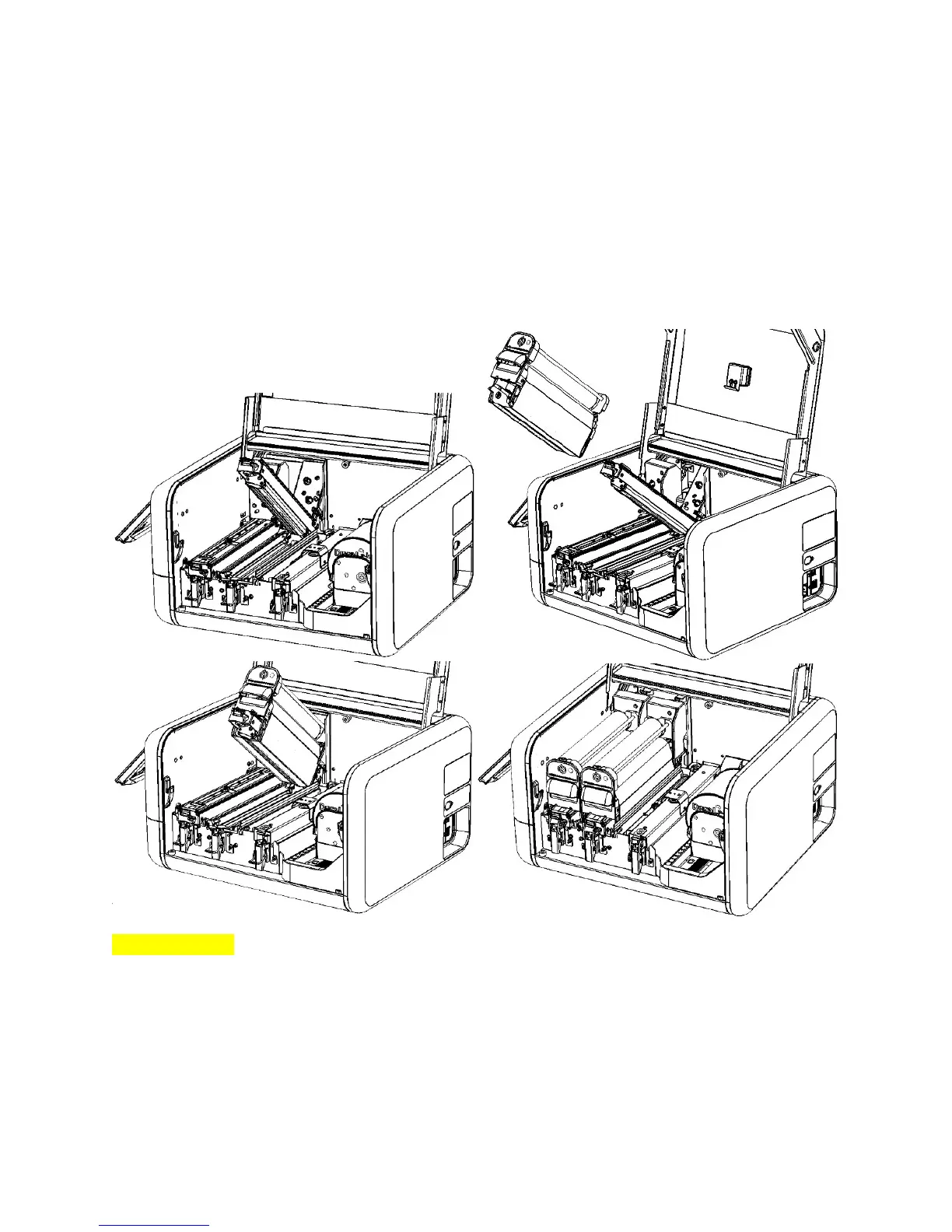
Toinstallaloadedribboncartridgeintoyourprinter,followthesesteps:
1. Holdingaloadedribboncartridgebyitshandle,slidethecartridgeontotheprinthead.The
loosesectionofribbonshouldfitjustbelowtheprinthead,andthecartridgeshouldslide
smoothlyonitsrails.
2. Gentlypushthecartridgeallthewayback,sothenumberontheprintheadisvisible.Youmay
hearthecartridgesnapintoposition.
3. Lowertheprintheadbyitsorangetab,andlatchitdown.
[Imagesnotfinal]
Whenyoufinishloadingsupplies,Kodiakwillautomaticallydetectwhichtypeofribbonhasbeenloaded
ateachprinthead.



 To Next Page