9
800.788.5572 DuraLabel.com
LOADINg ThE PRINTER
LOADING 2.5" RIBBON SUPPLY
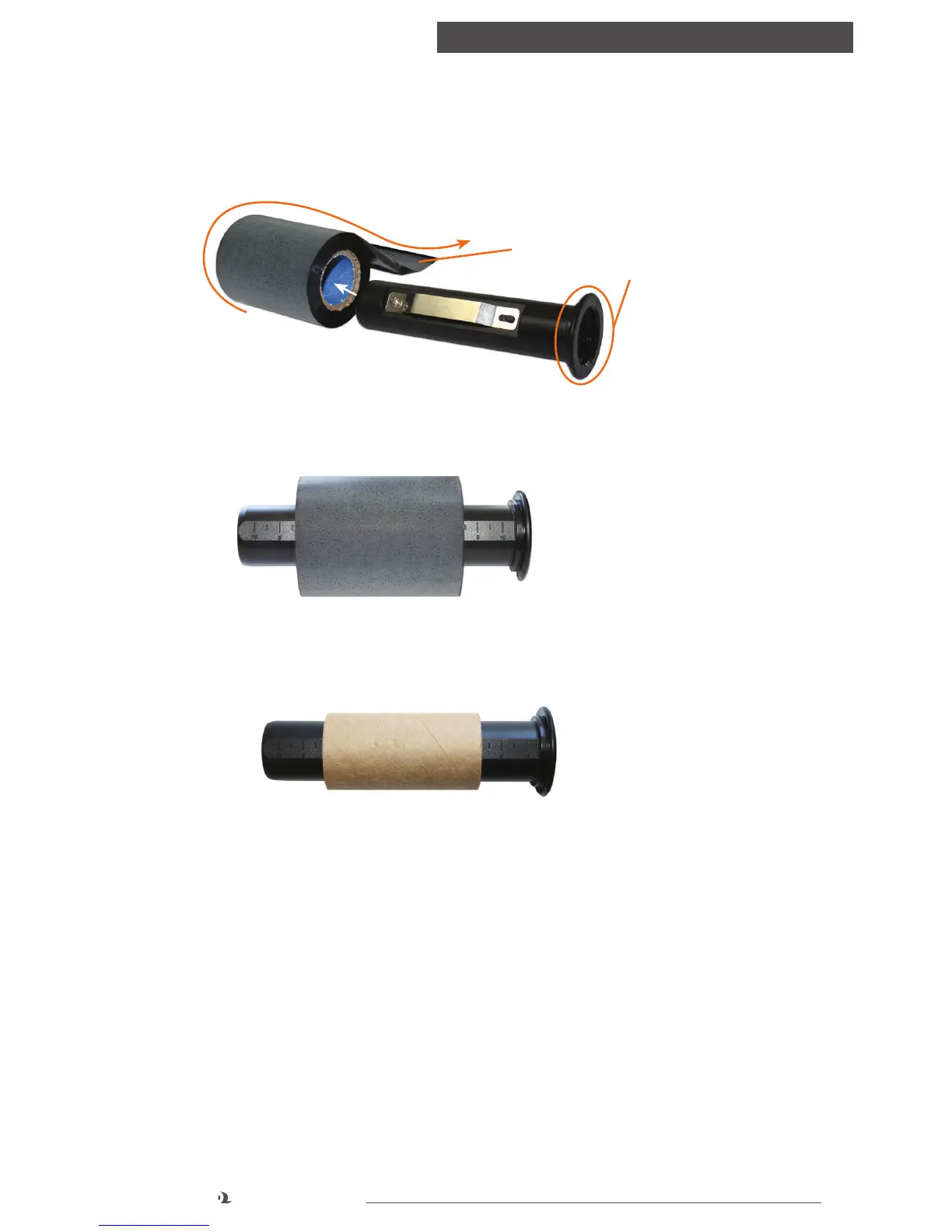
A. With spindle flange on the right side, load ribbon onto the ribbon supply spindle,
with the ribbon leader extended over the top and toward the back.
B. Align the ribbon supply in the center of the ribbon spindle using the measurement
marks.
C. Apply the paper core to the ribbon rewind spindle, centering it using the
measurement marks.
Now refer to Steps D – J under “Loading 4.3" ribbon supply.”
FIGURE 5 Ribbon supply (2.5")
centered on ribbon supply spindle
FIGURE 6 Paper core (2.5")
centered on ribbon rewind
spindle
Ribbon Leader
Spindle Flange
FIGURE 4 Correct ribbon application for spindle



 To Next Page