19
800.788.5572 DuraLabel.com
CONNECTINg ThE PRINTER
5.3 Using a Parallel Cable
NOTE: You may need IT administrator privileges to install a driver.
The following instructions are only for those using a parallel cable:
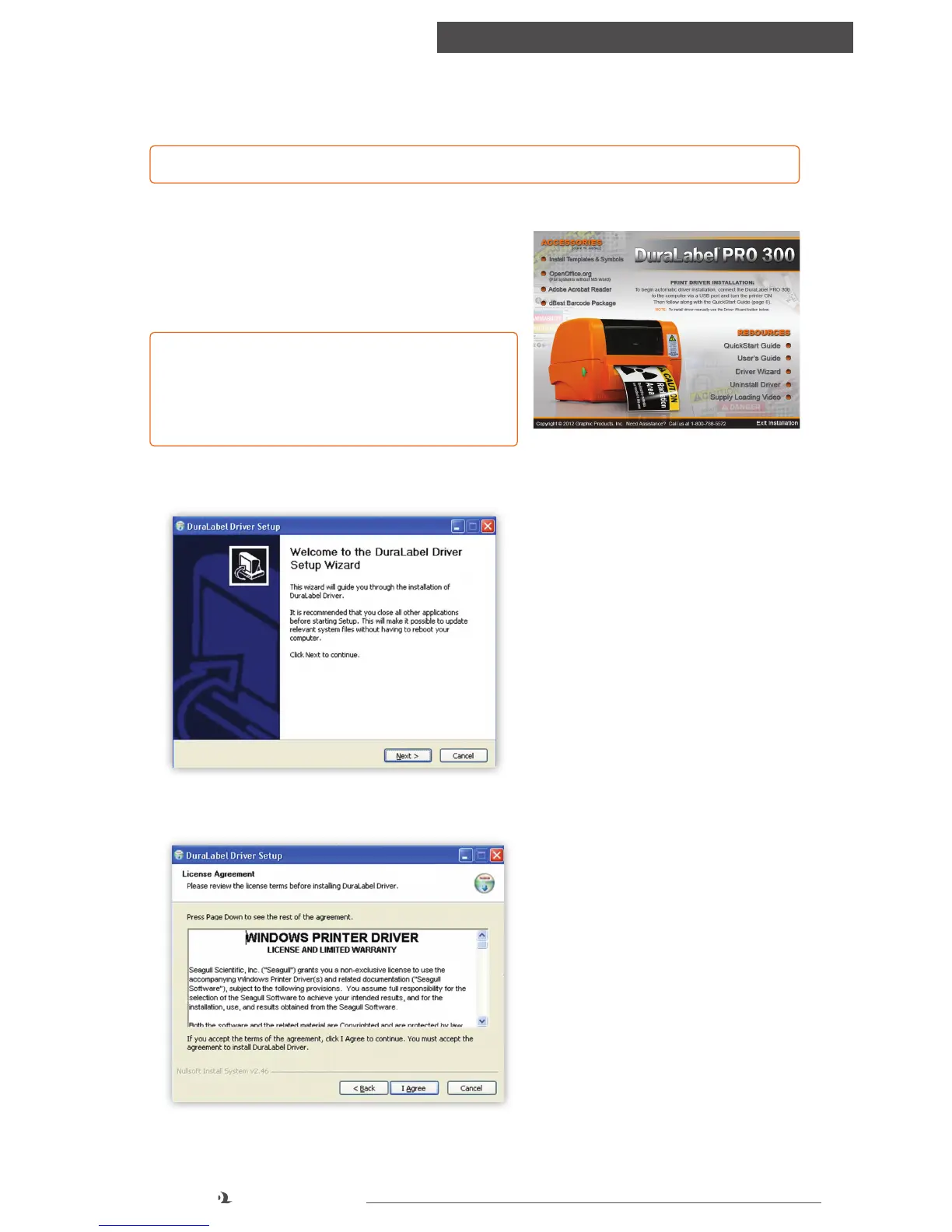
A. Insert the DuraLabel PRO or DuraLabel PRO
300 Installation CD in your computer’s disk
drive. A DuraLabel PRO/PRO 300 startup
screen appears.
NOTE: If the CD does not run automatically, go
to Start > Computer and double-click on your
CD/DVD drive, which should show the DLP
icon.
B. Click on Driver Wizard, then click Next on the new Driver Wizard window.
C. Click I Agree on the Windows Printer Driver License Agreement window
that appears.
FIGURE 1 DuraLabel PRO 300 Startup Screen
FIGURE 2 DuraLabel Driver Setup Wizard
FIGURE 3 Windows Printer Driver
License Agreement



 To Next Page