20
DuraLabel.com 800.788.5572
CONNECTINg ThE PRINTER
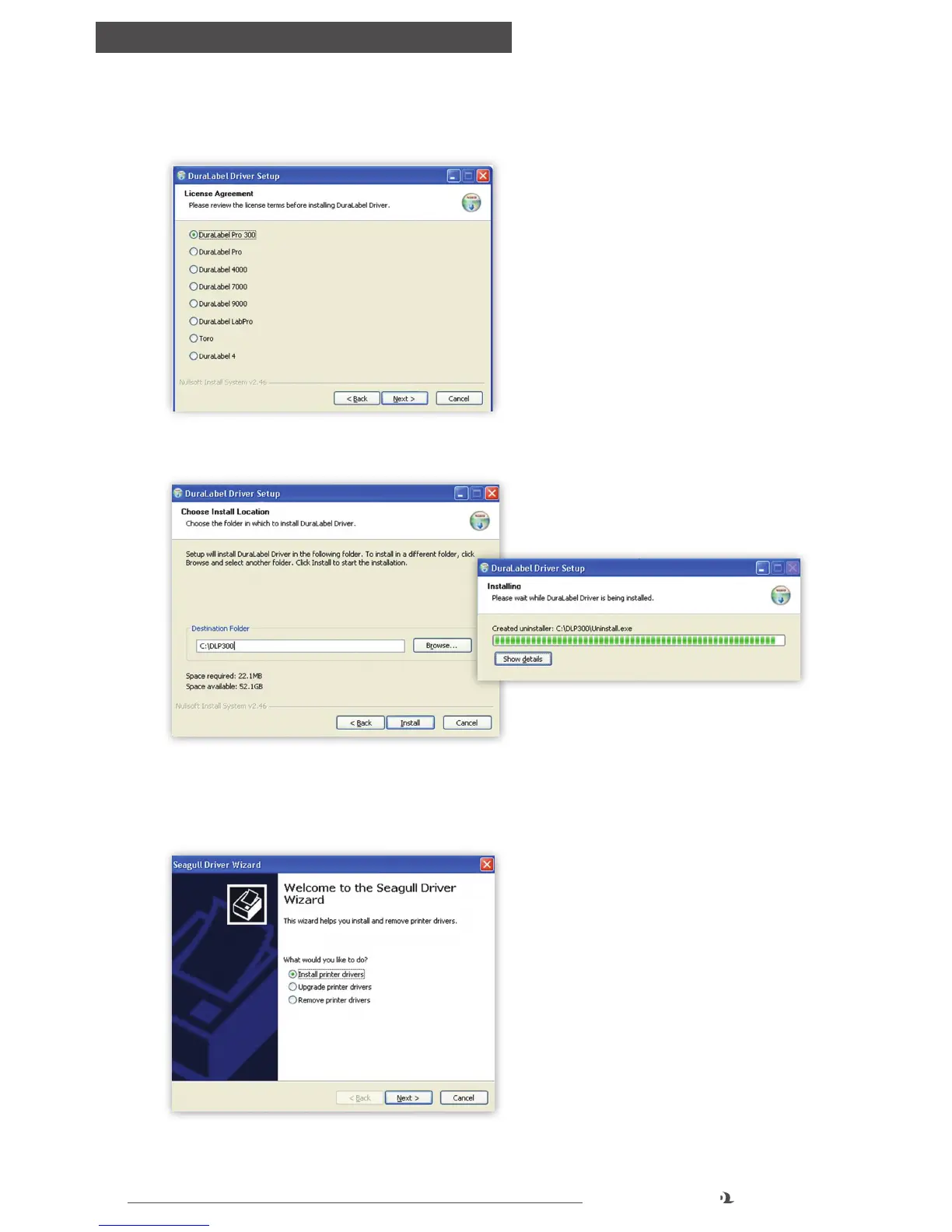
D. Select DuraLabel PRO or DuraLabel PRO 300 and click Next on the
DuraLabel Driver Setup window that appears.
E. Choose the install location and click Install on the Choose Install Location
window that appears. An Installing window shows installation progress.
F. Select Install printer drivers on the Driver Wizard window that appears and
click Next.
FIGURE 4 Selecting a DuraLabel Driver
FIGURE 5 Driver Install Location Window
FIGURE 6 Installing Window
FIGURE 7 Install Printer Driver Window



 To Next Page