21
800.788.5572 DuraLabel.com
CONNECTINg ThE PRINTER
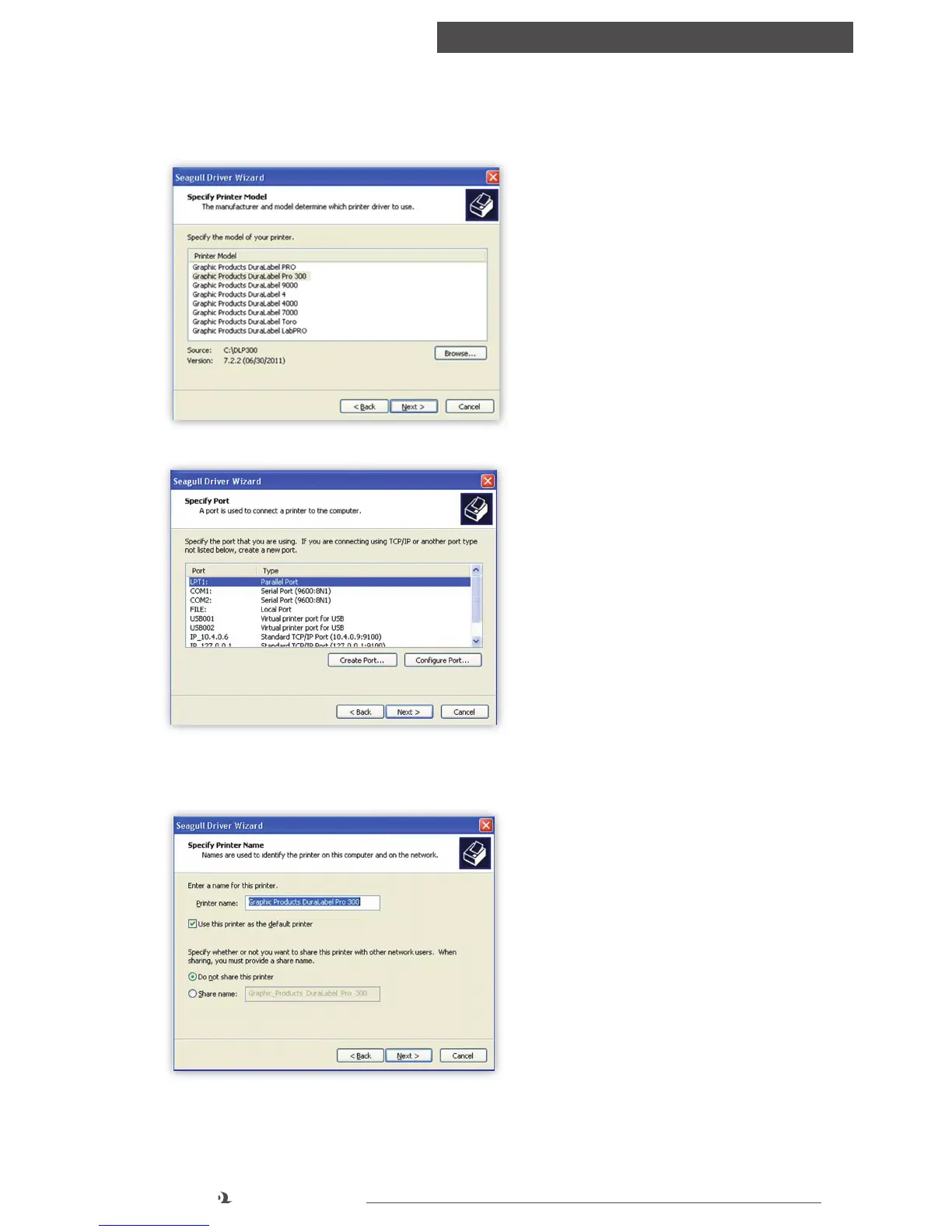
G. Select Graphic Products DuraLabel PRO or DuraLabel PRO 300 on the Specify
Printer Model window that appears and click Next.
H. Select the LPT1 port on the Specify Port window that appears and click Next.
I. Select Printer Name, set the printer as default, and choose printer sharing
options on the Specify Printer Name window that opens, then click Next.
FIGURE 8 Specify Printer Model for
Driver Installation.
FIGURE 9 Select LPT1 port when using a
parallel cable to install a driver.
FIGURE 10 Printer Name, Default and
Sharing Status



 To Next Page