CLEANINg AND gENERAL MAINTENANCE
40
DuraLabel.com 800.788.5572
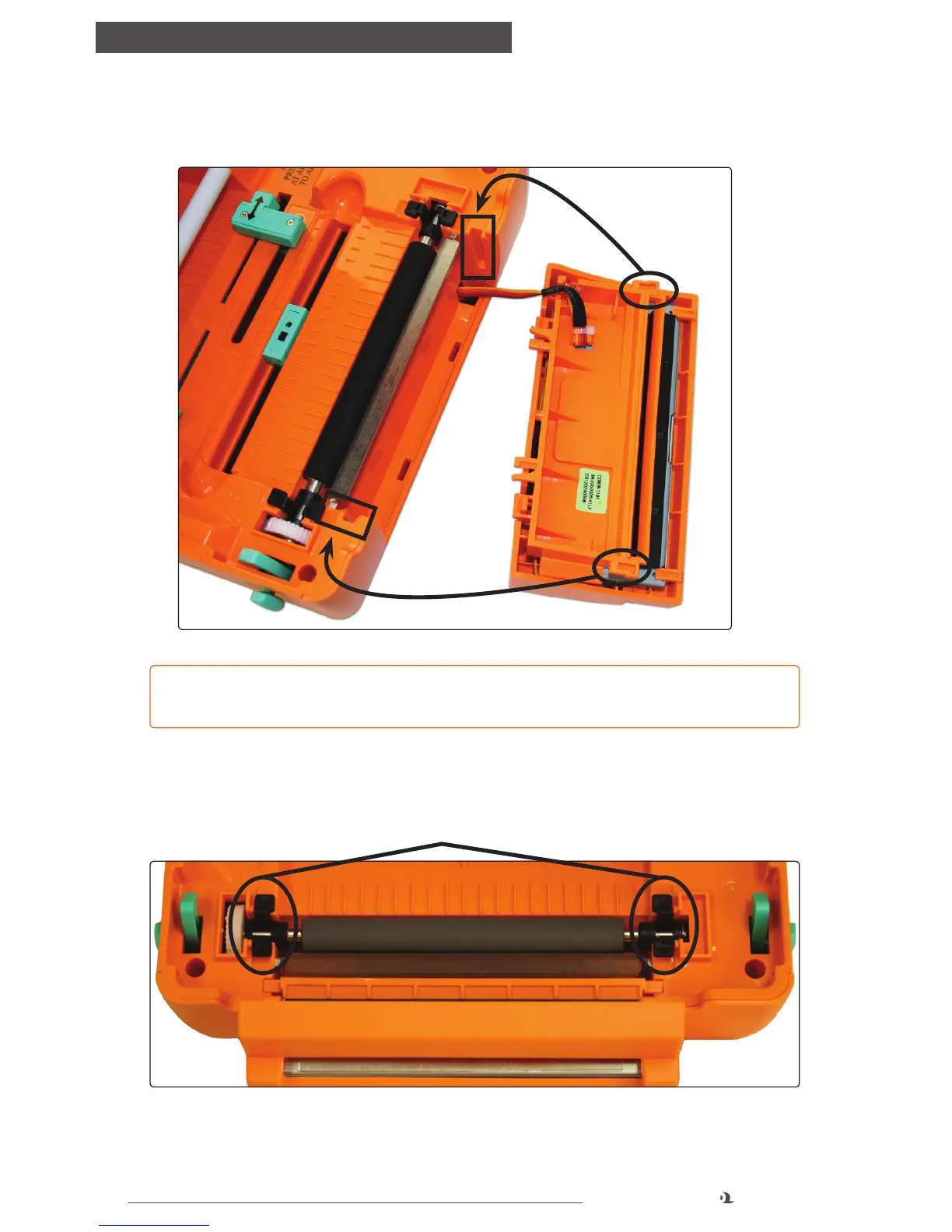
D. Replace the cutting mechanism, inserting the tabs on the sides of the cutter, into
the slots as shown below.
Black Tabs
FIGURE 5 Replace cutter by tting tabs into the slots provided.
FIGURE 6 Platen roller
NOTE: Replace wires through the open slot from where they’re connected, being
careful not to pinch them.
10.3 Platen Roller
A. Remove the platen roller by squeezing the black tabs on either side and lifting up.
B. Place a cleaning swab between your forefinger and thumb and squeeze until it
snaps. Alcohol will be distributed to the cotton side of the swab.



 To Next Page