17
800.788.5572 DuraLabel.com
CONNECTINg ThE PRINTER
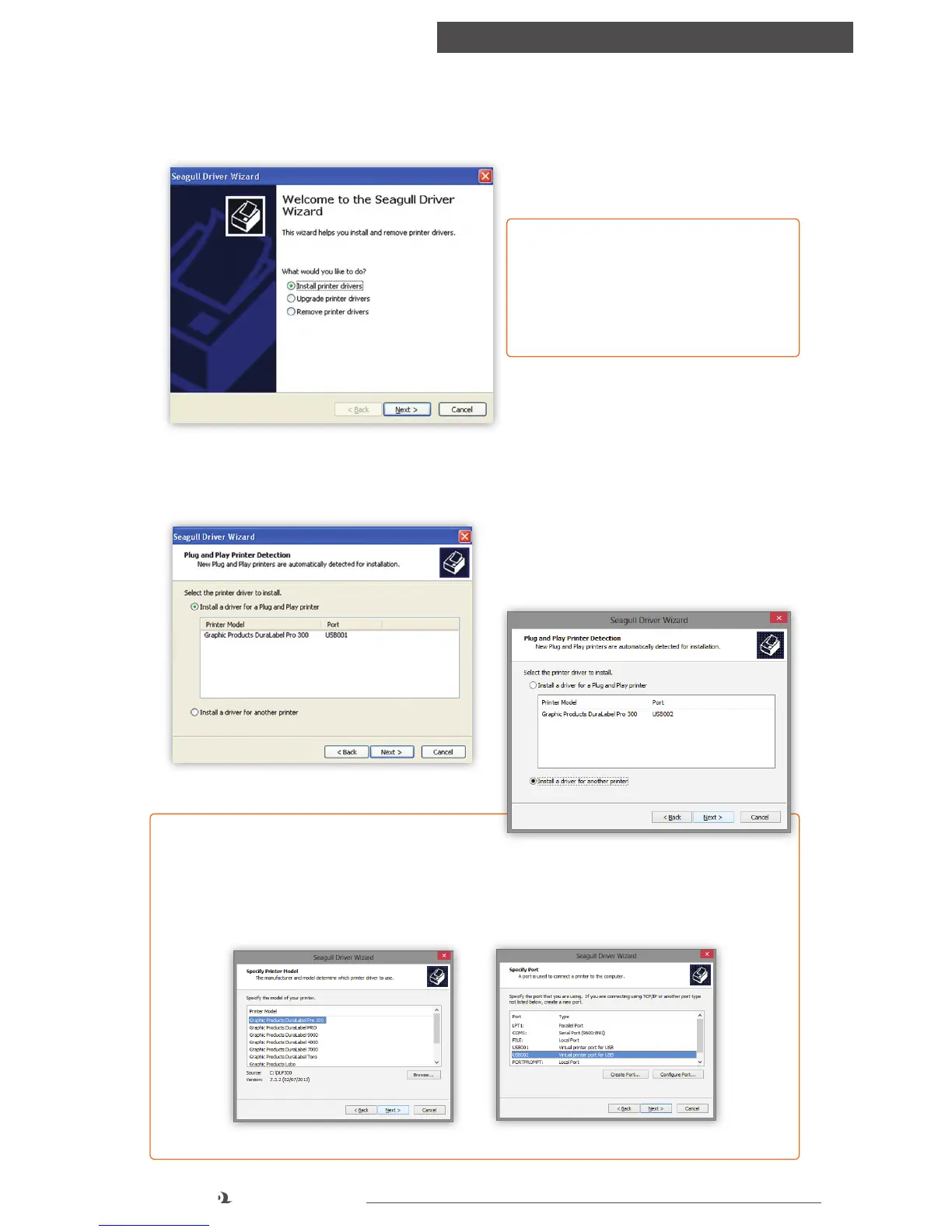
G. A Plug and Play Detection window appears. Highlight Graphic Products
DuraLabel PRO or DuraLabel PRO 300 and click Next.
F. Select Install printer drivers* on the Driver Wizard window that appears and
click Next.
*NOTE: You will receive a notice
if a previous driver is found that
should be removed. Please refer to
Section 5.4, Upgrading a Driver, for
instructions on uninstalling a driver.
FIGURE 7 Install Printer Driver Window
FIGURE 8 Install Driver for a Plug and Play Printer
NOTE: Windows 8 users, do not select
the listed printer. Instead, check Install a
driver for another printer and click next. Select Graphic Products DuraLabel Pro
or DuraLabel Pro 300 and click next. Select the appropriate port and click next.
For Windows 8 systems, select Install a driver for
another printer
Select printer model Select the appropriate port



 To Next Page