38
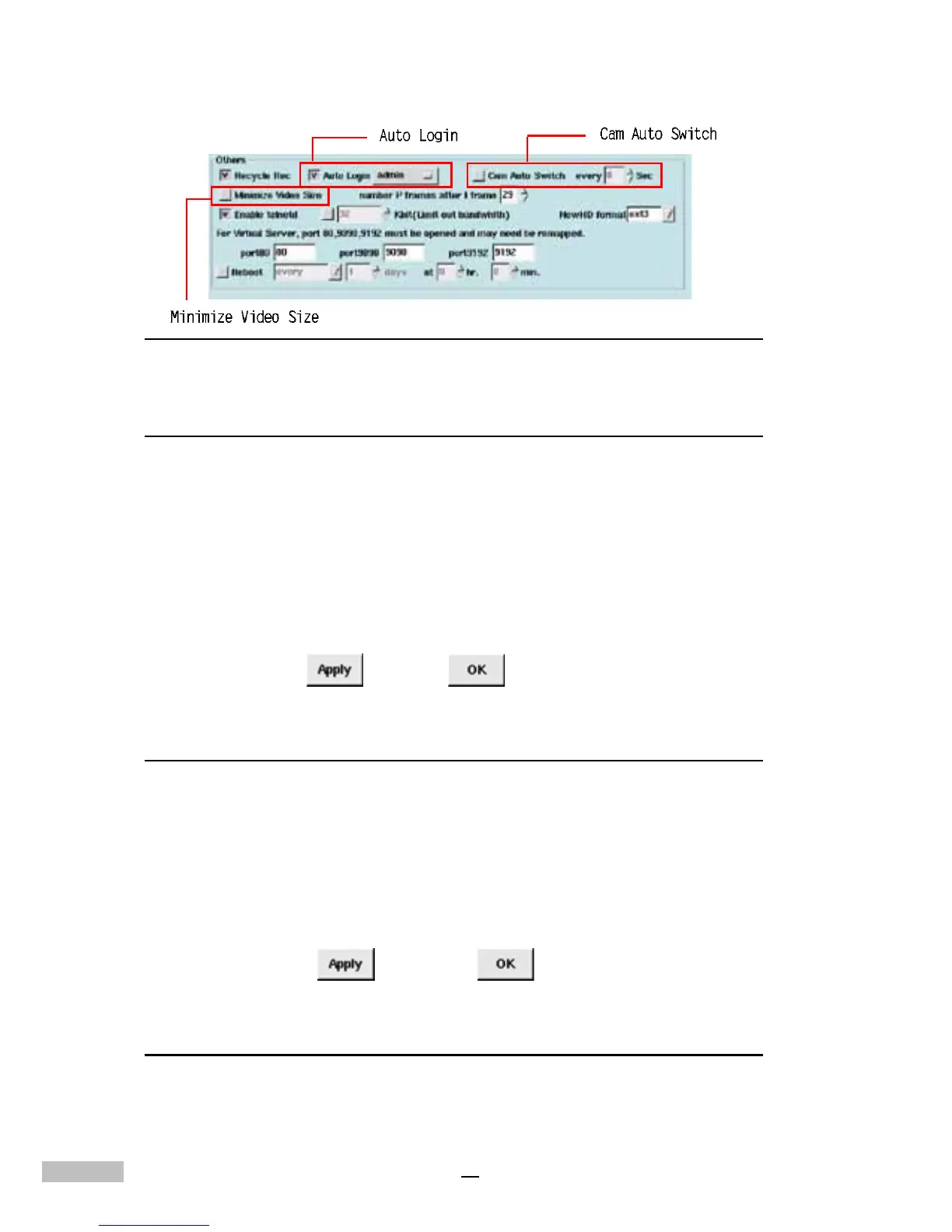
Figure 7-11:Auto Login, Cam Auto Switch, andMinimize Video Size
Cam Auto Switch
The third option under “Others” makes it possible to view different cameras
automatically. When the DVR is in Single View Mode, Quad View Mode or 9-
Camera Mode, it can automatically show different cameras at six-second
intervals.
1.Click the “System” Tab.
2.Under “Others” click the checkbox next to “Cam Auto Switch”.
3.Select the interval of Auto Switch
4.Click “Apply”
, then “ok” to activate the operation.
Minimize Video Size
Minimizing the video size allows the DVR System to save more hard disk
space, but the system performance will likely be somewhat degraded due
to additional processing requirements associated with the video compres-
sion algorithms.
1.click the “system” tab.
2.under the “Others” item click “Minimize Video Size”.
3.click “Apply”
, then “OK” to activate the setting.
Number P Frames after I Frame
The “Number P Frames after I Frame” setting refers to the manner in which
MPEG-4 compression will be implemented by the DVR system. An “I” frame
is the initial full frame of video information for any given scene, while a “P”



 To Next Page