61
Chapter 12
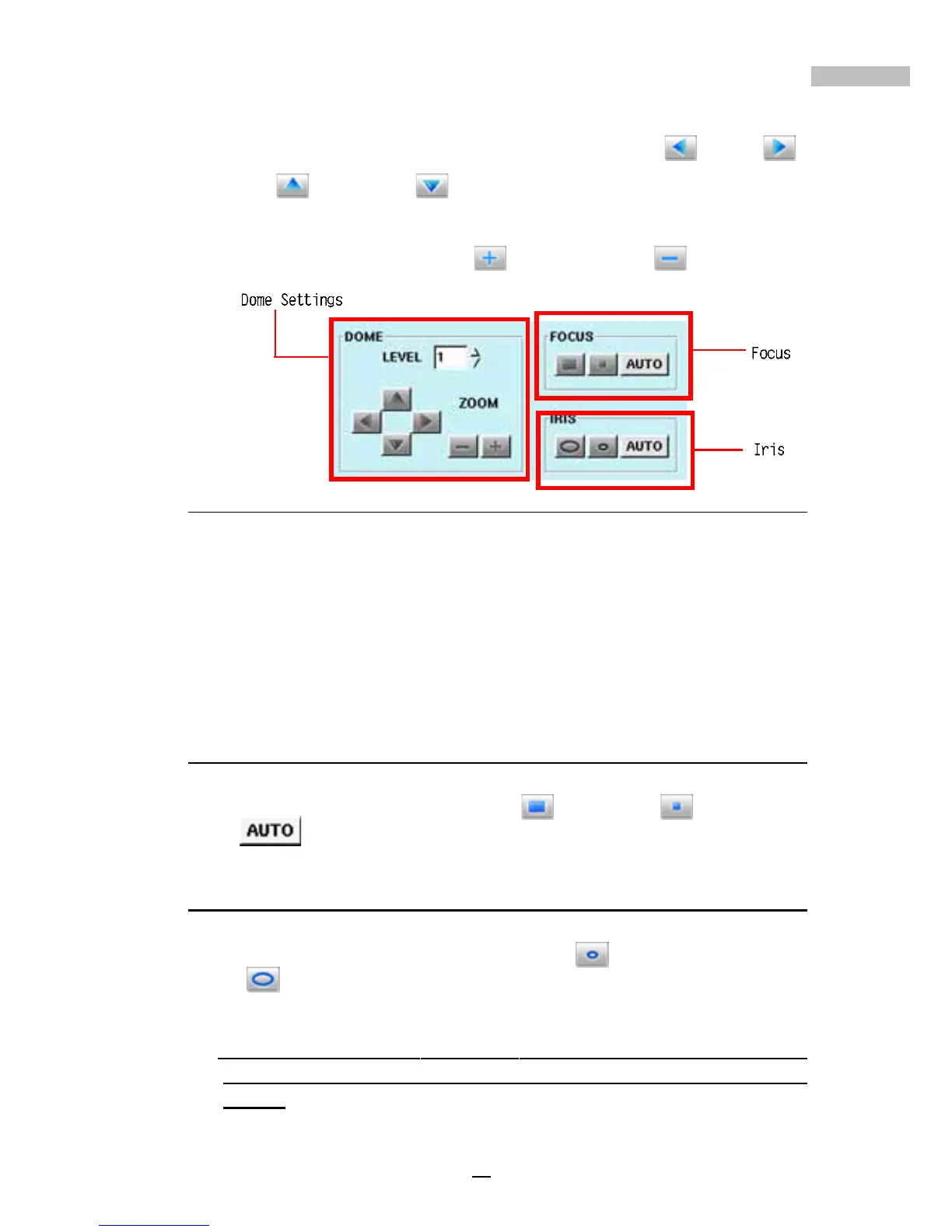
2.Using the Dome controls at the bottom left of the “PTZ” window,
users can configure their PTZ cameras to move left
, right ,
up
, and down .
3.If your DVR system is set up to use a PTZ camera, you can zoom the
camera in or out by clicking to zoom in, and to zoom out.
Figure 12-4: Dome Settings, Focus, Iris
If you are not familiar with the DVR system or do not know how to properly
control a PTZ camera, please try to follow the steps introduced above, while
observing the resultant changes to the screen output. Once you understand
how to control the PTZ device, then you could start to learn the following
additional PTZ device functionality.
Focus
When connecting a PTZ camera to your Digital Video Recorder, you have
the option to focus in on the picture. Use
to focus-in, to focus-out,
and
to have the camera automatically adjusted.
Iris
When connecting a PTZ camera to your Digital Video Recorder, you have
the option to adjust the iris on the camera. Use
to make the iris smaller,
or use
to make the iris bigger.
Note: Some of the PTZs setup as Auto by default. It's iris can't be
adjusted manually. Pls refer to the PTZ product documentation for the
details.



 To Next Page