86
Note: two icons will be shown when minimizing the window. The first
is to turn on or off the real time monitor; clicking the icon will restart
the real time monitor window. Another icon is the DVR status monitor
and PTZ control icon; when clicked will start the DVR status monitor
and PTZ control window).The second icon is the DVR status monitor
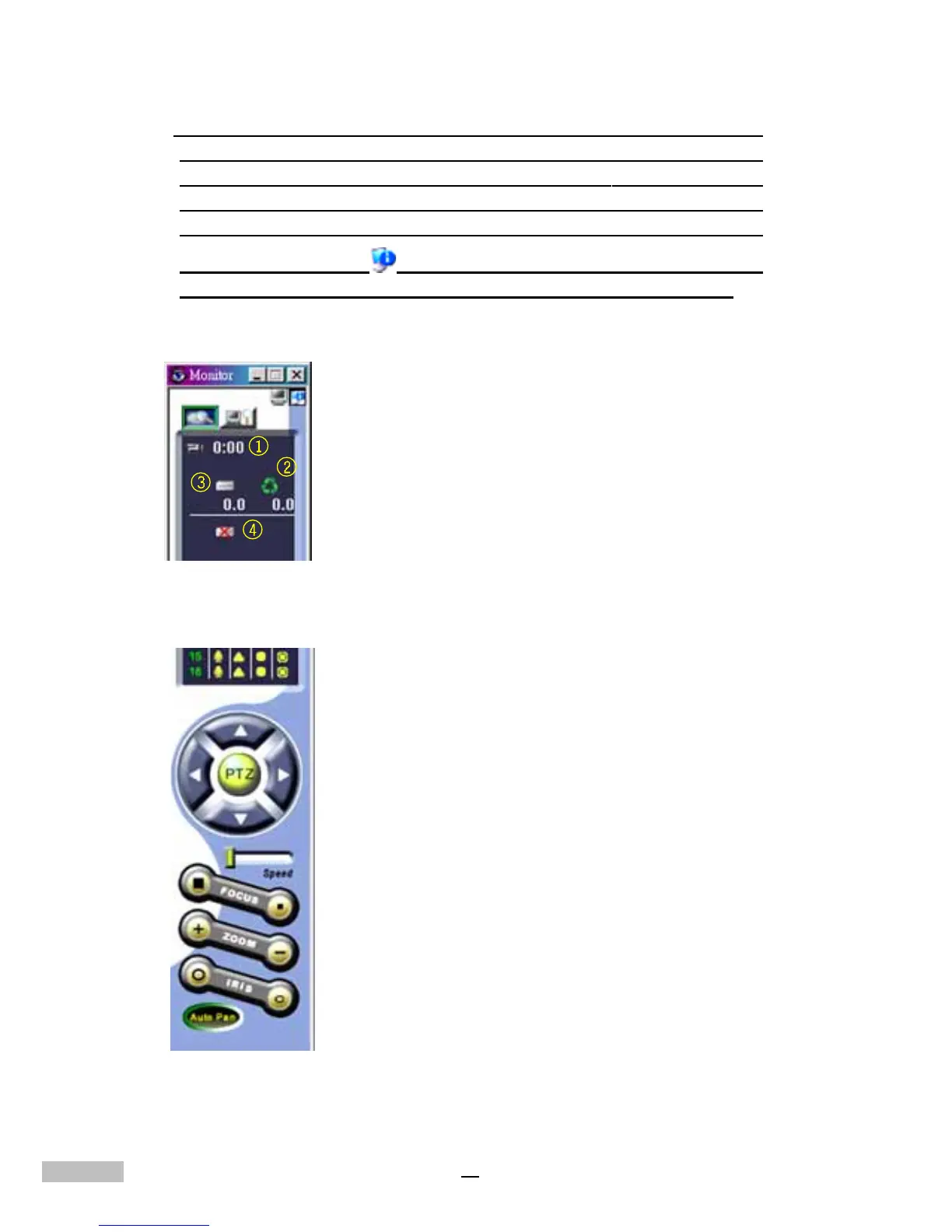
and PTZ control icon ( ); when clicked during real time monitoring,
the right side of the window will show the following information:
Also displayed are the following user PTZ control functions:
Now two tab settings will be visible on the upper right side of the window.
1.Recording time is displayed.
2.If recycling recording is taking place, then a
green recycling recording icon is also displayed.
3.the amount of space which has been used on
each hard disk and the space remaining, for up
to a total of 7 hard disks.
4.A hard disk damage icon is displayed if there is
damage to a hard disk.
up, down, left, right directional controls
speed selection
zoom in/out control
image size adjustment control (small/large)
camera lens aperture (iris diaphragm) control (small/large)
auto-pan select



 To Next Page