DYMO
®
6000 Labelmaker 11
UL/BOX
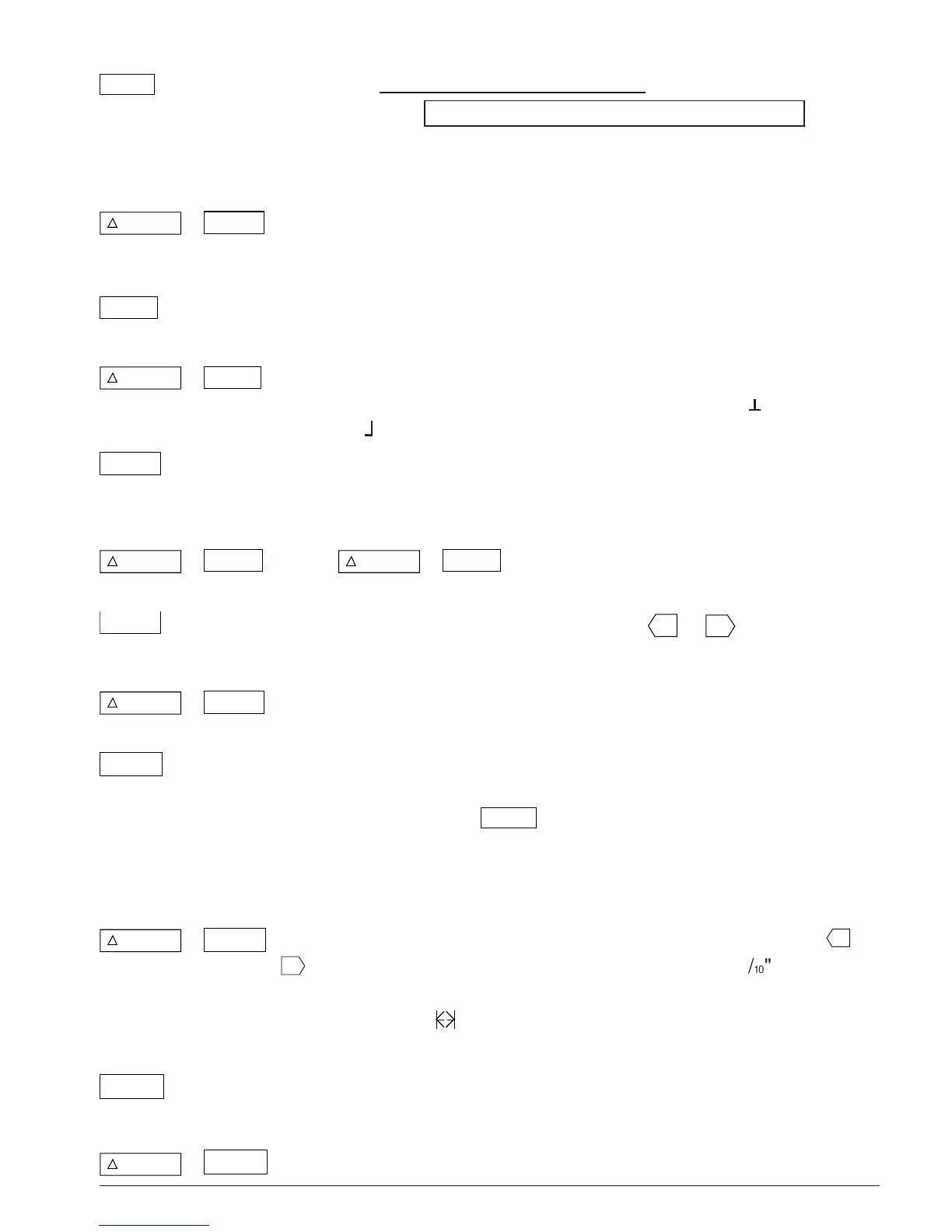
One press underlines the complete label.
A second press puts a line box around the complete label.
Pressing a third time gives underline and line box.
Press again to cancel and return to normal text.
+
UL/BOX
NEW
Clears the current label from the display and resets the Labelmaker
to normal settings — i.e. auto-scaling, normal text, normal width,
left-justified, all function options OFF.
WIDTH
Selects
double
,
reduced
or normal width characters, as shown
on the display. Affects the whole label.
+
WIDTH
JUSTIFY
The complete label is normally left-justified (L), i.e. each line starts
at the left-hand side. Press to step through centred ( ) right justified
( ) or return to left justified.
M in
Press to store a copy of the current label in the next available
memory space. The display will change to show ‘M’ for one second
to confirm — see ‘Memory’, page 15.
+
M in
M
to clear a stored label from the memory.
Can only be used after using ‘MR’ or ‘SEARCH’ functions.
COPIES
Displays a small box enabling you to use
▲
or
▲
to select the
number of multiple copies of a label. Press ESC to cancel.
+
COPIES
123...n
Enables a number label or barcode label to be incremented by 1 on
each of up to 100 copies of a label. Press ESC to cancel.
CASSETTE
Press to select the correct label format for the tape cassette
installed. If the label format/tape width are incompatible, there will
be no response to the
PRINT
key and the display will flash to show
the tape width installed; flashing stops when the correct label
format is selected. Note that the layout of the text on the label may
be altered.
+
CASSETTE
LENGTH
Displays the current label length. Press ESC to cancel or use
▲
or
▲
to increase or decrease the label length in 2mm (
1
/¡º
") steps.
Label length can be fixed with the text justified to the left, centre or
right of the label (
displayed), or the text can be scaled to fit the
length of the label (|A| displayed) — see page 33.
VERT
Rotates the complete label through 90°, as indicated in the display.
Text is printed vertically. Press again to cancel.
+
VERT
COLOUR
Press to change the print colour of the label at the cursor position.











 To Next Page