
 Need help?
Do you have a question about the Dymo LabelManager 220P and is the answer not in the manual?
 General
| Brand | Dymo |
|---|---|
| Model | LabelManager 220P |
| Category | Label Maker |
| Language | English |
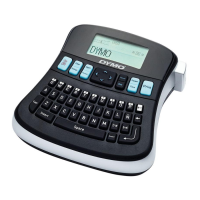
Details the QWERTY keyboard and special input keys for text entry.
Explains keys for formatting, editing, and special character input.
Covers power, preview, OK, cancel, and navigation controls.
Details on using batteries or an AC power adapter for operation.
Step-by-step instructions for inserting the required AA batteries.
How to connect an optional AC power adapter to the label maker.
Instructions for loading a DYMO D1 tape cassette into the label maker.
Steps to select language, units, and tape width upon first use.
Instructions for entering text, selecting copies, and printing a basic label.
Details on Format, Insert, and Settings keys for advanced label customization.
Instructions for selecting from six available font sizes for labels.
Solutions for 'No display' and 'Poor Print Quality' errors.
Addressing issues like 'Poor Cutter Performance' and 'Printing...'








 To Next Page
