EasyManua.ls Logo

Dynacord L500 - User Manual

Dynacord L500
20 pages
Go to English
Print Icon
To Next Page IconTo Next Page
Loading...
BEDIENUNGSANLEITUNG
OWNER‘S MANUAL
L300 L500 L1000 L1600 L2400
Linear PRECISION POWER AMPLIFIERS
Question and Answer IconNeed help?

Do you have a question about the Dynacord L500 and is the answer not in the manual?

Summary

Technical Specifications

Important Safety Instructions

Important Service Instructions

Description

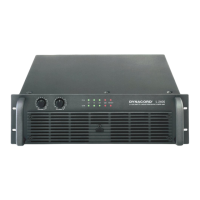
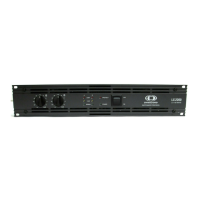
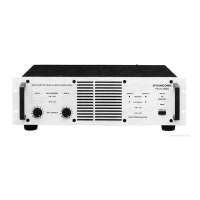
Front Panel

Level Control

Adjusts the total gain of the power amplifier, with calibrated detented potentiometers.

Power ON Indication

LED indicating the unit is connected to mains and the mains switch is pressed.

Input Indication

LED indicating a signal is present at the power amplifier input.

Output Indication

LED indicating a signal is present at the power amplifier output.

Limit LED

Indicates when the limiter is activated, signaling clip level operation.

Protect LED

Lights up when protection circuits (over-temp, overload, etc.) are triggered.

Power Switch

Main switch for powering the unit on, with delayed output activation.

Rear Panel Input and Routing

Power Amplifier Input Connectors

XLR connectors for signal input, wired parallel to other amplifiers for looping.

Input Wiring XLR

Defines pin assignments (SHIELD, hot, cold) for XLR input connectors.

Input Routing Parallel Mono

Input channels A and B wired in parallel; volume controlled independently.

Input Routing Dual Stereo

Input channels A and B amplified separately.

Rear Panel Controls and Outputs

Power Amplifier Output Connectors

SPEAKON connectors for output channels A and B, and Bridged Out.

Limiter Switch

Adjusts limiter time constant for different frequency amplifier use.

Bridged Mode Switch

Selects between Normal Stereo and Mono Bridged operation modes.

Hi-Lo-Cut Filter Switch

Attenuates subsonic and high frequency signals to prevent modulation.

Groundlift Switch

Separates chassis from circuit ground to help prevent hum loops.

Specifications

Block Diagram L300 L500 L100

Block Diagram L1600 L2400

Dimensions

Summary

Technical Specifications

Important Safety Instructions

Important Service Instructions

Description

Front Panel

Level Control

Adjusts the total gain of the power amplifier, with calibrated detented potentiometers.

Power ON Indication

LED indicating the unit is connected to mains and the mains switch is pressed.

Input Indication

LED indicating a signal is present at the power amplifier input.

Output Indication

LED indicating a signal is present at the power amplifier output.

Limit LED

Indicates when the limiter is activated, signaling clip level operation.

Protect LED

Lights up when protection circuits (over-temp, overload, etc.) are triggered.

Power Switch

Main switch for powering the unit on, with delayed output activation.

Rear Panel Input and Routing

Power Amplifier Input Connectors

XLR connectors for signal input, wired parallel to other amplifiers for looping.

Input Wiring XLR

Defines pin assignments (SHIELD, hot, cold) for XLR input connectors.

Input Routing Parallel Mono

Input channels A and B wired in parallel; volume controlled independently.

Input Routing Dual Stereo

Input channels A and B amplified separately.

Rear Panel Controls and Outputs

Power Amplifier Output Connectors

SPEAKON connectors for output channels A and B, and Bridged Out.

Limiter Switch

Adjusts limiter time constant for different frequency amplifier use.

Bridged Mode Switch

Selects between Normal Stereo and Mono Bridged operation modes.

Hi-Lo-Cut Filter Switch

Attenuates subsonic and high frequency signals to prevent modulation.

Groundlift Switch

Separates chassis from circuit ground to help prevent hum loops.

Specifications

Block Diagram L300 L500 L100

Block Diagram L1600 L2400

Dimensions

Dynacord L500 Specifications

General IconGeneral
BrandDynacord
ModelL500
CategoryAmplifier
LanguageEnglish

Related product manuals