EasyManua.ls Logo

Dynacord X 1202 - User Manual

Dynacord X 1202
17 pages
Print Icon
To Next Page IconTo Next Page
Loading...
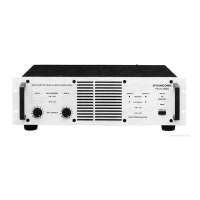
X1201 / X 1202
MODULAR POWER AMPLIFIER
OWNER’S MANUAL
Question and Answer IconNeed help?

Do you have a question about the Dynacord X 1202 and is the answer not in the manual?

Summary

Important Safety Instructions

Important Service Instructions

X-Amp System Overview

Open Input and Output Architecture

Modular concept allows flexible matching of input/output modules for various applications and future-proofing.

Front Panel Module Slots

Allows insertion of Xm-filter and signal processor modules for integrated sound reinforcement systems.

Basic X-Amp Version

Ships with Xi-11 input and Xo-1 output modules, fixed input sensitivity, no level controls.

Available Modules

Variety of rear and front panel modules available, including cabinet-pertinent modules for DYNACORD V-Systems.

Power Amplifier Design and Protections

Details on A/B and Grounded Bridge designs, plus various protection functions for stable operation.

Installation

Mounting Procedures

Designed for 19" rack frames; requires sufficient ventilation. Horizontal rails or rack ears recommended for stability.

Cooling System

Front-to-rear airflow via temperature-controlled 3-stage fans. Ensure ventilation is not blocked.

Mains Power Connection

Factory set to correct mains voltage; check local supply. Tolerates voltage variations; use supplied cord.

Cabling Guidelines

Use quality loudspeaker cables (min 2.5mm²) and shielded audio cables. Keep signal cables separate.

Front View Overview

Module Slots Description

Slots in the front panel for signal processor or filter modules. Requires removing blind panels.

Limit Indicator

Lights when internal dynamic limiter is active, indicating operation near clipping or top range.

Output Indicator

Lights when audio signal is present at output. Dims for short-circuit or protection activation.

Power Switch and Operation

Switches power on/off with inrush current limiter. Output relays delay switching by 2 seconds.

Power ON Indicator

Lights when the unit is powered on and operational, or connected to mains.

Protect Indicator

Indicates activation of internal protections (thermal, short-circuit, etc.); output relays disconnect load.

Standby Mode and Indicators

Indicates standby mode for remote control operation; different LEDs indicate standby vs. power-on.

Rear View Overview

Input Module Functionality

Open architecture allows module replacement. Ships with Xi-11 module (XLR inputs, balanced).

Xi-11 Input Module Details

Provides XLR inputs, THRU connectors, balanced inputs. Sensitivity is 1.4Veff with this module.

Output Module Functionality

Designed for easy matching. Ships with Xo-1 modules (SPEAKON connectors).

Xo-1 Output Module Details

Provides SPEAKON connectors, assigned to 1+ and 1-. Single channel models have parallel-connected outputs.

Ground-Lift Switch

Separates enclosure from ground potential to prevent hum-loops. Recommended setting depends on installation.

Grounding Screw

For connecting to an 'earth bar' to ensure common ground connection in rack systems.

Specifications X1201

Specifications X1202

Block Diagram X1201

Block Diagram X1202

Dimensions

Warranty Information

Summary

Important Safety Instructions

Important Service Instructions

X-Amp System Overview

Open Input and Output Architecture

Modular concept allows flexible matching of input/output modules for various applications and future-proofing.

Front Panel Module Slots

Allows insertion of Xm-filter and signal processor modules for integrated sound reinforcement systems.

Basic X-Amp Version

Ships with Xi-11 input and Xo-1 output modules, fixed input sensitivity, no level controls.

Available Modules

Variety of rear and front panel modules available, including cabinet-pertinent modules for DYNACORD V-Systems.

Power Amplifier Design and Protections

Details on A/B and Grounded Bridge designs, plus various protection functions for stable operation.

Installation

Mounting Procedures

Designed for 19" rack frames; requires sufficient ventilation. Horizontal rails or rack ears recommended for stability.

Cooling System

Front-to-rear airflow via temperature-controlled 3-stage fans. Ensure ventilation is not blocked.

Mains Power Connection

Factory set to correct mains voltage; check local supply. Tolerates voltage variations; use supplied cord.

Cabling Guidelines

Use quality loudspeaker cables (min 2.5mm²) and shielded audio cables. Keep signal cables separate.

Front View Overview

Module Slots Description

Slots in the front panel for signal processor or filter modules. Requires removing blind panels.

Limit Indicator

Lights when internal dynamic limiter is active, indicating operation near clipping or top range.

Output Indicator

Lights when audio signal is present at output. Dims for short-circuit or protection activation.

Power Switch and Operation

Switches power on/off with inrush current limiter. Output relays delay switching by 2 seconds.

Power ON Indicator

Lights when the unit is powered on and operational, or connected to mains.

Protect Indicator

Indicates activation of internal protections (thermal, short-circuit, etc.); output relays disconnect load.

Standby Mode and Indicators

Indicates standby mode for remote control operation; different LEDs indicate standby vs. power-on.

Rear View Overview

Input Module Functionality

Open architecture allows module replacement. Ships with Xi-11 module (XLR inputs, balanced).

Xi-11 Input Module Details

Provides XLR inputs, THRU connectors, balanced inputs. Sensitivity is 1.4Veff with this module.

Output Module Functionality

Designed for easy matching. Ships with Xo-1 modules (SPEAKON connectors).

Xo-1 Output Module Details

Provides SPEAKON connectors, assigned to 1+ and 1-. Single channel models have parallel-connected outputs.

Ground-Lift Switch

Separates enclosure from ground potential to prevent hum-loops. Recommended setting depends on installation.

Grounding Screw

For connecting to an 'earth bar' to ensure common ground connection in rack systems.

Specifications X1201

Specifications X1202

Block Diagram X1201

Block Diagram X1202

Dimensions

Warranty Information

Dynacord X 1202 Specifications

General IconGeneral
BrandDynacord
ModelX 1202
CategoryAmplifier
LanguageEnglish

Related product manuals