Page 6
3101C Gen II MANUAL
11/17
INSTALLATION INSTRUCTIONS
705 Emmett Street Bristol, CT 06010
1-877-DynaLock www.dynalock.com
3101C
DELAYED
EGRESS LOCK
(GENERATION II)
BASIC SET-UP
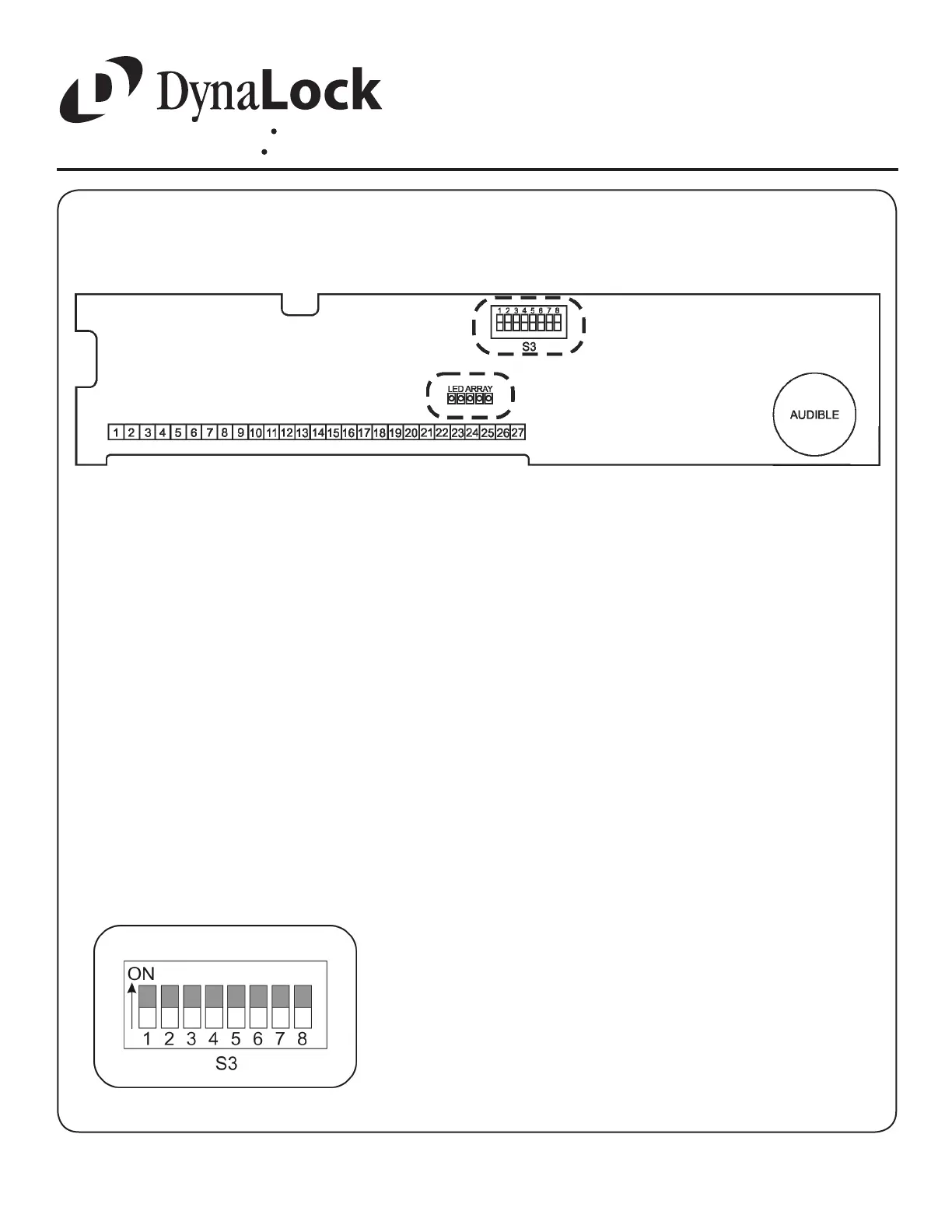
- LED Indicator Array
Multicolor high-intensity LED array. Displays Red or Green,
depending on lock mode (see page 9 for indicator modes).
Displays lock status by projecting through lens in ciricuit
board housing cover.
Remove the Electronics Cover to expose the circuit board assembly.
1.
2.
- System Selector Switches
The selector switches (S3) which control major system
functions are factory set to the OFF position for basic lock
operation. Switch 1 will be used during sensor adjustment
(page 8). Switches 2 through 7 are only used for options
described on page 10.
3.
L
C
L
C
(Factory Setting)


 To Next Page