English - 6 -
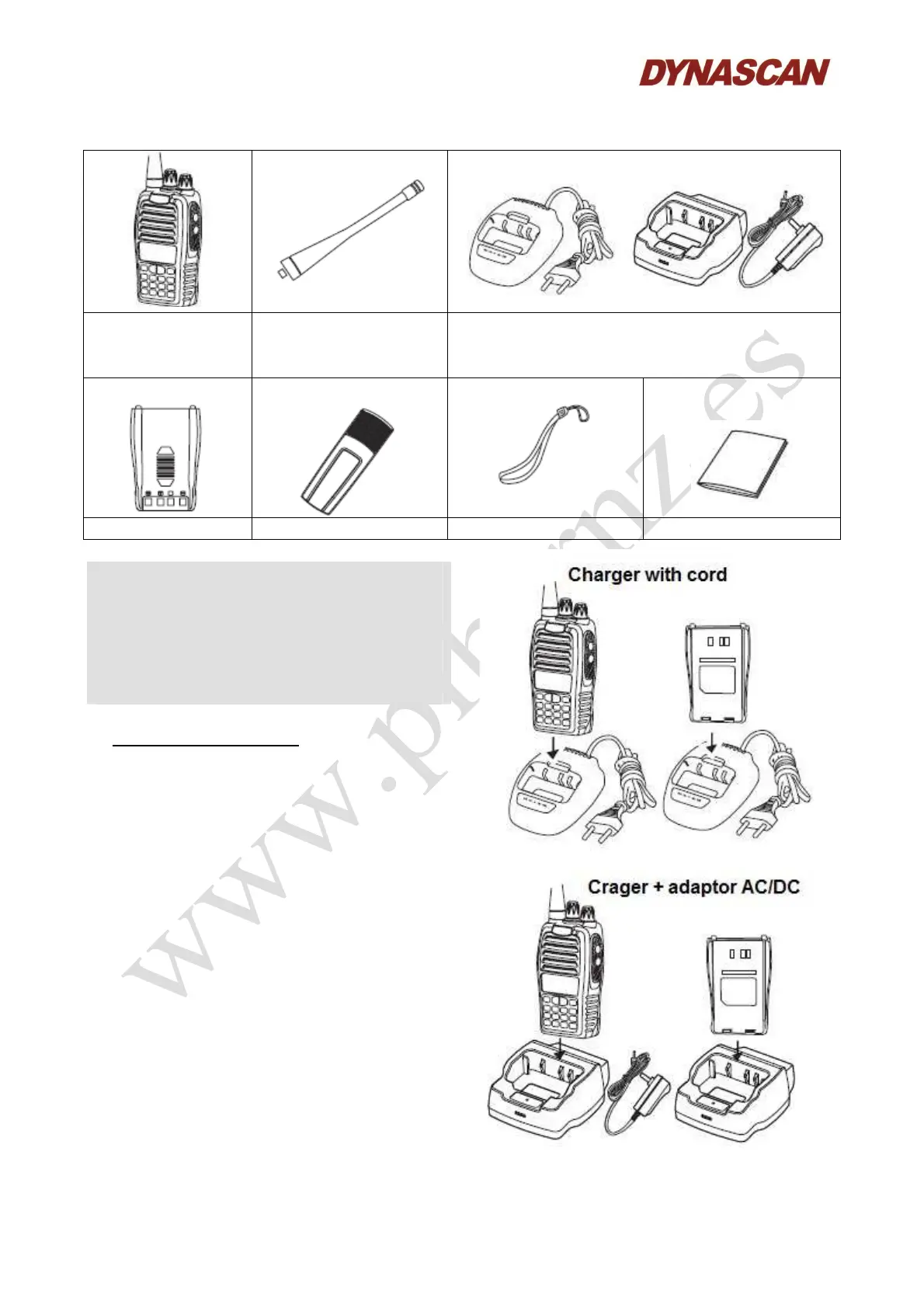
3.1.- SUPLIED ARTICLES:
Handheld
transceiver
Antenna Battery charger with cord or battery charger
with AC/DC adaptor
(according to the transceiver version)
Battery pack Belt clip Hand strap Instruction manual
Notes:
- The articles supplied in the box may differ from
the table above in relation to the version or country
in which the products are supplied. For more
information, please contact the salesperson.
- Consult with your salesperson or distributor for
more information on the accessories availables for
this transceiver.
4.- GETTING STARTED:
4.1.- CHARGING THE BATTERY PACK:
1.- Battery charger with cord: Inser the plug of the
desktop battery charger into a nearby and easily
accesible 100-240 VAC, 50/60 Hz wall outlet.
The led indicator will illuminates in green color.
Battery charger with AC/DC adapor: Inser the
jackt of the AC/DC adaptor to the desktop battery
charger and connect the AC/DC adaptor into a
nearby and easily accesible 100-240 VAC, 50/60
Hz wall outlet. The led indicator will illuminates
in green color.
2.- Insert the battery pack or the transceiver with
the battery pack attached into the charging station.
Make sure that the battery pack terminals are in
contact with the desktop battery charger
terminals.
3.- The LED of the the battery charger turns red
and charging begins. Charging time is in function on the battery pack capacity. When LED turns
green the charging process is finished.



 To Next Page