English - 9 -
• Channel knob: Rotate this knob to select frequencies or channels.
• Status LED indicator: Lights green while receiving a signal and red while transmitting.
• [POWER/VOL] knob: Rotate this knob clockwise to switch ON the transceiver. To switch
OFF, turn counterclockwise until a click sounds. Rotate this knob to adjust the volume level.
• [PTT] key: Press and hold the [PTT] key to transmit and release to receive.
• [MONI] key: Press and hold for 0.5 seconds to activate the backlight of keypad and display.
Press and hold for 1 second to open the squelch, release this key to close the squelch function.
• [ALARM] key: When emergency happen, press this key for 2 seconds to start the SOS
function.
• “SP/MIC” jacks: Install the ruber cover if the headset are not used.
Keypad:
• Number keys: Input number and selects functions.
• [FUN] key: Fix different parameter and shortcut function.
• [VFO] key: For selection between Frequency + channel mode or channel mode or delete
function.
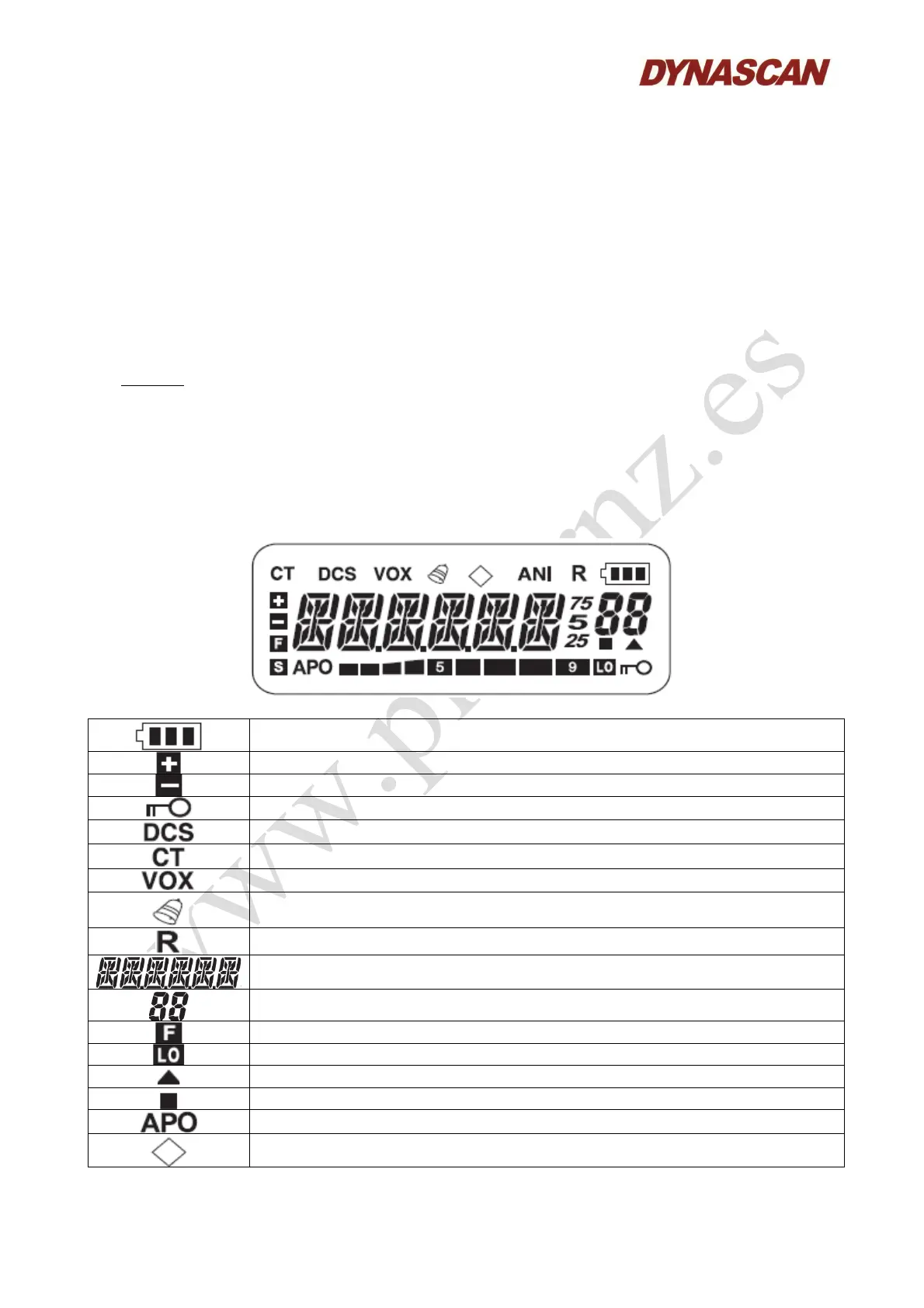
5.1.- LCD DISPLAY:
Battery level.
Positive shift frequency.
Negative shift frequency.
Keypad lock.
Transmit with DCS codes.
Transmit with CTCSS tones.
Voice operated transmission.
Beep ON.
Reverse frequency.
Frequency indicate/menu mame.
Channel number.
Function menu.
Low power transmitting.
Channel lock.
Overlap channel.
Auto power OFF.
Narrow band.



 To Next Page