English - 8 -
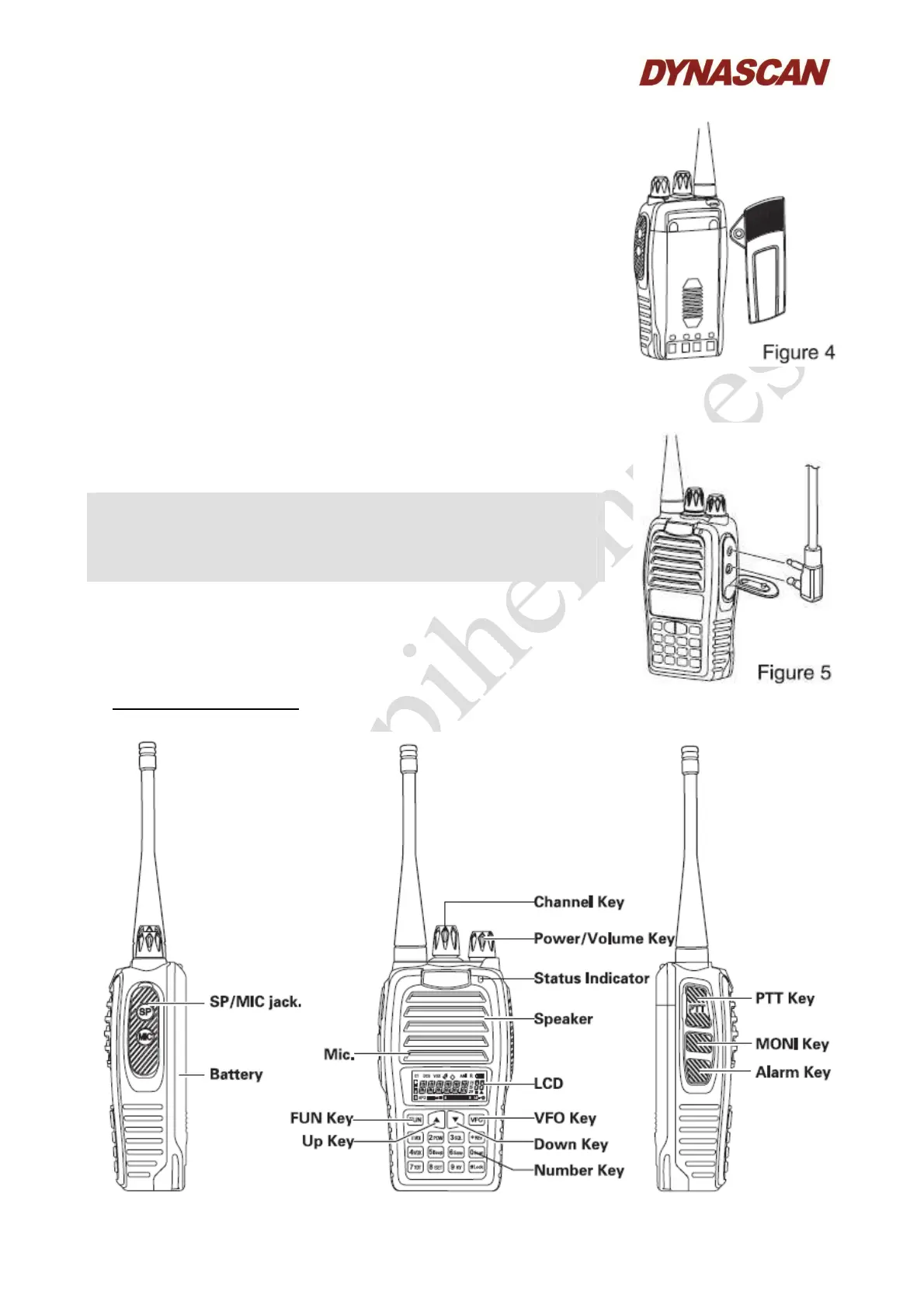
4.4.- INSTALLING/REMOVING THE BELT CLIP:
Install the belt clip to the back of the transceiver by two screws. To
remove the belt clip, unscrew then take out the belt clip away from
the transceiver (figure 4).
4.5.- INSTALLING THE HEADSET (OPTIONAL):
Remove the rubber cover (marked with SP/MIC) and insert the
headset plugs into the SP/MIC jack (figure 5).
Notes:
- To be sure high quality audio, use a headset of the same manufacturer
that the transceiver.
- Be sure that the headset are securelly installing.
- When a headset is used, be sure of not setting high very audio levels.
5.- GETTING STARTED:



 To Next Page