Tower ESS Unit User Manual
21
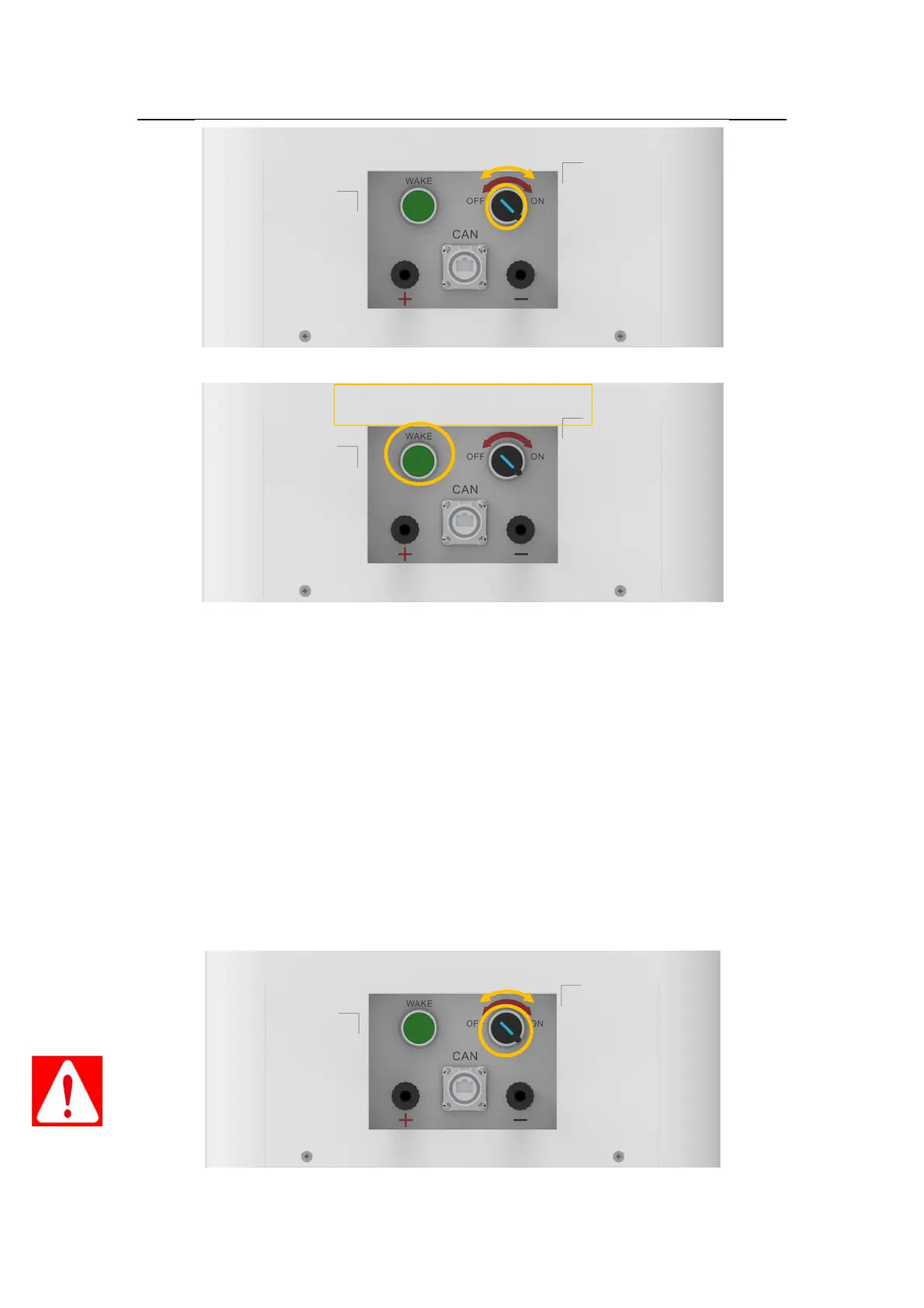
3.6.4.3 Press the “POWER WAKE” button for about 3S. The system start-up.
3.6.4.4 Use a multimeter to measure the output voltage on the positive and negative ports of the
BDU
3.7.4.5 The output voltage should conform to the voltage range in the table “Table 2-1 The
parameter of Tower system” . Otherwise, the system will be not working properly.
● Use a multimeter to check the output voltage is within the normal range
Danger: The voltage of the battery is too high, please pay attention to do self-protection during
the measurement.
3.6.5 Shut down the system.
● Switch off the “POWER ON” switch.
● Switch the BDU “DC BREAKER” to the "OFF" state .



 To Next Page