EasyManua.ls Logo

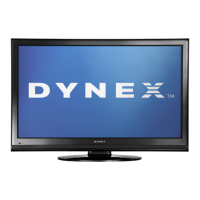
Dynex DX-24E150A11 - User Manual

Dynex DX-24E150A11
35 pages
Print Icon
To Next Page IconTo Next Page
Loading...
24" LCD TV
DX-24E150A11
USER GUIDE
DX-24E150A11_10-0762.book Page 1 Tuesday, August 31, 2010 1:17 PM

Table of Contents

Other manuals for Dynex DX-24E150A11

Questions and Answers

  • J
    Jeanette JacksonAug 14, 2025
    What to do if my Dynex LCD TV has no picture and no sound?
    • J
      Jonathan EvansAug 14, 2025
      If your Dynex LCD TV shows no picture and has no sound, ensure the power cord is properly plugged in. Then, press the POWER button on either the TV or the remote control. Verify that you've selected the correct video input source. As a final check, try tuning to another channel, as the broadcast station might be experiencing technical issues.
  • C
    Cameron YuAug 17, 2025
    Why is there good picture but no sound on my Dynex DX-24E150A11?
    • J
      James WrightAug 18, 2025
      If your Dynex LCD TV has a good picture but no sound, first ensure that the sound is not muted. Also, verify that the sound mode is set to either Stereo or Mono.
  • S
    Steven PayneAug 21, 2025
    What to do if my Dynex LCD TV screen is lit but picture is dark or poor?
    • H
      Hannah SolomonAug 21, 2025
      If your Dynex LCD TV screen is lit but the picture is dark or of poor quality while the sound is good, try adjusting the brightness settings. Also, make sure that the correct picture mode is selected. Check that the antenna or cable TV connection is correctly and securely connected.
  • B
    Brittany DiazAug 25, 2025
    What to do if my Dynex DX-24E150A11 only shows snow (noise)?
    • R
      Richard BrandtAug 25, 2025
      If your Dynex LCD TV screen displays only snow (noise), try tuning to another channel, as the broadcasting station might be experiencing problems. Ensure the antenna or cable TV is connected correctly and securely. Also, check the signal strength of the channel.
  • K
    Kelly WatkinsAug 27, 2025
    Why is there audio noise on my Dynex LCD TV?
    • K
      Kimberly DyerAug 27, 2025
      If you are experiencing audio noise with your Dynex LCD TV, make sure that there is no interference from infrared equipment, such as cordless telephones or headphones. Try moving the infrared equipment away from the TV to eliminate the noise.
  • E
    Erin Morales MDAug 31, 2025
    How to fix dotted lines or stripes on Dynex LCD TV screen?
    • J
      Jennifer HansenAug 31, 2025
      To address dotted lines or stripes appearing on your Dynex LCD TV screen, try adjusting the antenna. Additionally, move the TV away from potential noise sources like cars, neon signs, or hair dryers.
  • J
    John ZunigaSep 3, 2025
    Why is there no color or dark picture on my Dynex DX-24E150A11 LCD TV?
    • J
      Jamie PayneSep 3, 2025
      If your Dynex LCD TV displays no color, a dark picture, or incorrect colors, try adjusting the color saturation.
  • N
    Noah GilmoreSep 7, 2025
    How to fix double images on Dynex LCD TV?
    • D
      David ZhangSep 7, 2025
      To correct double images on your Dynex LCD TV, use a highly directional outdoor antenna or cable TV.
  • B
    Brandon HillSep 10, 2025
    Are bright or dark spots on my Dynex DX-24E150A11 normal?
    • D
      David OwensSep 12, 2025
      A few bright or dark spots on a Dynex LCD screen are normal and should not affect the TV's operation.

Summary

Important Safety Instructions

Warnings

Details risks associated with electric shock, lightning, power lines, and LCD panel handling.

Installation and Package Contents

TV Components

Child Safety

Safe Usage Tips

Essential tips for safe TV placement and usage around children.

Wall Mounting Safety

Details safety precautions and requirements for mounting the TV on a wall.

Important Safety Instructions (Continued)

Electrical and Lightning Safety

Details risks associated with electric shock, lightning, and power lines.

Installation Procedures

Making Connections

Connecting HDMI Devices

Steps to connect devices using an HDMI cable for optimal quality.

Connecting Antenna;Cable TV

Guide for connecting TV signals via antenna or cable.

Connecting Other Devices

Connecting a Computer

Steps to connect a computer to the TV for display.

First Time TV Setup

Initial Setup Wizard

Guides through language, time, and source selection for initial setup.

Understanding TV Basics

Powering On;Off and Input Selection

How to turn the TV on/off and select video input sources.

Menu Navigation and Picture Adjustment

Adjusting the TV Picture

Details how to adjust picture settings like mode, brightness, and contrast.

Advanced Picture and Sound Settings

Adjusting Sound Settings

Guide to customizing sound modes, treble, bass, and balance.

Channel Management Features

Playing TV Audio Only and Channel Scanning

How to listen to audio only and scan for channels.

Parental Controls Setup

Turning Parental Controls On;Off

Steps to enable or disable the parental control features.

Setting or Changing Password

How to set or modify the PIN for parental controls.

Control Lock and Rating Levels

Turning Button Lock On or Off

Securing the TV's physical buttons from unauthorized use.

Setting Parental Control Levels

Configuring restrictions based on program ratings (US/Canada TV & Movie).

Time and Timer Settings

Closed Captioning Options

Troubleshooting

Video and Audio Problems

Solutions for common picture and sound problems.

Troubleshooting Specific Issues

Warranty Details

Dynex DX-24E150A11 Specifications

General IconGeneral
Screen Size24 inches
Display TypeLCD
Resolution1366 x 768
Refresh Rate60 Hz
HDMI Ports2
USB Ports1
Aspect Ratio16:9
Contrast Ratio1000:1
Brightness250 cd/m²
Response Time5 ms
Viewing Angle170° (H) / 160° (V)
Speakers2 x 3W
InputsComposite, Component

Related product manuals