EasyManua.ls Logo

Dynex DX-40L130A11 - User Manual

Dynex DX-40L130A11
38 pages
Print Icon
To Next Page IconTo Next Page
Loading...
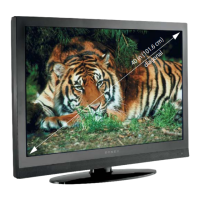
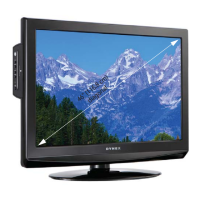
32", 37", 40", and 46" LCD TVs
DX-32L150A11
DX-37L150A11
DX-40L130A11
DX-46L150A11
USER GUIDE
DX-32L-37L-46L150A11_10-0012.book Page 1 Thursday, January 14, 2010 8:30 AM

Table of Contents

Other manuals for Dynex DX-40L130A11

Questions and Answers

  • S
    Stephanie HowellAug 13, 2025
    Why is my Dynex DX-40L130A11 remote control not working?
    • M
      Megan HuertaAug 13, 2025
      If your Dynex LCD TV remote control isn't working, first, ensure the TV's power cord is plugged in. Then, check for any obstructions between the remote and the TV's remote control sensor, located on the front of the TV. Next, make sure the batteries are correctly installed in the remote. If the problem persists, try replacing the batteries with new ones.
  • I
    ibakerAug 17, 2025
    What to do if my Dynex LCD TV has no picture and no sound?
    • J
      Jason EstradaAug 17, 2025
      If your Dynex LCD TV has no picture and no sound, ensure the power cord is properly plugged in. Then, press the POWER button on either the TV or the remote control. Verify that you've selected the correct video input source. As a final step, try changing to another channel, as the station itself might be experiencing technical difficulties.
  • Y
    Yolanda SanchezAug 20, 2025
    How to fix a Dynex DX-40L130A11 with a good picture but no sound?
    • B
      bethanycampbellAug 20, 2025
      If your Dynex LCD TV has a good picture but no sound, first, make sure that the sound is not muted. Then, verify that the sound mode is set to either Stereo or Mono.
  • S
    Susan DayAug 25, 2025
    Why is the picture on my Dynex LCD TV dark, poor, or not showing, but the sound is good?
    • L
      Laura MosleyAug 25, 2025
      If you're experiencing a dark, poor, or absent picture on your Dynex LCD TV while the sound is working, try adjusting the brightness settings. Also, ensure that the correct picture mode is selected. Finally, check that the antenna or cable TV is securely and correctly connected.
  • L
    Lauren LeeAug 28, 2025
    What to do if my Dynex LCD TV only shows snow?
    • J
      James TrevinoAug 28, 2025
      If your Dynex LCD TV screen displays only snow (noise), first try switching to another channel, as the broadcast station may be experiencing issues. Ensure that your antenna or cable TV connection is both correctly and securely connected. Finally, check the signal strength.
  • C
    Colleen GallagherAug 31, 2025
    How to remove dotted lines or stripes on Dynex DX-40L130A11 screen?
    • N
      nhenrySep 1, 2025
      To address dotted lines or stripes appearing on your Dynex LCD TV screen, try adjusting the antenna. Also, move the TV away from potential noise sources like cars, neon signs, or hair dryers.
  • C
    candacelarsonSep 4, 2025
    Why does my Dynex LCD TV show double images?
    • N
      Natalie TorresSep 4, 2025
      If your Dynex LCD TV is showing double images, try using a highly directional outdoor antenna or cable TV.
  • S
    Steven BestSep 8, 2025
    Are bright or dark spots on my Dynex DX-40L130A11 LCD TV normal?
    • B
      brianhallSep 9, 2025
      A few bright or dark spots are normal on an LCD screen and should not affect the operation of your Dynex LCD TV.

Dynex DX-40L130A11 Specifications

General IconGeneral
BrandDynex
ModelDX-40L130A11
CategoryLCD TV
LanguageEnglish

Related product manuals