EasyManua.ls Logo

Dynex DX-40L150A11 - User Manual

Dynex DX-40L150A11
36 pages
Print Icon
To Next Page IconTo Next Page
Loading...
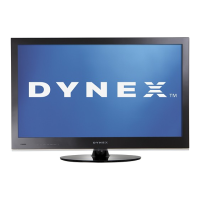
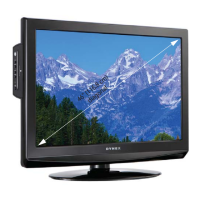
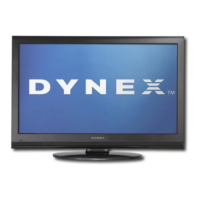
40" LCD TV
DX-40L150A11
USER GUIDE
DX-40L150A11_10-0017.book Page 1 Tuesday, February 16, 2010 4:15 PM

Table of Contents

Other manuals for Dynex DX-40L150A11

Questions and Answers

  • K
    kgonzalezSep 3, 2025
    How to remove dotted lines on Dynex LCD TV?
    • C
      Cassandra WagnerSep 4, 2025
      To fix dotted lines or stripes on your Dynex LCD TV screen, try adjusting the antenna. Also, move the TV away from potential noise sources, such as cars, neon signs, or hair dryers.
  • A
    Anna CruzSep 18, 2025
    Why does my Dynex LCD TV cabinet creak?
    • Z
      zparksSep 18, 2025
      When the Dynex LCD TV is in use, the temperature naturally rises and may cause the cabinet to expand or contract which can cause a creaking noise.
  • X
    xwebsterSep 16, 2025
    Why some settings cannot be accessed on Dynex DX-40L150A11 LCD TV?
    • W
      William GonzalezSep 16, 2025
      If some settings on your Dynex LCD TV cannot be accessed (are grayed out), it means that the setting is not available in the current video input mode.
  • H
    Heather WilliamsonSep 14, 2025
    Why does my Dynex LCD TV have bright spots?
    • S
      smithkennethSep 14, 2025
      A few bright or dark spots on a Dynex LCD screen is normal and does not affect the TV's operation.
  • A
    Amy BurtonSep 12, 2025
    Why are some channels not displaying on my Dynex DX-40L150A11 LCD TV?
    • D
      Daniel WatsonSep 13, 2025
      If one or more channels do not display on your Dynex LCD TV, make sure that the channels are not blocked or hidden. It's also possible the channel was deleted from the channel list.
  • C
    Carrie VegaSep 12, 2025
    What to do if Dynex DX-40L150A11 control buttons do not work?
    • R
      Robert KimSep 12, 2025
      To fix control buttons that do not work on the Dynex LCD TV, disconnect the power cord, wait a few seconds, then reconnect it and turn on the TV. Also, make sure that the Button Lock option is set to Off.
  • C
    Claudia Burton MDSep 9, 2025
    How to fix double images on Dynex DX-40L150A11 LCD TV?
    • L
      Linda CrawfordSep 9, 2025
      If you see double images on your Dynex LCD TV, use a highly directional outdoor antenna or cable TV.
  • S
    Sandra OlsenSep 7, 2025
    What is the default password for Dynex LCD TV?
    • J
      Jessica MolinaSep 7, 2025
      If you've lost the password for your Dynex LCD TV, enter 9999 to access parental controls, and then set a new password.
  • S
    Susan WatkinsSep 5, 2025
    How to eliminate audio noise on Dynex DX-40L150A11 LCD TV?
    • A
      adam79Sep 6, 2025
      If you're experiencing audio noise with your Dynex LCD TV, ensure there is no interference from infrared equipment like cordless phones or headphones. Move such equipment away from the TV to eliminate the noise.
  • N
    nolanlisaAug 20, 2025
    How to fix no power on Dynex DX-40L150A11?
    • M
      Michelle RosarioAug 21, 2025
      Ensure the power cord of your Dynex LCD TV is properly plugged in. If it is, try unplugging it, waiting for about 60 seconds, and then plugging it back in before turning the TV on.

Summary

Child Safety and Installation Guidelines

Tune Into Safety Tips

General safety tips for TV use and children.

Wall Mounting Safety Guidelines

Guidelines for safely mounting the TV on a wall.

Important Safety Instructions

Warnings and Cautions

Critical safety warnings for operation and maintenance.

TV Stand Installation and Removal

Installing the TV Stand

Step-by-step guide for attaching the TV stand.

Installing a Wall-Mount Bracket

Instructions for securely mounting a wall bracket.

TV Component Identification

TV Ports: Right Side and Back Panel

Description of ports located on the TV's right side and back.

TV Controls and Remote Operation

Connecting Devices and Initial Setup

Connecting Power and Selecting TV Location

Connecting the power cord and choosing a TV location.

Connecting A;V Sources

Connecting HDMI and Component Devices

Steps for connecting HDMI and component video sources.

Connecting Antenna, Cable, or Satellite

Instructions for connecting broadcast TV signals.

Connecting Video Players

Connecting Audio-Visual Equipment

Connecting Computers and Home Theater Systems

Steps for connecting computers and audio systems.

Initial TV Setup Procedures

First-Time Setup Wizard

Guide through the initial TV setup wizard.

Understanding Basic TV Operation

Adjusting Picture Settings

Navigating Menus and Basic Picture Adjustments

How to access and adjust fundamental picture settings.

Adjusting TV Picture Quality

Detailed settings for optimizing picture appearance.

Advanced Picture Settings

Sound Adjustments and Audio Playback

Adjusting Sound Parameters

Customizing audio modes, equalizer, and sound balance.

Changing Channel Settings

Signal Strength and Parental Controls

Setting Parental Control Passwords

Establishing a password to manage content access.

Parental Control Features

Setting Parental Control Levels

USA and Canadian Parental Locks

Setting content restrictions based on TV/movie ratings.

Adjusting Time and Sleep Settings

Troubleshooting Common Issues

Restoring Default Settings

Resetting all customized TV settings to factory defaults.

Video and Audio Problems

Solutions for common picture and sound malfunctions.

Dynex DX-40L150A11 Specifications

General IconGeneral
Screen Size40 inches
Resolution1920 x 1080
Display TypeLCD
HDMI Ports3
USB Ports1
Refresh Rate60Hz
Audio Output10W x 2
Aspect Ratio16:9
InputsComponent, Composite, HDMI, USB

Related product manuals