13
DX-MLET21
www.dynexproducts.com
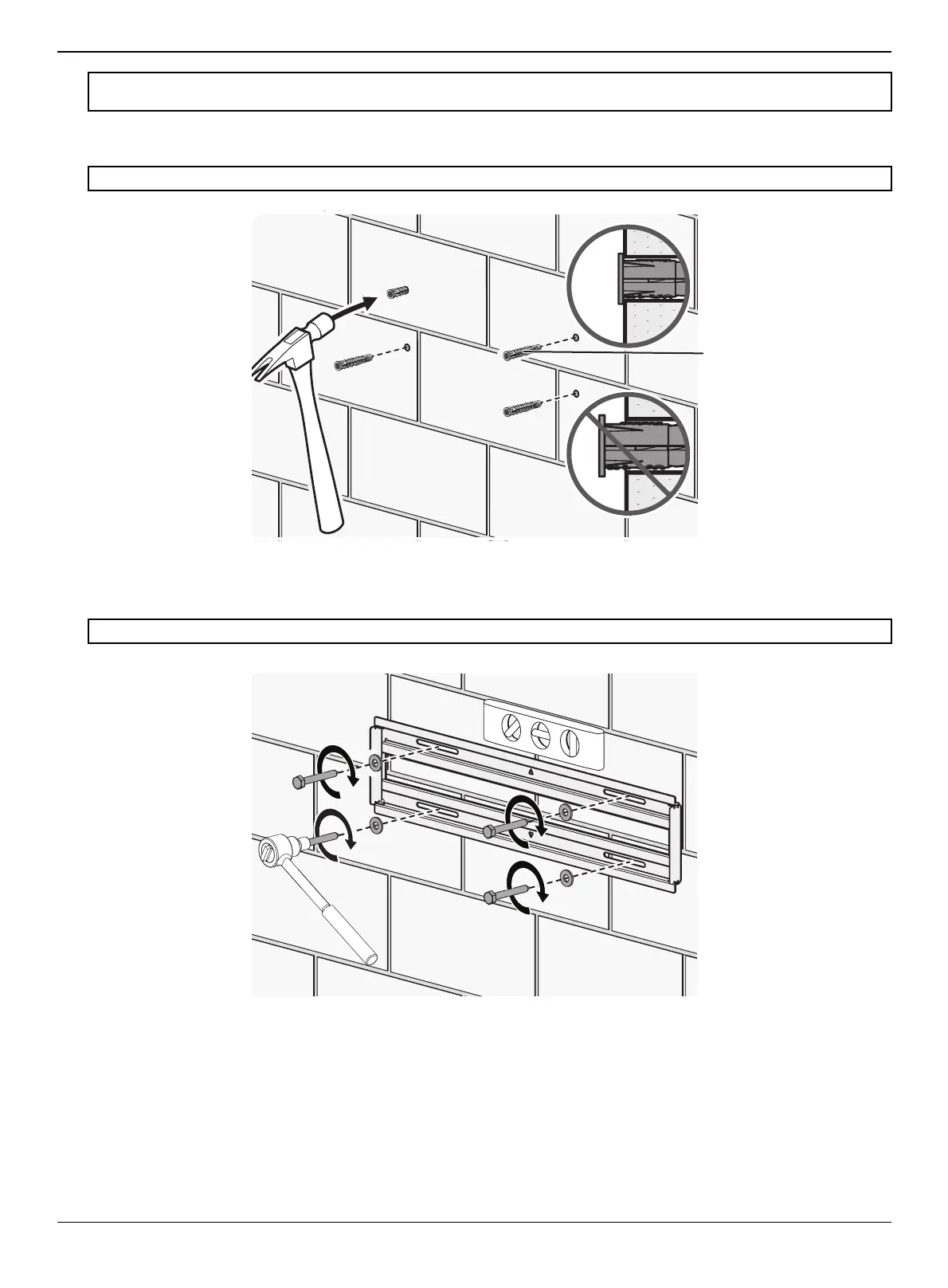
3 Insert the concrete wall anchors into the pilot holes and use a hammer to make sure that the anchors are flush with the
concrete surface.
4 Align the wall plate on the wall mount with the anchors, insert the lag bolts through the lag bolt washers, then through
the holes in the wall plate. Make sure that the wall plate is level. Tighten the lag bolts with a socket wrench only until
they are firm against the wall plate.
.
Note: After mounting, your TV will shift 2.28 in. (58 mm) to the right when the TV mount is extended. You can fine tune the wall plate
and TV mount to compensate.
CAUTION:
Make sure that the concrete anchors are seated flush with the surface of the concrete or block wall.
CAUTION: DO NOT over-tighten the lag bolts.


 To Next Page