EasyManua.ls Logo

Dynex DX-MLET21 - User Manual

Dynex DX-MLET21
24 pages
Print Icon
To Next Page IconTo Next Page
Loading...
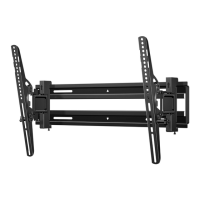
Large Extended Tilt Mount
DX-MLET21
INSTALLATION GUIDE
Before using your new product, please read these instructions to prevent any damage.
Question and Answer IconNeed help?

Do you have a question about the Dynex DX-MLET21 and is the answer not in the manual?

Summary

IMPORTANT SAFETY INSTRUCTIONS

SAVE THESE INSTRUCTIONS

Essential instructions to retain for future reference and safe operation.

Features

TV Size and Weight Support

Mount compatibility with TV sizes and weight limits.

Tilt Adjustability

Adjustability feature for optimal viewing angle.

Lateral Shift Capability

Ability to center the TV horizontally on the mount.

VESA Compatibility

Compatibility with various VESA mounting hole patterns.

Dimensions

Tools Needed for Installation

Installation Tools Overview

Lists essential tools including stud finder, tape measure, pencil, drill, hammer, socket wrench, awl, tape, and level.

Specific Drill Bit Requirements

Required drill bits for wood and concrete wall installations.

Package Contents

Wall Plate and Template

Primary wall mounting component and drilling guide.

TV Mounting Brackets

Brackets that attach to the TV for mounting.

TV Hardware Kit

Contains various screws, washers, and spacers for TV attachment.

Not Included Hardware

Lists hardware not provided in the kit, requiring separate purchase.

Determine TV Back Type

Flat TV Back

Brackets mount flush, no spacers needed.

Obstructed or Irregular TV Back

Requires spacers for bracket mounting due to jacks or gaps.

Select Mounting Hardware

Hardware for Flat Back TVs

Specific screw types recommended for TVs with a flat back.

Hardware for Irregular Backs

Screw and spacer recommendations for TVs with obstructed or irregular backs.

Screw Length Caution

Warning about using screws that are too long or too short for secure attachment.

Attach Mounting Hardware to TV

Align TV Brackets

Position TV brackets correctly on the back of the TV.

Bracket Orientation

Ensure tilt tension knobs are oriented towards the outside edges.

Secure Brackets to TV

Install Brackets with Hardware

Attach brackets using appropriate screws, washers, and spacers.

Tighten Screws Snugly

Tighten screws with a Phillips screwdriver until snug, avoid over-tightening.

Determine Wall Mount Location

Wall Mounting Location Calculation

Calculate and mark the optimal height for the wall plate on the wall based on TV position.

TV Height Positioning Notes

Guidance on positioning TV for eye-level viewing.

Install on Wood Stud Wall

Locate Stud Centers

Use a stud finder to locate and mark stud centers for secure mounting.

Align and Tape Template

Position and secure the template at the calculated height for drilling.

Secure Wall Plate to Wood Studs

Drill Pilot Holes in Studs

Create pilot holes into the center of the studs as per template markings.

Attach Wall Plate with Lag Bolts

Secure the wall plate using lag bolts and washers, ensuring it is level.

Caution: Do Not Over-tighten Lag Bolts

Warning to avoid over-tightening lag bolts to prevent wall damage.

Install on Concrete or Block Wall

Align and Tape Concrete Template

Position and secure the template at the calculated height for drilling.

Drill Pilot Holes for Anchors

Drill pilot holes into the concrete wall for anchor insertion.

Secure Wall Plate to Concrete

Insert Concrete Anchors

Insert anchors into pilot holes and ensure they are flush with the surface.

Attach Wall Plate with Lag Bolts

Secure the wall plate using lag bolts and washers, ensuring it is level.

Caution: Anchor Seating and Tightening

Ensure anchors are flush and avoid over-tightening lag bolts.

Install on Steel Stud Wall

Steel Stud Installation Cautions

Key precautions regarding stud type, drywall thickness, and pilot hole depth.

Align and Tape Steel Stud Template

Position and secure the template at the calculated height for drilling.

Secure Wall Plate to Steel Studs

Steel Stud Installation Steps

Drill pilot holes, insert anchors, and install anchor caps for steel stud mounting.

Anchor Cap Seating Caution

Ensure anchor caps are flush with the wall board surface.

Attach Wall Plate to Steel Studs

Secure Wall Plate with Screws

Secure the wall plate using specific screws and washers, ensuring it is level.

Caution: Do Not Over-tighten Screws

Warning to avoid over-tightening screws for secure attachment.

Mount TV to Wall Plate

Extend TV Mounting Brackets

Extend the TV brackets outwards for easier attachment to the wall plate.

Hook Brackets onto Wall Plate

Hook the upper edges of the TV brackets onto the wall plate lip.

Heavy Item Handling Warning

Warning that lifting and mounting the TV may require help from another person.

Secure TV to Wall Plate

Install Locking Screws

Secure the TV to the wall plate by installing locking screws at the bottom.

Verify Locking Screw Installation

Ensure locking screws are properly installed before moving the TV.

Managing Cables and Adjustments

Cable Management

Instructions for attaching cables to the TV.

Adjusting TV Extension

Manually adjust the TV's distance from the wall.

Adjusting TV Tilt Tension

Fine-tune tilt tension knobs for smooth, stable adjustment.

Securing Tilt Adjustment

Tighten tension knobs after positioning to prevent unwanted movement.

Adjust Lateral TV Position

Remove TV for Lateral Adjustment

Detach the TV from the wall plate to adjust lateral position.

Select New Lateral Position

Determine the new horizontal placement on the wall plate.

Reattach TV After Adjustment

Reattach the TV to the wall plate after lateral adjustment.

Remove TV from Wall Plate

Extend Mount for Removal

Extend the TV mount fully before attempting removal.

Disconnect Cables and Loosen Screws

Remove all cables and unscrew the locking screws securing the TV.

Detach TV from Wall Plate

Pull Out Bottom and Lift TV

Gently pull the bottom of the TV out and lift it off the wall plate.

90-Day Limited Warranty Details

Warranty Coverage and Service

Specifies the 90-day period, how to obtain service, and exclusions.

Contacting Dynex for Warranty

Provides contact phone number and website for product inquiries and service.

Overview

This document describes the Dynex Large Extended Tilt Mount, model DX-MLET21, an installation guide for mounting televisions.

Function Description:

The Dynex Large Extended Tilt Mount is designed to securely mount televisions to various wall types, including wood stud, solid concrete/concrete block, and steel stud walls. It allows for adjustment of the TV's position, including tilt and lateral shift, to optimize viewing angles. The mount is built with sturdy steel construction, ensuring durability and dependable use for years. It comes with a full assortment of mounting hardware to accommodate a wide range of TVs.

Important Technical Specifications:

  • TV Size Compatibility: Supports TVs from 32–70 inches (81.3 – 177.8 cm).
  • Weight Capacity: Supports TVs up to 80 lbs (36.3 kg).
  • Tilt Adjustment: Offers up to 12° of tilt, allowing users to adjust the angle for their viewing position.
  • VESA Compatibility: Compatible with VESA patterns ranging from 100 x 100 mm (3.9 x 3.9") up to 400 x 600 mm (15.7 x 23.6"), including common sizes like:
    • 100 x 100 mm (3.9 x 3.9")
    • 200 x 200 mm (7.9 x 7.9")
    • 300 x 200 mm (11.8 x 7.9")
    • 300 x 300 mm (11.8 × 11.8")
    • 400 x 200 mm (15.7 x 7.9")
    • 400 x 300 mm (15.7 × 11.8")
    • 400 x 400 mm (15.7 × 15.7")
    • 400 x 600 mm (15.7 x 23.6")
  • Mount Dimensions (Collapsed): 2.73 inches (6.9 cm) from the wall.
  • Mount Dimensions (Extended): 5.02 inches (12.8 cm) from the wall.
  • Wall Plate Length: 25.6 inches (65.1 cm).
  • TV Bracket Height: 16.5 inches (41.9 cm).
  • Wall Requirements: The wall must be capable of supporting five times the combined weight of the TV and wall mount.
  • Wood Stud Wall Requirements:
    • Drywall thickness: Must not exceed 5/8 in. (16 mm).
    • Minimum wood stud size: 2 x 4 in. (51 x 102 mm) nominal or 1-1/2 x 3-1/2 in. (38 x 89 mm) actual.
    • Minimum horizontal space between fasteners: 16 in. (406 mm).
    • Pilot hole depth: 2-3/4 in. (70 mm) using a 7/32 in. (5.5 mm) drill bit.
  • Solid Concrete/Concrete Block Wall Requirements:
    • Mount directly onto the concrete surface (no wall covering).
    • Minimum concrete block size: 8 x 8 x 16 in. (203 x 203 x 406 mm).
    • Minimum horizontal space between fasteners: 16 in. (406 mm).
    • Pilot hole depth: 3 in. (75 mm) using a 3/8 in. (10 mm) masonry drill bit.
  • Steel Stud Wall Requirements:
    • Studs must be at least 2 x 4 in./25 gauge.
    • Drywall must be a minimum of 1/2 in. (13 mm) thick on each side of the studs.
    • Minimum clearance of 1 in. (48 mm) behind the wall is required.
    • Pilot hole depth: 1 in. (26 mm) using a 1/2 in. (13 mm) diameter drill bit.
    • Steel stud anchors must be centered on the studs.
    • Stud type and structural strength must conform to the North American Specification for the Design of Cold-Formed Steel Structural Members [362 S 125 18, C-Shape, S - Stud Section].
    • Drywall must be secured to studs with screws 12 in. (304.8 mm) on center.

Usage Features:

  • Easy Installation: The guide provides detailed, step-by-step instructions for installation on various wall types, including determining TV back type (flat, obstructed, irregularly-shaped), selecting appropriate screws, attaching mounting hardware to the TV, and determining the optimal wall-mount location.
  • Adjustable Viewing Angle: The 12° tilt feature allows users to easily adjust the TV's vertical viewing angle to reduce glare or achieve a comfortable viewing position. Tilt tension knobs are provided for securing the desired angle.
  • Lateral Shift Capability: The mount allows for lateral shifting of the TV on the wall plate, making it easy to center the TV after installation. This feature requires temporarily removing the TV from the wall plate for adjustment.
  • Cable Management: The design allows for access to TV connection points, facilitating cable management.
  • Safety Precautions: The manual emphasizes important safety instructions, including warnings against improper installation, exceeding weight limits, and using incorrect hardware. It also highlights potential pinch points during TV extension/retraction.
  • Hardware Selection Guidance: Provides clear instructions on selecting the correct screws, washers, and spacers based on the TV's back type and VESA pattern, with cautions against using screws that are too long or too short.
  • Height Finder Tool: Recommends an online height-finder tool for more detailed information on determining drilling locations, ensuring the TV is mounted at an ergonomic viewing height (typically 40 to 60 inches from the ground to the middle of the screen).

Maintenance Features:

  • Tension Adjustment: Tilt tension knobs allow for easy adjustment of the TV's tilt tightness. If the TV is too loose or too tight, these knobs can be adjusted to ensure it stays in place.
  • Secure Mounting: The installation process includes tightening locking screws to secure the TV to the wall plate, preventing unwanted movement. These screws should be properly installed before extending or retracting the TV.
  • Cleaning: While not explicitly detailed as a maintenance feature, the initial step of placing the TV screen face-down on a cushioned, clean surface implies the importance of protecting the screen from damage during installation, suggesting a general care approach.
  • Troubleshooting (Implicit): The detailed instructions for selecting hardware and wall types, along with warnings about resistance during screw threading, implicitly guide users in preventing common installation issues that might require maintenance or repair.
  • Warranty Support: A 90-day limited warranty covers defects in material or workmanship, providing support for repairs or replacements if issues arise within the warranty period. Contact information for customer service is provided for assistance.

Dynex DX-MLET21 Specifications

General IconGeneral
BrandDynex
ModelDX-MLET21
CategoryRacks & Stands
LanguageEnglish

Related product manuals