8
Large Extended Tilt Mount
www.dynexproducts.com
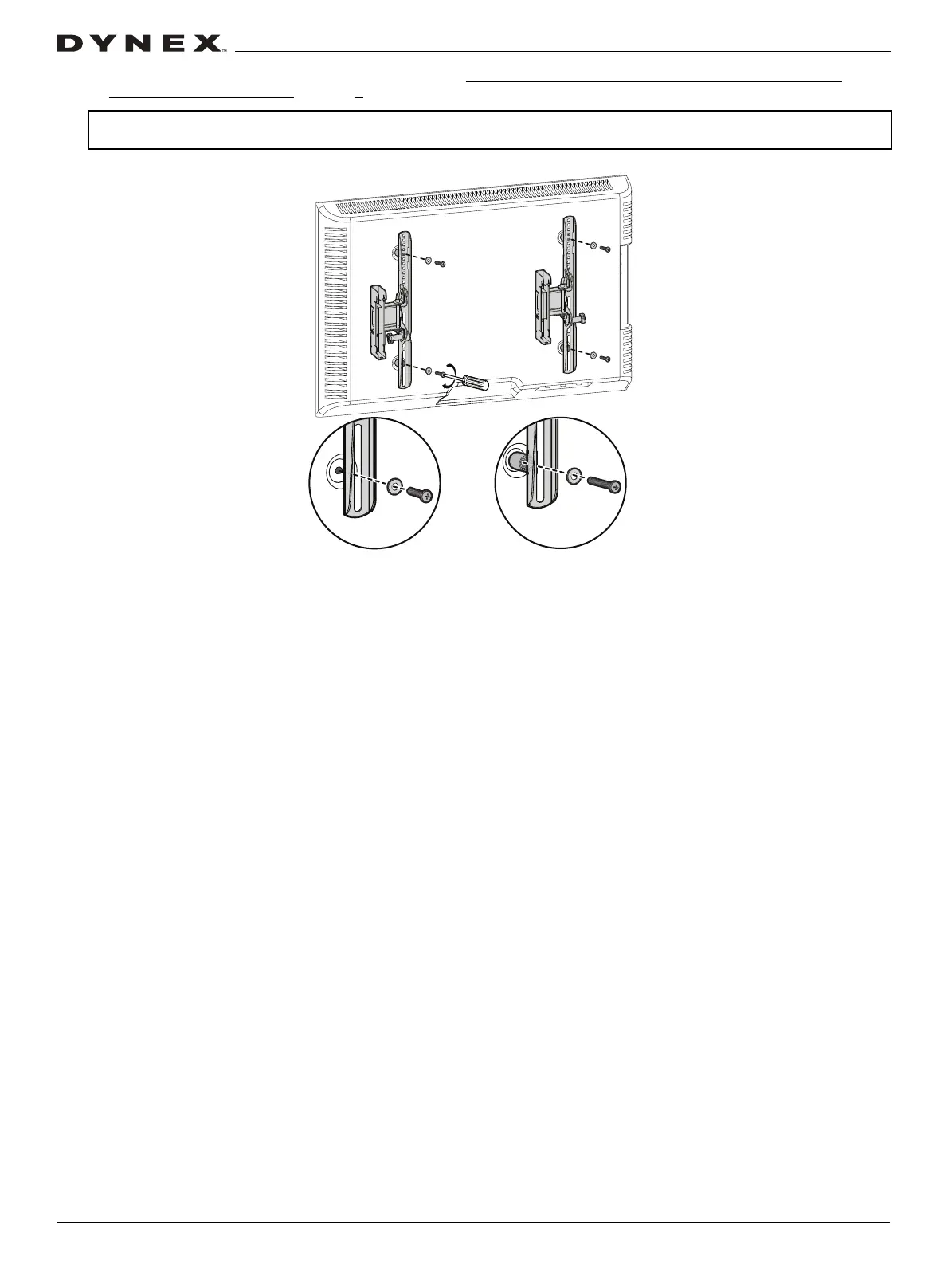
2 Install washers (M4 or M6/M8), spacers (if needed, see STEP 1 - Determine whether your TV has a flat back or an
irregular or obstructed back on page 5), and screws (M4, M6, or M8) into the holes in the back of your TV.
3 Tighten the screws with a Phillips screwdriver until they are snug against your TV brackets.
CAUTION: To avoid potential personal injuries and equipment damage, DO NOT use power tools for the following step. Tighten the
screws only enough to secure the TV brackets to the TV. DO NOT over tighten.
No spacer needed
Spacer needed
Top of TV


 To Next Page