9
DX-MLET21
www.dynexproducts.com
STEP 4 - Determine the wall-mount location
You’ll need
The center of your TV will be offset .8 in. (2 cm) lower than the center of the wall plate on the wall-mount. Before you drill
holes in the wall:
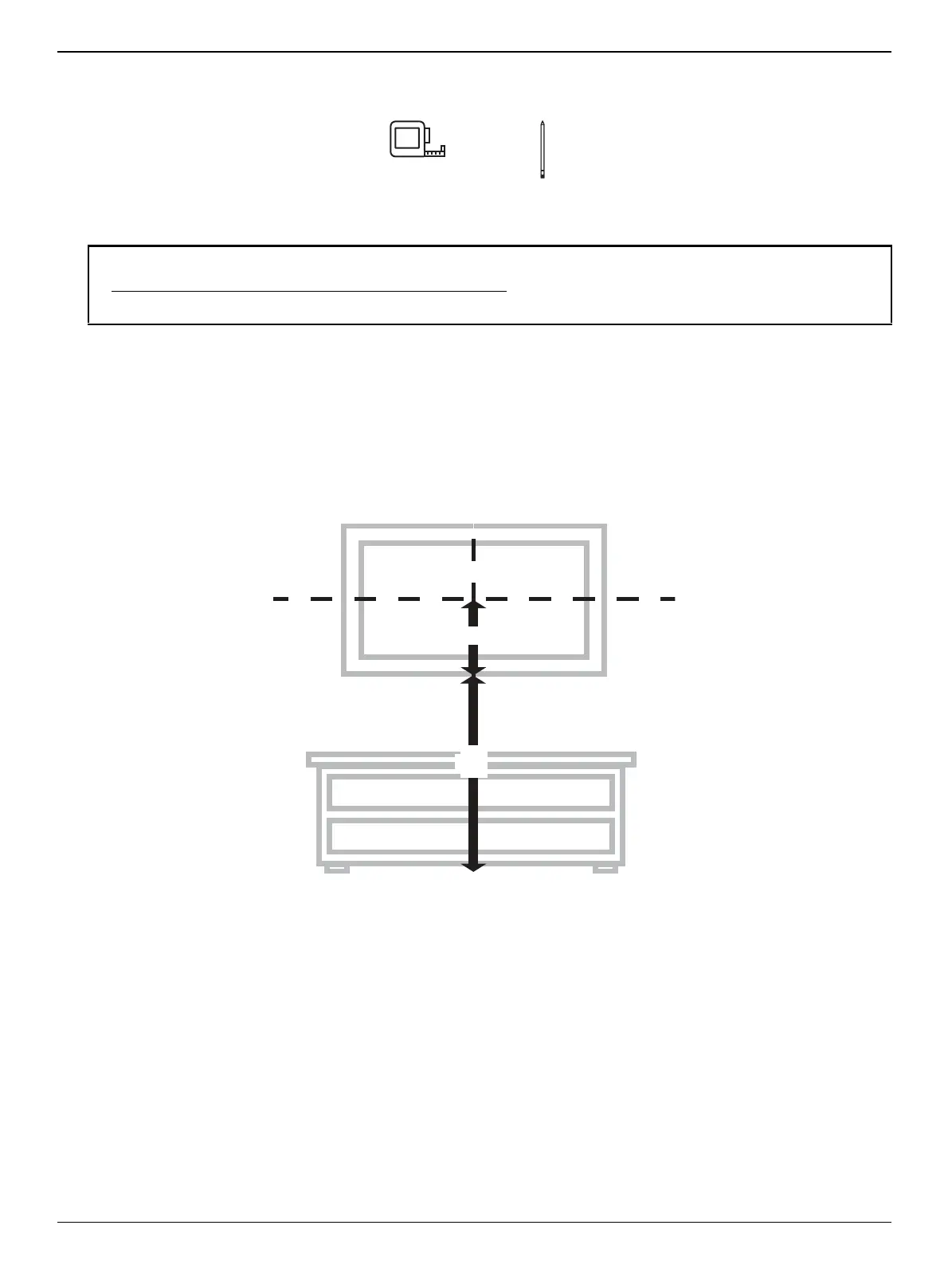
1 Measure the distance from the bottom of your TV to the center point halfway between the top and bottom mounting
holes on the back of your TV. This is measurement a.
2 Measure the distance from the floor to where you want the bottom of your TV to be placed on the wall. Keep in mind
that the bottom of your TV should be placed above any furniture (such as entertainment centers or TV stands). Your TV
should also be above items placed on top of the furniture (like a Blu-ray player or cable box). This measurement is b.
3 Add a + b. The total measurement is the height where you want the center of the wall plate to be on the wall.
4 Use a pencil to mark this spot on the wall.
Notes:
• For more detailed information on determining where to drill your holes, visit our online height-finder at:
http://mf1.bestbuy.selectionassistant.com/index.php/heightfinder
• Your TV should be high enough so your eyes are level with the middle of the screen. This is normally 40 to 60 in. (101 to 152 cm)
from the ground.


 To Next Page