18
Large Extended Tilt Mount
www.dynexproducts.com
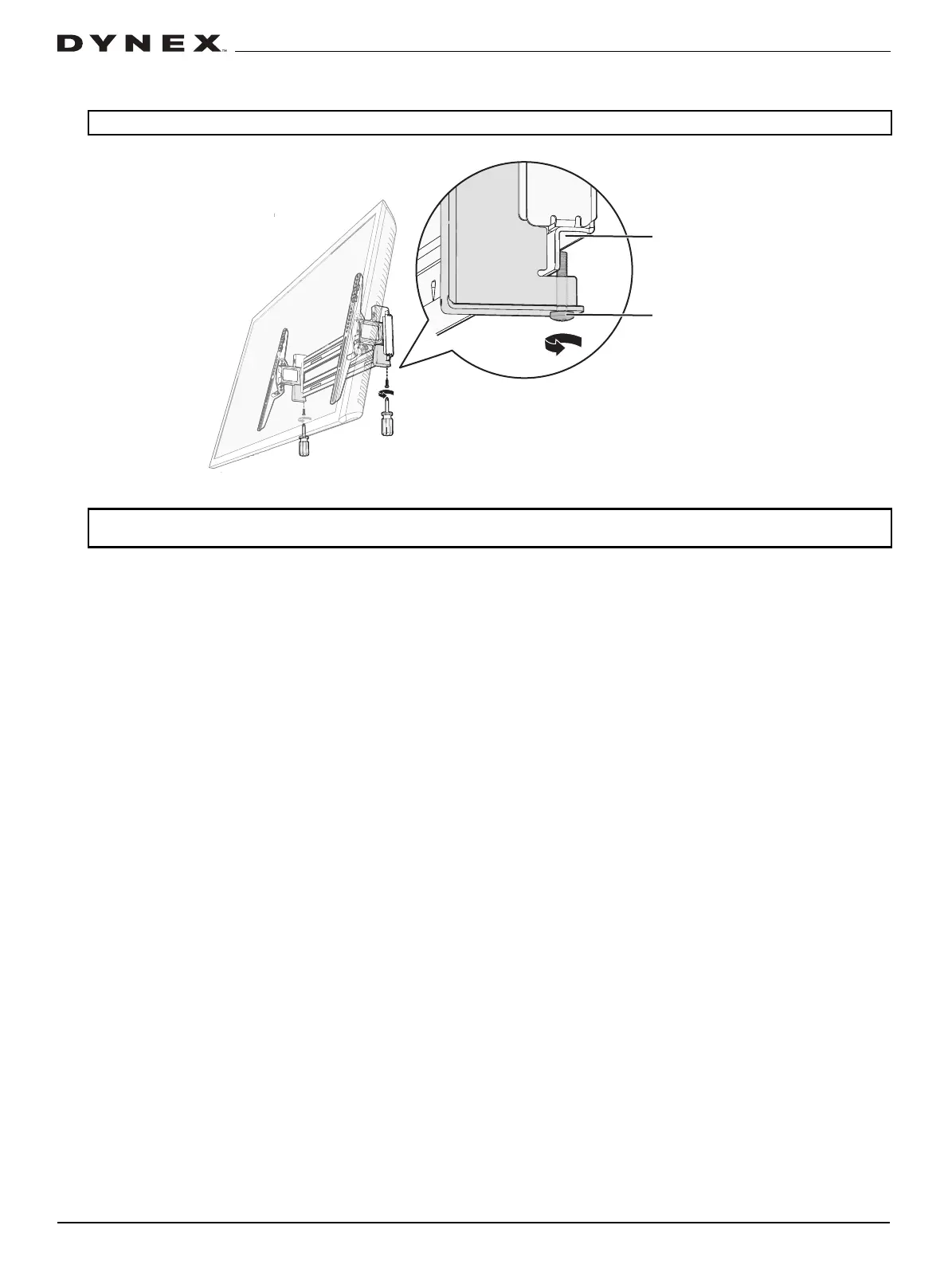
4 Rest the bottom of the TV/bracket assembly against the wall plate, then install the locking screws in the bottom of the
TV brackets to secure the TV to the wall plate.
Important: Before extending or retracting your TV on the wall plate, make sure that both locking screws are properly installed.
Note: After mounting, your TV will shift 2.28 in. (58 mm) to the right when the TV mount is extended. You can fine tune the wall plate
and TV mount to compensate.


 To Next Page