HSI Operation
EFIS-D10A Pilot’s User Guide 6-5
Navigation Radio Overlay
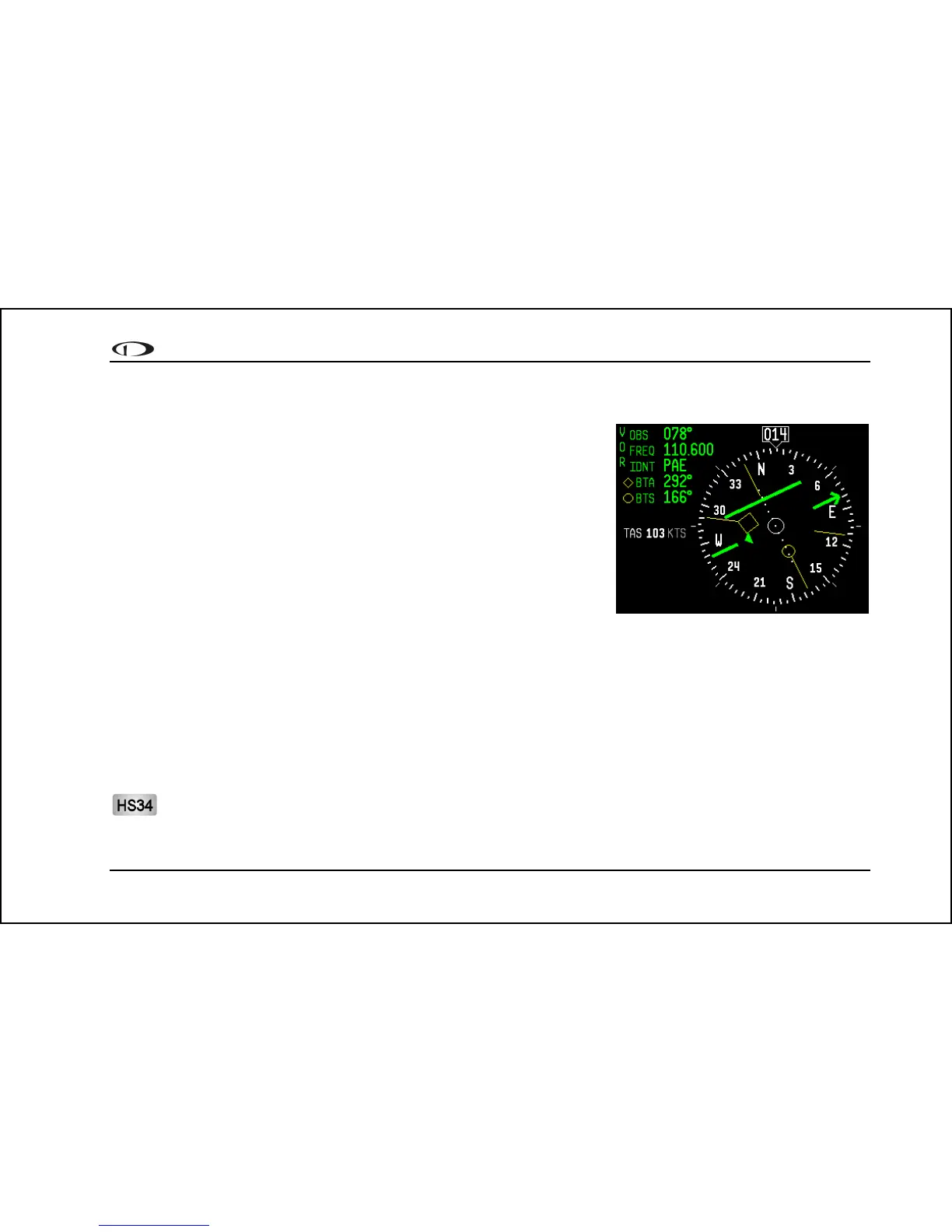
The figure at right shows an HSI page with information sourced from a
navigation radio. This data could be a VOR or a localizer. The various
elements are described below.
1. Text displays. In this area a variety of information is displayed in text
format. Displayed here is the course / OBS setting, the active
frequency that the SL-30 is tuned to, the identifier for the tuned
frequency, and the bearing to the active and secondary frequencies.
When the data is not available or is not valid, the various data fields
in this area are replaced by dashes.
2. Course indicator. The course indicator points to the current course
that you have selected on your nav radio, often referred to as the OBS. This setting is also shown in the text area
as "OBS." When tuned to a VOR, this is the radial that you wish to fly. When tuned to an ILS, this is set to the
runway heading. In a situation with no winds, keeping the course indicator pointed straight up and in line with
the heading pointer keeps the aircraft on course. This indicator is fixed to the rotation of the DG, so it is easy to
see which way you must turn to get on course. The course indicator is only present when you are tuned to a
VOR or a localizer. If the nav radio indicates that you are not currently tuned to an active frequency, this
indicator is not displayed. The direction of this course is set externally using the knob that is on the SL-30 when
in VOR mode. When in ILS mode, the SL-30 disables the OBS knob, and thus you must use the soft keys below
the HSI in order to set the course.
When using the HS34 you can set the OBS using the course knob; the HS34 can communicate with the NAV
radio instead of just receiving data from it, as with a standard serial connection. The HS34 sends the course



 To Next Page