HSI Operation
6-8 EFIS-D10A Pilot’s User Guide
to get on course. The course indicator is only present when you have an active flight plan in your GPS and are
navigating to a point.
*Some GPS units do not report course direction. In this case, a COURSE menu item is made available in the
HSI menu to manually set it.
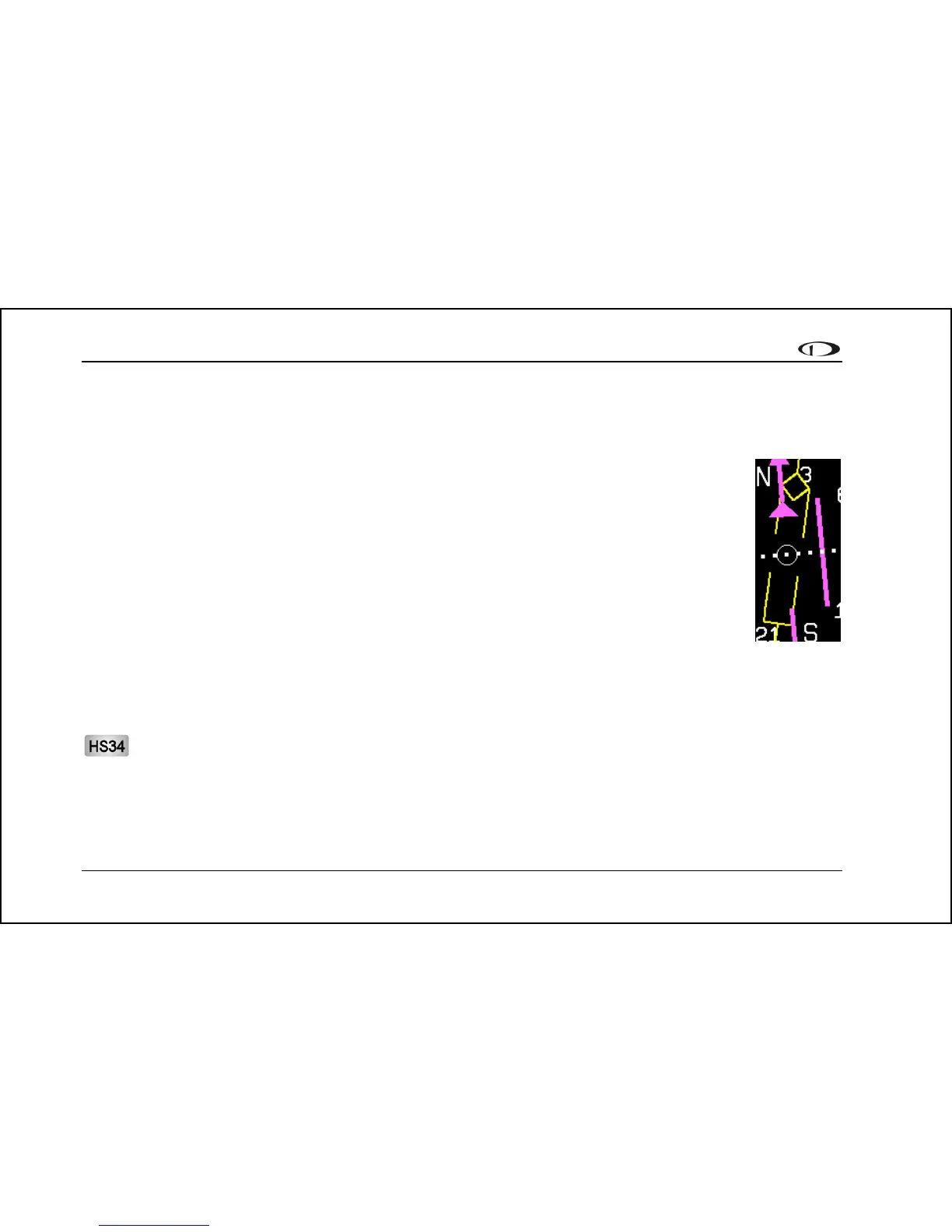
3. Course Deviation Indicator (CDI). When a flight plan is active in the GPS, the CDI indicates
how far to the left or right of your selected ground course you are. Depending on the scale that
you are in, each dot indicates 0.06 n.m. (Approach), 0.2 n.m. (Terminal), or 1.0 n.m. (Enroute).
When on course, the course indicator and the CDI make a solid line, making it easy to see when
there is little error in your aircraft's position. Unlike a CDI indicator found in basic aircraft, the
CDI needle on an HSI rotates with the DG and course indicator. By turning the aircraft towards
the CDI needle so the CDI needle is "on top" of the course line you reduce your deviation.
4. To indicator. There is no "from" indication with GPS data, since the GPS is the source of the
course line. This arrow always points the same way as the course line and indicates the direction
to the destination waypoint.
5. Bearing to waypoint (BTW) indicator. This thin yellow diamond shows the bearing to the destination waypoint.
The diamond points in the direction you would need to fly from your present location to the waypoint. When
flying directly on course, your BTW and course lines overlap one another. The text area of the page contains a
numerical display of this bearing and a diamond icon to signify its symbol on the display.
The HS34 adds the possibility of having many more bearing sources in the system, so the behavior of the BRG
SRC button is dependent on how many devices you have connected. When you press this button, if you have
only one possible bearing source, the bearing source toggles on and off. If you have two or more bearing
sources, pressing the BRG SRC button highlights the first bearing source. Turning the value knob allows you to
choose your bearing source from all options. Pressing the bearing source again chooses the second bearing



 To Next Page