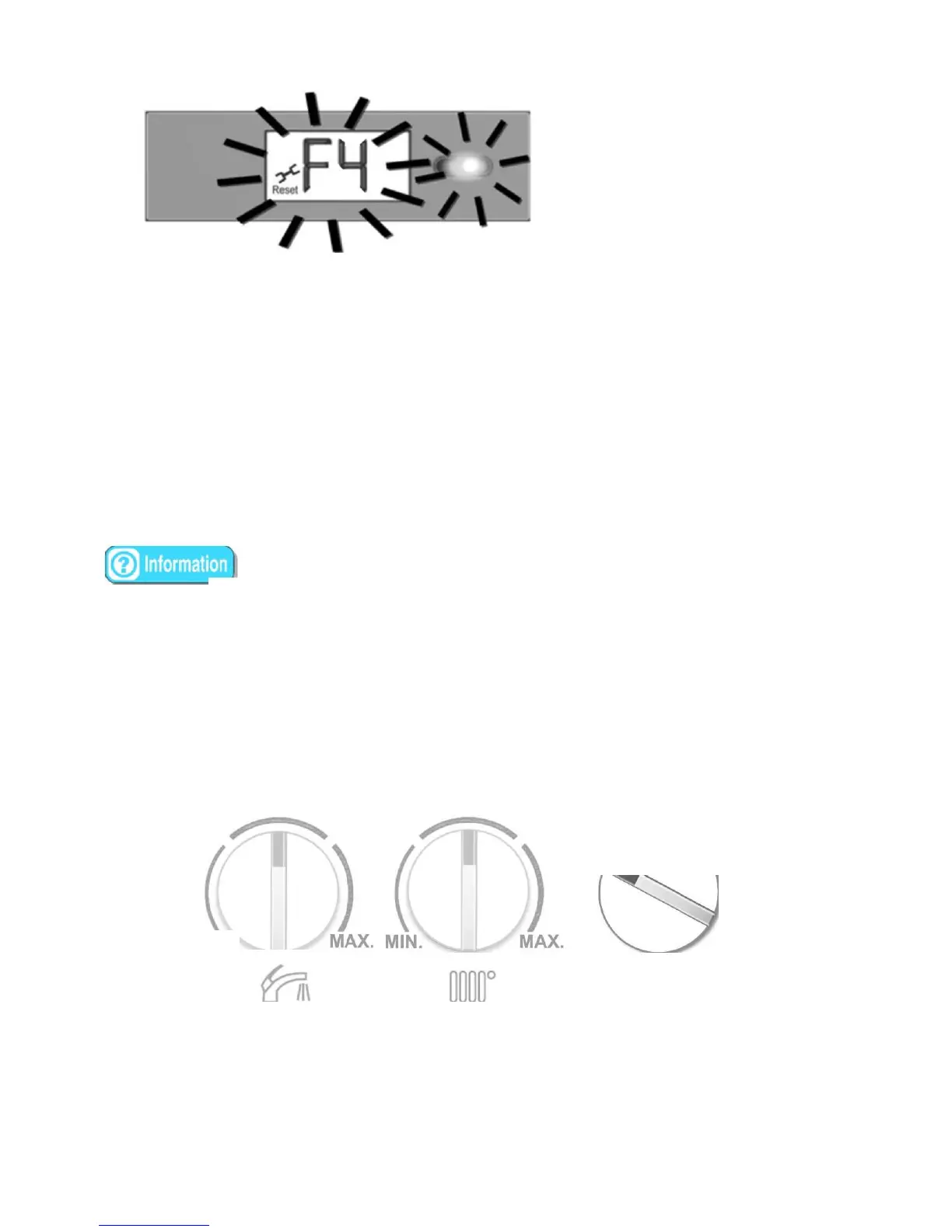
- Error code and error led will be flashing countinusly If the errors cause a lock out condition,
tum
to Status (Pl) to
Reset"
e
"position
and hold it for 5 sec. to get to the normal operation (winter
or
summer) mode
again.
CH operating water pressure can be read on the
manometer.
[1]
Timer
(Optional)
The timer provides automatic control of the boiler based on set operating programs.
It
is possible
to
enter
8
programs allocatable over the
week.
[!] Control Panel
Cover
Whilst CH, DHW and Status s are under its plastic cover, boiler functions and fault/error
conditions
can be seen without opening the
cover.
:
The CH has no effect anymore on the system if the system
has
t
e room
t1Jermostat
and also it is
active.Additionally,CH
should be the
maximum position.
•
Operating
The
Boiler
[]
Start
up
I
Shut off the
boiler
Turn the Status Pot. desireable position (Winter or Summer) to (fig.21). When the
winter
mode is
selected,
After the sequence test is completed successfully, LED L3 will turn ON to indicate the
stand
by mode
ifthere're
neither DHW or CH request.
lfCH
is in winter mode, ignition
sequence
will be started automatically to fire the bwner and then CH will be
active.
OFF-Reset



 To Next Page