EN
6
The charger is equipped with two LED indicators marked RED and
GREEN on the label.
• Red Flashing LED Only: Input power with no battery connected
• Red and Green Solid LED: Battery connected and charging
• Red Solid LED Only: Charge complete
• Red and Green Flashing LED: Charge error
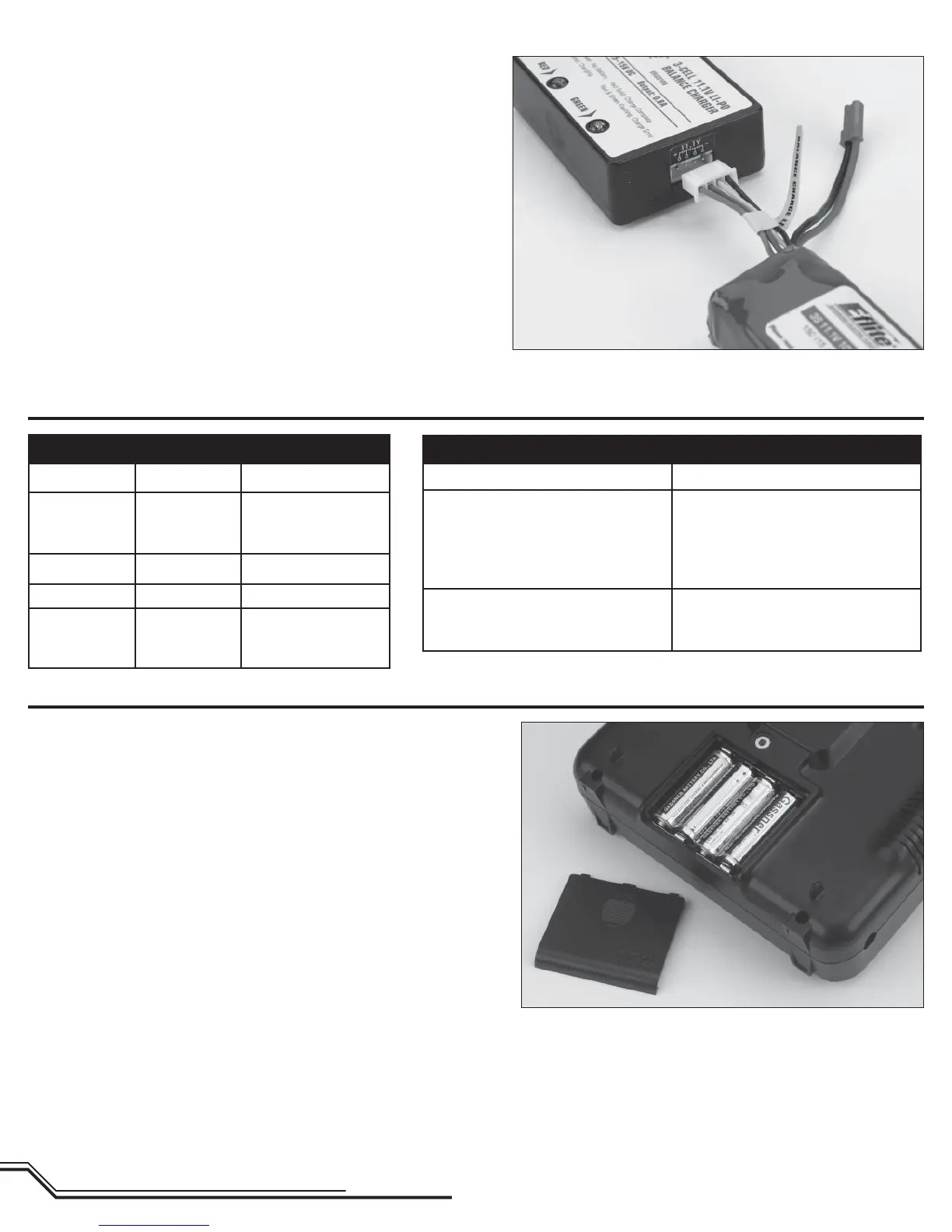
Once you have connected the charger to a power source, its red LED
fl ashes to indicate the charger has power and is ready to begin
charging. Connect the Li-Po battery pack to the charger using the
specially marked Balance Charge Lead exiting the battery pack and the
connector labeled with 11.1V on the charger. The connector is keyed to
prevent reverse polarity connection.
Charge Errors and Indications
Installing the Transmitter Batteries
Install the 4 included AA batteries in the transmitter. Check the power
level of the batteries and operation of the transmitter by switching the
power switch on (upward). The LCD screen at the top of the transmitter
will indicate the power level of the batteries. If at any time the voltage
indicated on the LCD screen falls to 4.5V or less, an alarm will sound,
and it will be necessary to replace the batteries with new ones.
Note: Because the HP6DSM transmitter included with the Blade SR
is equipped with Spektrum 2.4GHz DSM2 technology, it does
not require the same input voltage or current consumption as
a typical 72MHz transmitter for proper operation and
optimum performance.
LED INDICATIONS
Red LED Green LED Charge Status
Flashing Off
Charger powered
on. No battery
connected.
Solid Solid Battery charging
Solid Off Charge complete
Flashing Flashing Charge error
CHARGE ERRORS
LED Indication
Red • Green • Red • Green •
Charge process interrupted. AC
power has been unplugged from the
charger or battery power supply
is low.
Red & Green • Red & Green
Flight battery is overdischarged.
Battery needs to be replaced.







 To Next Page