MOUTING THE CAMCORDER VIA ADAPTER
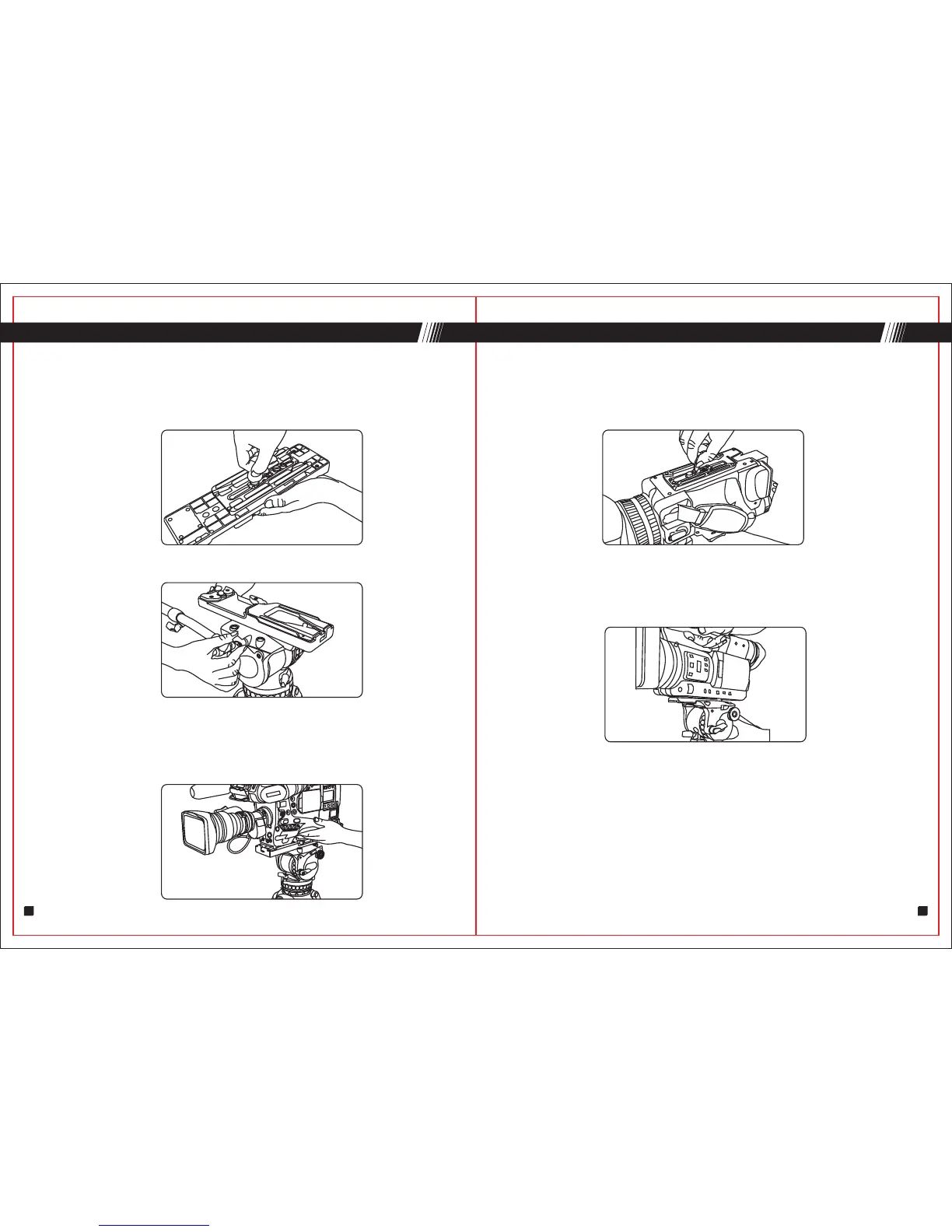
4.Mounting the camcorder via adapter
4.1 Attach the slide plate to the camcorder adapter, screwing camera
1/4" screw or 3/8" screw into the camcorder adapter's threaded hole
WITHOUT APPLYING FORCE(such as using a coin).
4.2 Insert the plate into the plate mount.
4.3 Please make sure pan & tilt knob are locked. Insert the slide plate
onto the rear of the platform until locking button "C" clicks,then lock the
plate. Amount the camcorder on the adapter. Loose plate locking knob,
adjust the center of gravity to right position, the lock the plate tightly.
Q
5.1 Attach the slide plate to the camcorder, screwing camera 1/4" screw
or 3/8" screw into the camcorder's threaded hole WITHOUT APPLYING
FORCE(such as using a coin).
5.2 Please make sure pan & tilt knob are locked. Hold the camera with
one hand.Insert the slide plate onto the rear of the platform until locking
button "C" clicks.Adjust the center of gravity to right position, the lock the
plate tightly.
MOUNTING THE CAMERA
9
10
5.Mouting the camera


 To Next Page