35
.
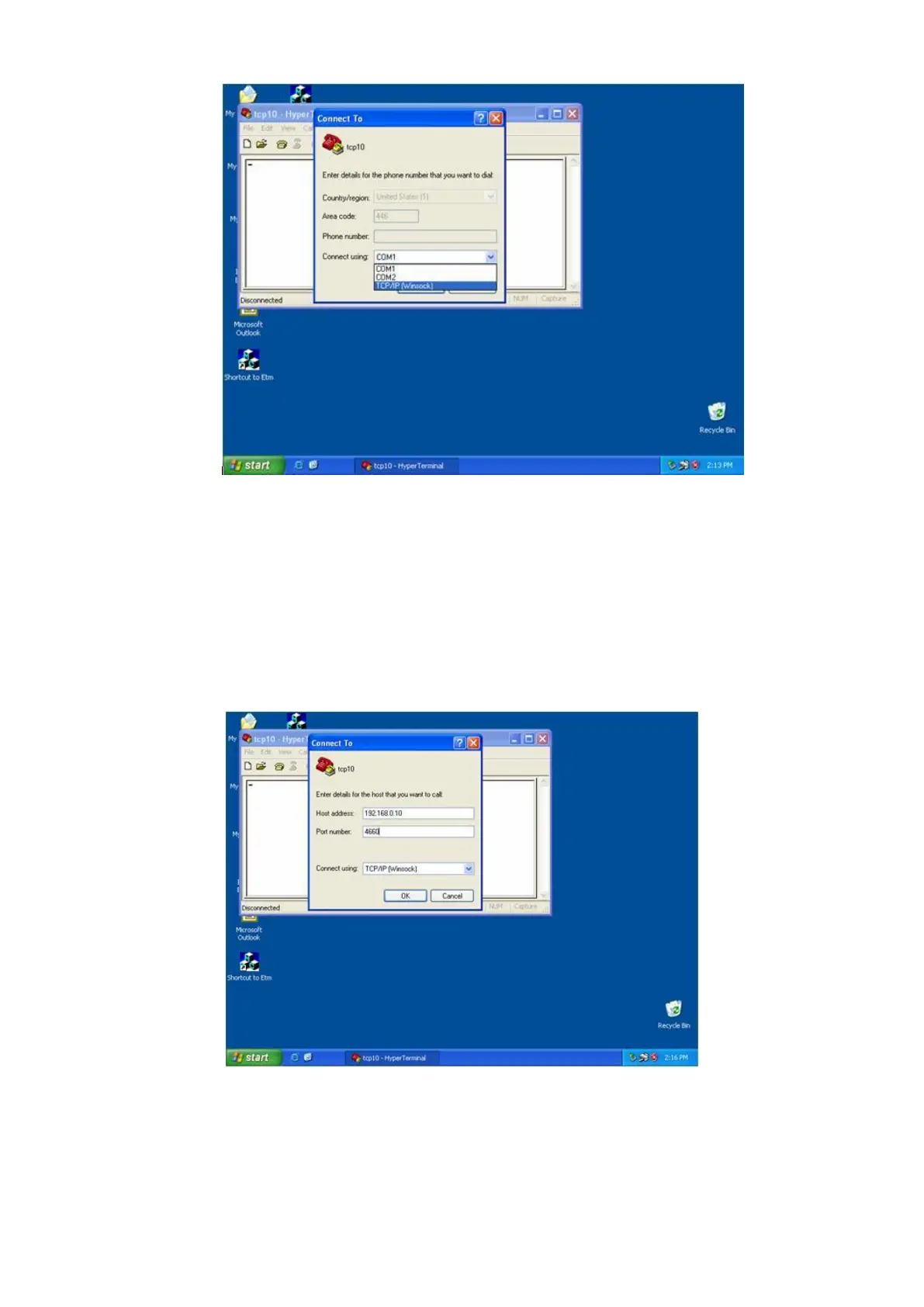
(Figure 4.3)
After pressed “OK” button, Figure 4.4 appears. Enter converter IP address
(e.g. 192.168.0.10) at the “Host address:” field and set Socket port number
for Serial Port 1 at “Port number” field (e.g. 4660). (The Socket type of the
Serial Port 1 should be “TCP Server”.)
(Figure 4.4)
After pressed “OK” button, Figure 4.5 appears. If Hyper Terminal connects
with converter successfully, the time clock at “left lower” corner “to
connected the hh:mm:ss” will start counting.


 To Next Page