
 Need help?
Do you have a question about the E-Net E-P132-X and is the answer not in the manual?
Detailed explanation of the converter's functionality and networking benefits.
Lists the items included in the ARM-7 product package.
Visual representation of the converter's internal components and connections.
Highlights key functionalities like data conversion, dynamic IP, and dual modes.
Technical details of CPU, RAM, ROM, Ethernet, and Serial Port.
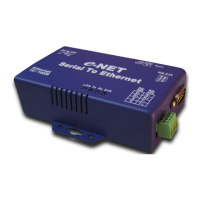
Illustrates the physical layout and ports of the converter.
Details about the Power Supply and LAN Port connections.
Describes the RS-232 and RS-485/RS-422 serial ports.
Explains the function of each LED on the converter.
Information on the built-in terminator resistor and reset button functionality.
Illustrates different RS-232 wiring configurations.
Shows wiring diagrams for RS-422 and RS-485 connections.
Guide to setting the initial IP address for the converter.
How to use the ETM.exe utility for device detection and setup.
Instructions for using the "View" and "Config" menus for settings.
Accessing and viewing the converter's status via a web browser.
Detailed guide on configuring the converter through its web interface.
Process of updating the converter's firmware and saving settings.
Procedures for resetting the converter to its default factory settings.
Using Hyper Terminal with TCP/IP (Winsock) for testing.
Using Hyper Terminal as a COM port terminal for testing.
Verifying data flow between COM Port and TCP/IP terminals.
Diagram and description of the DC power connection.
Pinout details for the RJ-45 Ethernet connector.
Pinout details for the RS-232 serial connector.
 General
| Brand | E-Net |
|---|---|
| Model | E-P132-X |
| Category | Media Converter |
| Language | English |

 To Next Page