SHANGHAI ESURVEY GNSS CO., LTD.
24
4.7.2 Start IMU Tilt Measurement
It is required when tilt measurement is used and IMU is used.
Before starting IMU tilt measurement, to enable IMU tilt measurement, in SurPad software,
press main menu Device → Device Setting, and set tilt survey to Pole Tilt Correction.
To start IMU tilt measurement in SurPad software, press main menu Survey → Point
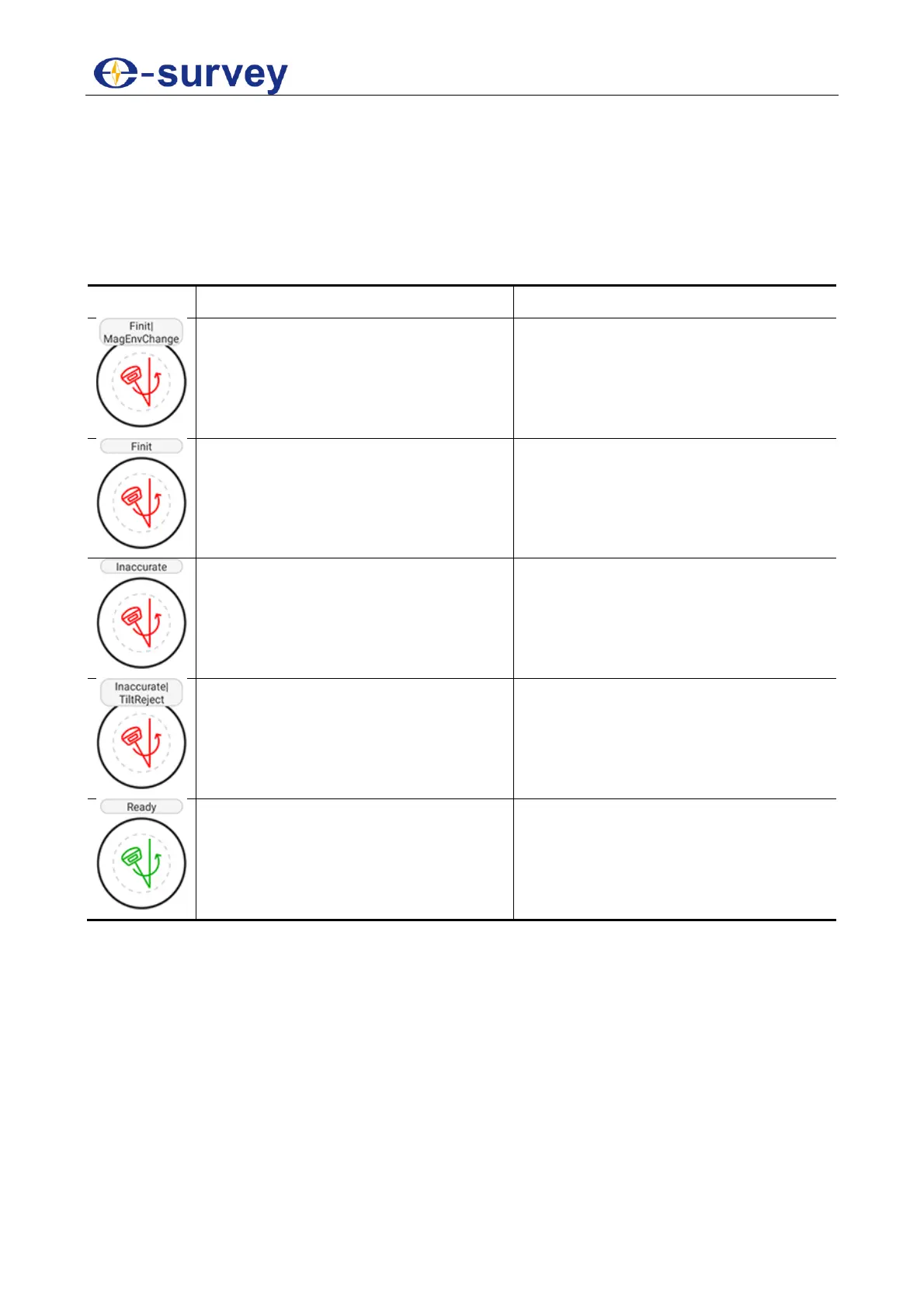
Survey to enter the main interface of point survey, and do as the prompt in the interface:
Magnetic calibration is required.
Take the pole and draw a circle
towards the ground.
Initialization is required.
Shake the pole or walk around.
The accuracy of tilt measurement is
not enough.
The tilt angle exceeds 60°.
Make sure the tilt angle is within 0° -
60°.
Tilt measurement is successfully
enabled.


 To Next Page