11/52
DCBS User Manual / Ref. MAN_DCBS_GM_EN_V1.0
Initial Setup 2/8
BATTERY CABLE CLAMPS CONNECTION ////////
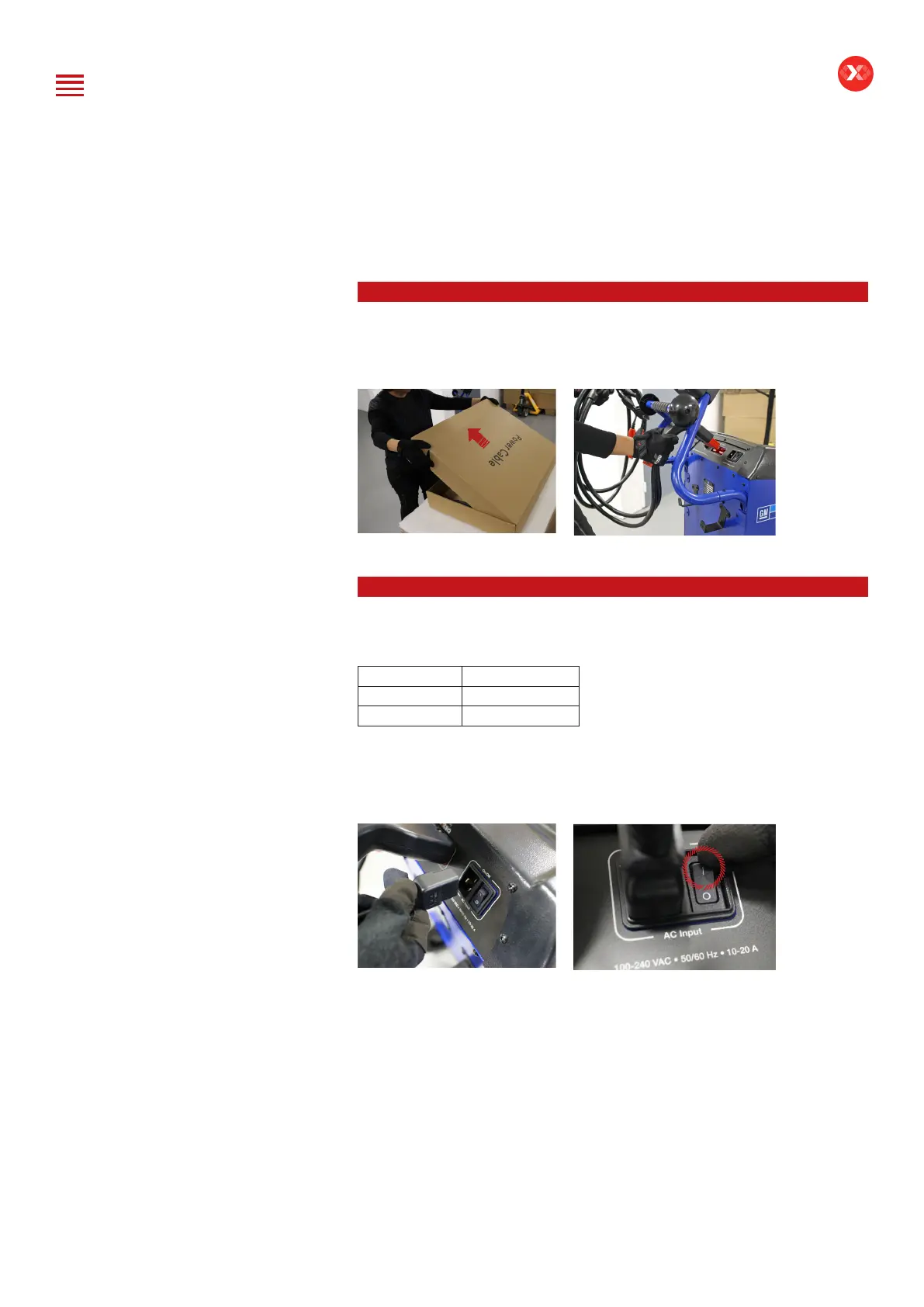
Remove the battery cable clamps from the box to connect them through the
connector in the rear of the DCBS Trolley.
POWER CABLE CONNECTION AND POWER ON ////////
Input power information
Voltage 100 – 240 V
Frequency 50/60 Hz
Consumption 2 kW Maximum
Connect the power cord to the connector located on the back of the DCBS, then
connect the opposite plug to a standard electrical socket. Switch on the device by
setting the switch to the “I” position.
Table of Content
Introduction
Safety Guidelines
Maintenance and Storage
Before Use
Usage Precautions
Disassembly/Damage/Removal
Cleaning the Product
Getting Started
Safety Reminders
Appearance and Dimensions
Trolley LED’s
Remote Presentation
Remote Job Storage
Accessories
Initial Setup
Installation
Battery Cable Clamps Connection
Power Cable Connection and Power On
Dealer Id. N°
Wi-Fi Connection (Remote to Trolley)
Physical Connection (Remote to Trolley)
Update
Settings
Preferences
Other Settings
Diagnostic and Charge
Remote handheld diagnostic tester
-Manual Selection of Battery
-Vehicle Selection from Database
-Start Diagnostic & Results
Trolley Diagnostic
-Complete Diagnostic & Results
-Pre Delivery Inspection Test (PDI) & Results
-Charge & Results
-Load Test & Results
-Enhanced Diagnostic Mode (EDM) & Results
-Reserve Capacity Test & Results
History (Results Storage)
Optimus
-Optimus Installation
-Using Optimus
Support Information
-Batteries
-Error Messages
Warranty


 To Next Page