Need help?
Do you have a question about the E-XTEQ DS One and is the answer not in the manual?
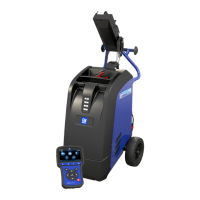
Overview of E-XTEQ as a battery diagnostic tool manufacturer and the DS One's capabilities.
Instructions for keeping the product dry, avoiding moisture, and contacting support for issues.
Guidelines for cleaning, avoiding disassembly, and handling liquids/metals during operation.
Warnings about extension cords, unplugging safely, and annual product checks.
Prohibits product disassembly, warns against inserting metallic objects, and advises on storage.
Recommends gentle cleaning with a soft cloth, avoiding water and chemicals.
Details about the Lithium-Ion Polymer battery, its usage, and restrictions.
Reminds users to review safety guidelines and unplug the device correctly.
Provides physical dimensions and weight of the DS One device.
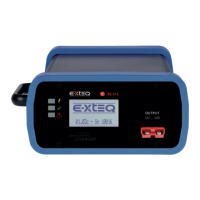
Identifies and labels the various buttons and indicators on the DS One device.
Explains the expandable storage via SD card and the included 16GB card.
Lists the included accessories with the DS One, such as a case, power supply, and cable.
Explains how to correctly position the clamps for accurate battery measurements.
Advises on handling the cable connector for optimal durability and storage.
Notes that some hybrid vehicles have auxiliary batteries that may need disconnection.
Details how to connect the DS One to a power supply for charging and operation.
Guides on connecting the battery cable clamps to the DS One device.
Introduces OPTIMUS, a program for storing and uploading diagnostic data.
Instructions on downloading and installing the OPTIMUS software.
Details the process of registering an account and confirming email for OPTIMUS.
Explains how to use OPTIMUS, including connecting the tool and accessing the dashboard.
Describes how to view, filter, and export job history within OPTIMUS.
Guides on updating the DS One tool via the OPTIMUS software.
Continues instructions for updating the device via the OPTIMUS dashboard.
Explains how to enter the garage code (RRDI) into the tool, noting it's optional.
Covers personalization options like language, units, auto-sleep, date/time, Wi-Fi, and sound.
Detailed steps for connecting the DS One to a Wi-Fi network.
Explains access to information, updates, support, and options like locking/unlocking features.
Introduces battery testing and selection methods like using BK code or VIN.
Details manual entry of BK codes, VIN scanning, and selecting vehicle/battery types.
Explains vehicle selection from a catalog and battery characteristic display.
Guides on using the VIN for vehicle recognition and selecting battery characteristics.
Covers selecting battery standard, chemistry, and value for testing.
Details the initial steps for starting a diagnostic test, including battery location and ID.
Explains the process of checking clamp connection, temperature measurement, and starting the test.
Describes the result screens, pre-charging options, and charging time/current.
Explains options for synchronizing jobs to the server or saving them internally.
Introduces additional diagnostic modes like COMPOUND, PLANT, and MBM.
Guides through MBM tests, battery ID input, and closing test series.
Shows and explains the different possible result screens for battery tests.
Explains how to access and view records of previous tests performed by the tool.
Details automatic job saving to the ARGOS server via Wi-Fi.
Lists common error messages like 'Reverse Voltage' and 'Voltage Too High'.
Provides guidance on obtaining support for the OPTIMUS software.
Offers links and email addresses for obtaining local support and documentation.
Outlines the 3-year warranty for the DS One and 1-year for accessories.
Provides instructions on contacting E-XTEQ Technical Support for warranty service.
Lists detailed technical specifications for the DS One, including battery, memory, and housing.
 General
| Category | Diagnostic Equipment |
|---|---|
| Operating System | Android |
| Display | 7-inch touchscreen |
| Processor | Quad-core |
| Connectivity | Wi-Fi, Bluetooth |

 To Next Page