Need help?
Do you have a question about the E-XTEQ DCBS and is the answer not in the manual?
E-XTEQ is a battery diagnostic tool manufacturer with a broad spectrum of knowledge.
Keep product dry, avoid rain/snow. Contact support for issues.
Keep exterior clean, do not disassemble. Unplug before cleaning. Avoid liquids.
Avoid extension cords. Check specs. Hold plug frame when unplugging.
Do not disassemble. Warranties void if damaged. Avoid metallic objects. Store in dry place.
Wipe with soft cloth. Do not use water or detergents.
Review safety guidelines. Pull plug frame. Indoor use only, dry weather outside.
Details dimensions (Metric/Imperial) and weight of the DCBS unit.
Explains the function of Charge, Wi-Fi, and Status LEDs on the trolley.
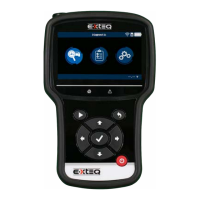
Details the components and functions of the DCBS remote control interface.
Describes the expandable storage via SD card and acceptable sizes for replacements.
Lists included accessories like power cord, charge cable, and provides details on plug types.
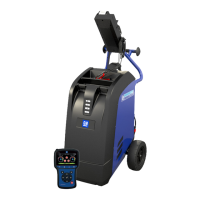
Instructions for placing the unit and assembling the trolley, docking station, and printer.
Steps to connect the battery cable clamps through the connector in the rear of the DCBS Trolley.
How to connect the power cord and switch on the DCBS device.
Steps to input the Dealer ID Number into the remote for warranty code generation.
Steps to connect the remote to the trolley via Wi-Fi, including frequency selection.
Steps to establish physical connection between trolley and remote using an Ethernet cable.
Instructions for updating the remote and trolley software using OPTIMUS.
Options to personalize user experience: Units, Auto Sleep, Date and Time, Wi-Fi Settings, Tool Box, Sounds and Haptics.
Access to Information, Update, Dealer ID Number, Support, and Max Current settings.
Explains internal resistance test (CCA Test) for SOC and SOH determination.
How to select battery type (Chemistry) and standard for manual testing.
How to select vehicle make, model, and year using the database or VIN scan.
Steps to start a diagnostic test, including temperature measurement and clamp connection.
Describes the automatic diagnostic process on the trolley for warranty claims.
Details the results of a complete diagnostic, including warranty code generation.
Instructions for performing a 20-minute charge for Pre-Delivery Inspection.
How to charge 12V batteries using Normal or Fast Charge modes and view results.
How to charge and "Wake-Up" a Li-Ion battery using specific charge modes.
Using EDM for Load Tests and Reserve Capacity Tests, and Power Supply Mode for ECU re-flashing.
Performing a pass/fail test to simulate cranking based on voltage evolution.
A pass/fail test based on load to discharge and check battery voltage response.
Using Power Supply Mode for ECU re-flashing with maximum current limited to 75A.
Accessing records of previous tests performed with the Trolley and Remote.
Steps to download and install the OPTIMUS PC software for updates and data storage.
How to use OPTIMUS, access dashboard, view connected devices, and manage jobs.
Information on how the tool displays issues with frozen, sulfated, or wrong value batteries.
Displays common error messages like "Reverse Voltage" and "Clamps connection failure".
Details the 2-Year warranty for defects and workmanship, excluding misuse or wear.
Instructions on obtaining an RMA number and contacting E-XTEQ Technical Support for repairs.
 General
| Category | Diagnostic Equipment |
|---|---|
| Manufacturer | E-XTEQ |
| Model | DCBS |
| Usage | Battery diagnostic and testing |
| Technology | Conductance Technology |
| Display | LCD |
| Compatibility | 12V batteries |

 To Next Page