42/52
DCBS User Manual / Ref. MAN_DCBS_GM_EN_V1.0
Table of Content
Introduction
Safety Guidelines
Maintenance and Storage
Before Use
Usage Precautions
Disassembly/Damage/Removal
Cleaning the Product
Getting Started
Safety Reminders
Appearance and Dimensions
Trolley LED’s
Remote Presentation
Remote Job Storage
Accessories
Initial Setup
Installation
Battery Cable Clamps Connection
Power Cable Connection and Power On
Wi-Fi Connection (Remote to Trolley)
Dealer Id. N°
Update
Settings
Preferences
Wi-Fi Connection (Remote to net)
Other Settings
Diagnostic and Charge
Remote handheld diagnostic tester
-Vehicle Selection from Database
-Manual Selection of Battery
-Start Diagnostic & Results
Trolley Diagnostic
-Pre Delivery Inspection Test (PDI) & Results
-Complete Diagnostic & Results
-Charge & Results
-Load Test & Results
-Reserve Capacity Test & Results
History (Results Storage)
Optimus
-Optimus Installation
-Using Optimus
Support Information
Warranty
Disgnostic and Charge 23/24
TROLLEY DIAGNOSTIC ////////
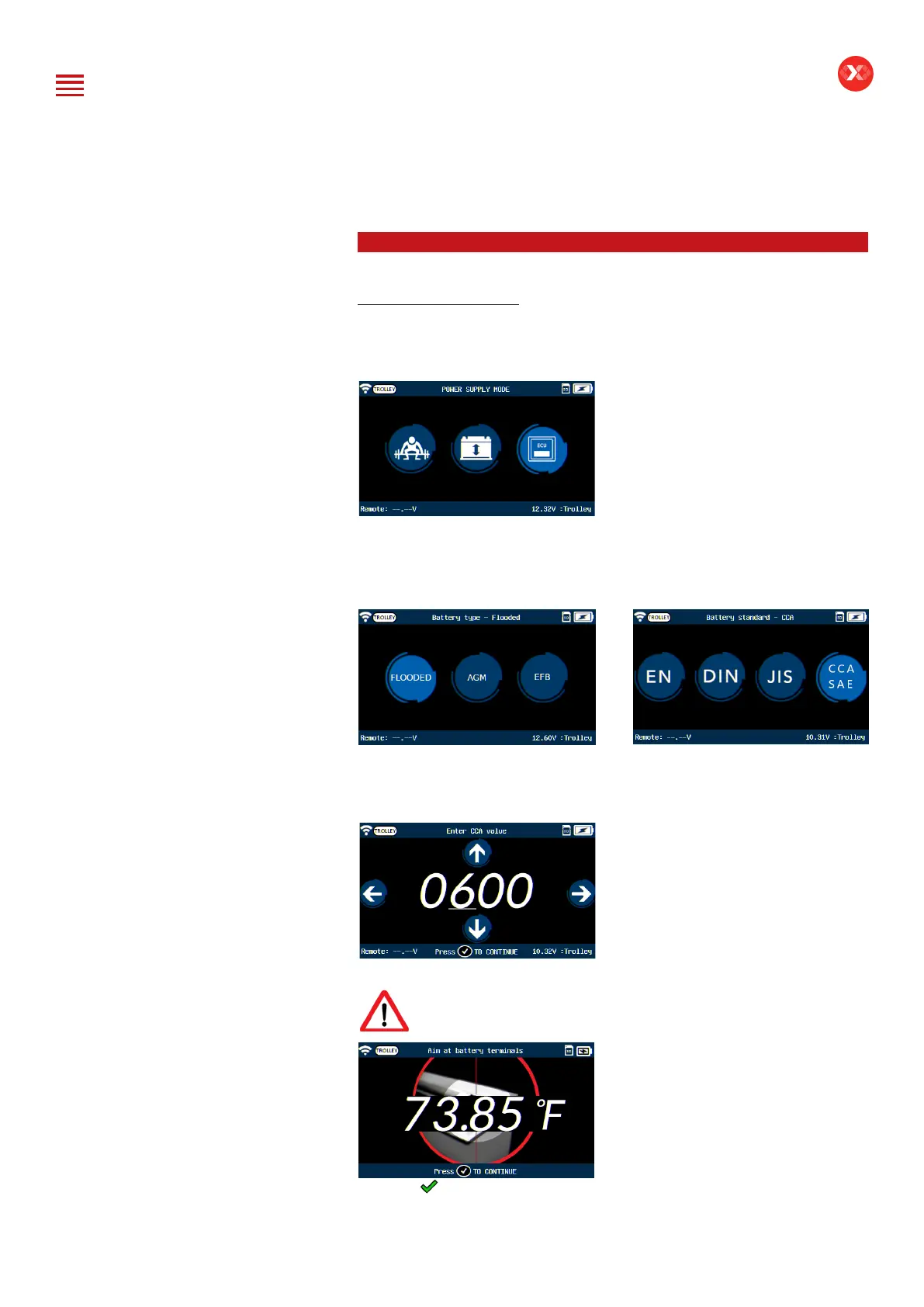
Power Supply Mode
Power supply mode is used when performing an ECU reash on a vehicle.
The maximum current will be limited to 75A on this mode.
The option to select the battery type will show to select between Flooded,
AGM, and EFB batteries.
Then select the battery standard.
Use the navigation arrows of the keypad to enter the value indicated on the
battery (CCA SAE value in this example).
The tool will ask to measure the temperature of the battery.
Do NOT point laser at individuals or reective objects.
Press the button on the keypad
to go to the next screen.


 To Next Page