19/40
E-XTEQ DS ONE User Manual / Ref. MAN_DSOne_STL_EN_V1.3
Initial Setup 9/9
GARAGE CODE (RRDI) ////////
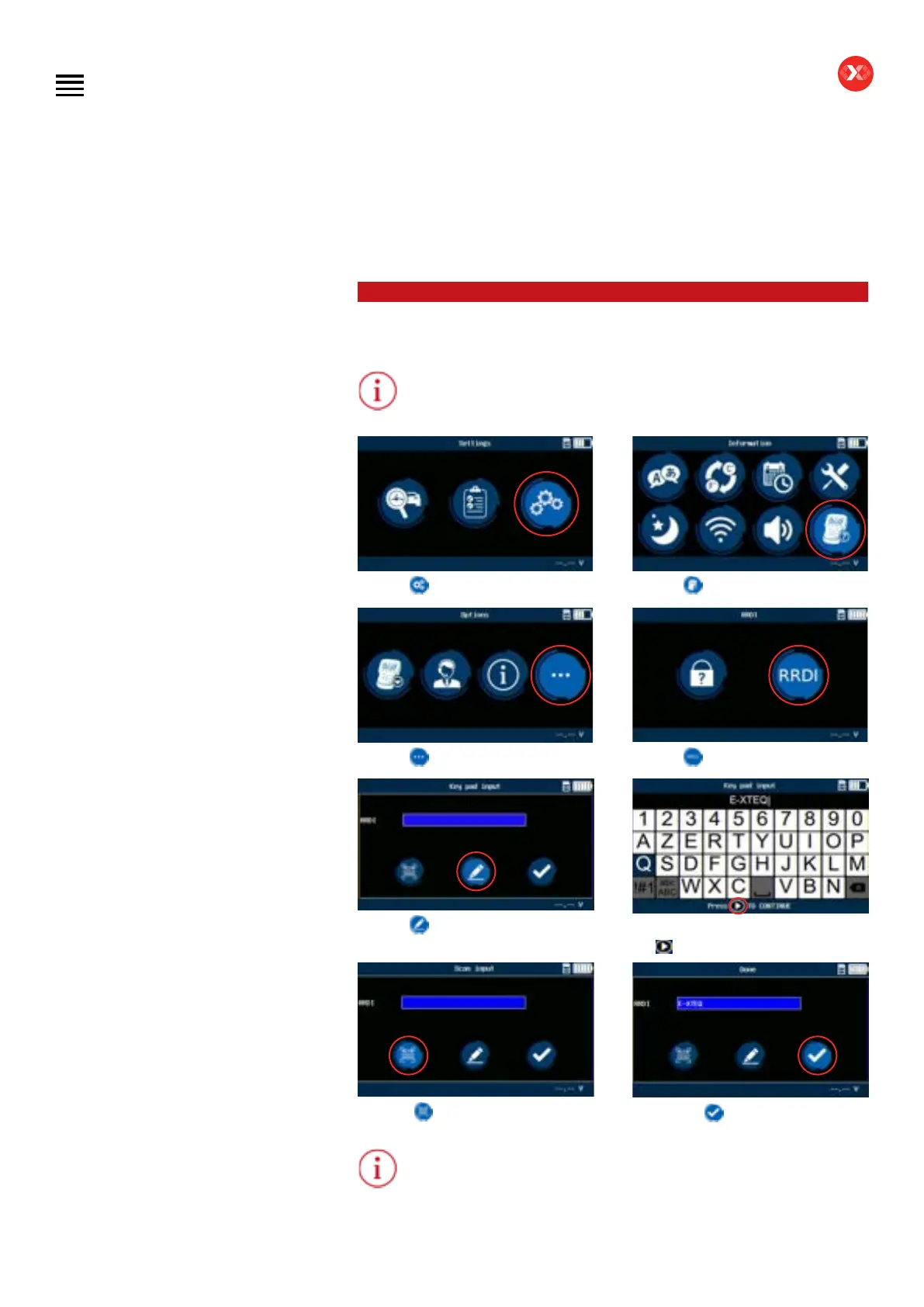
Once the DS One has been updated, follow the steps below to enter the garage
code (RRDI) into the tool.
Garage code (RRDI) is not mandatory.
Click on
. Click on .
Click on
. Click on
.
Click on
for a manual selection.
Input your garage code and press
the
button to validate.
Or select
to scan your code.
Then select to save.
Garage code (RRDI) will be recorded, no need to re-enter after initial setup.
Table of Contents
Introduction
Safety Guidelines
Maintenance and Storage
Before Use
Usage Precautions
Disassembly/Damage/Removal
Cleaning the Product
Information internal battery
Getting Started
Safety Reminders
Appearance and Dimensions
Presentation
Job Storage
Accessories
Best Practices
Positioning of the clamps
Connector longevity
Hybrid vehicles
Initial Setup
Power Cable Connection and Power On
Battery Cable Clamps Connection
Optimus
- Optimus installation
- Using Optimus
Update
Garage code (RRDI)
Settings
Preferences
WI-FI Connection
Other settings
Diagnostic PDI and REPAIR
Battery selection
- Using BK code
- Using VIN
Start Diagnostic
Other diagnostics
Results
Results storage
Support Information
Warranty
Technical specications


 To Next Page