137
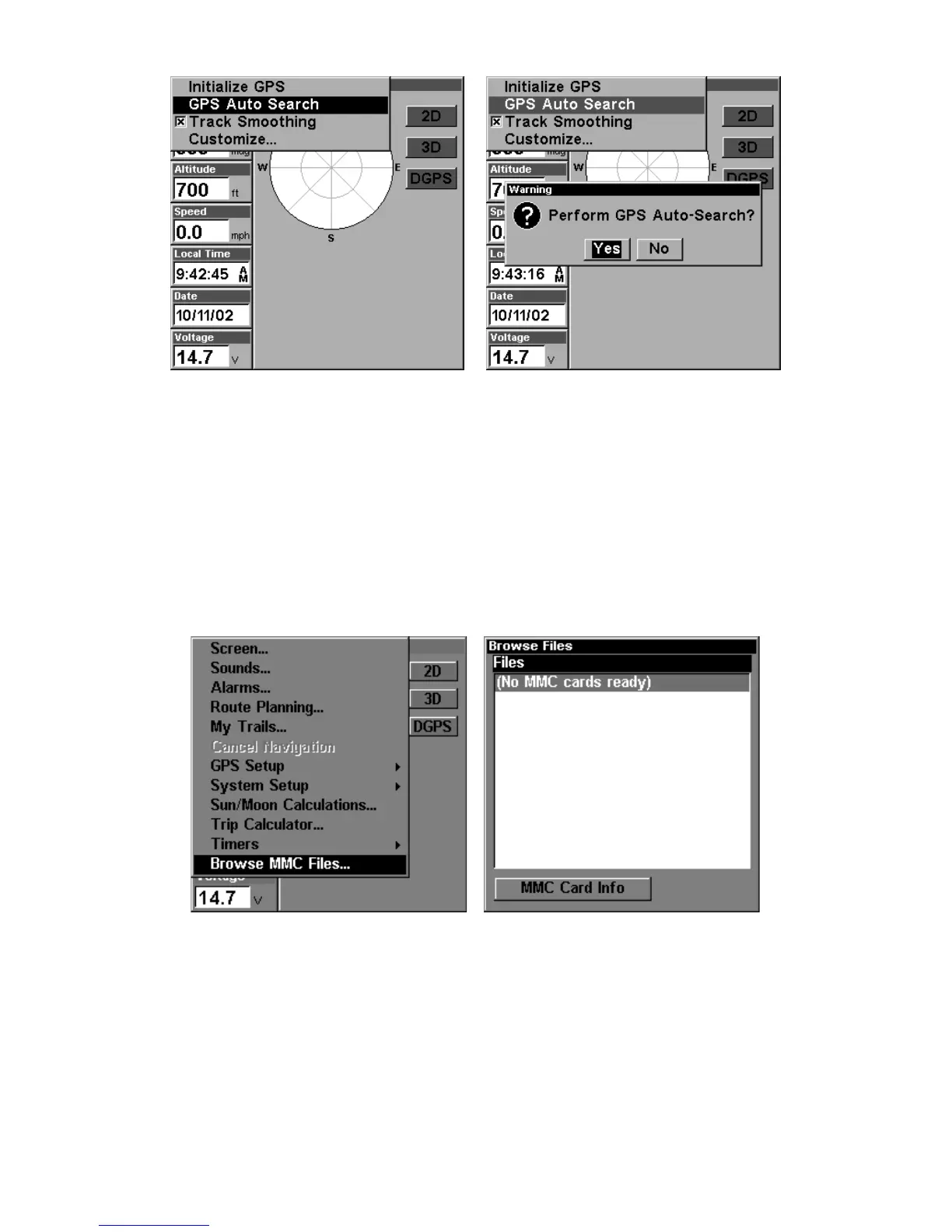
GPS Auto Search on the Satellite Status Menu.
You can force the unit to immediately kick into auto search mode.
Here's how:
From the Satellite Status page,
MENU
|↓ to
GPS A
UTO
S
EARCH
|
ENT
|← to
Y
ES
|
ENT.
Check MMC Files and Storage Space
To check MMC Files:
Press
MENU
|
MENU
|↓ to
B
ROWSE
MMC F
ILES
|
ENT.
Main Menu, left, MMC File Browser, right.
Communications Port Configuration
(SeaCharter 320DF only)
The SeaCharter 320DF has one NMEA 0183 version 2.0 compatible
communication port, or com port for short. The Com Port Menu, which
is accessed from the System Setup Menu, allows you to configure the
communications port to send or receive data to another electronic de-



 To Next Page