Check-in range notification (on/off )
Arming the system within 8-seconds, press button once on the 2way remote , the
system will enable this Check- in range function.
- With in 5 minutes, the 2-way remote will than give 1 beep sound every one minute for 5
cycles to remind the user within range.
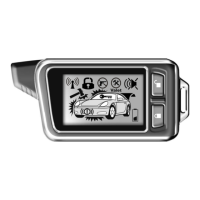
- After 5 minutes , the Antenna icon will indicates under receiving status:
For friendly usage, the 2-way remote will provide 2 beeps/ 3cycles and flashing icon
after 35 minutes if the user is out of the receiving rage. However, afterwards if the 2-way
remote detect the signal again from the system, 1 beep sound will be provided and flashing
icon will be ON to indicate the 2-way remote is within range.
Note: If under Check-in range mode, if alarm triggered, this function will automatically
turn off (disable).
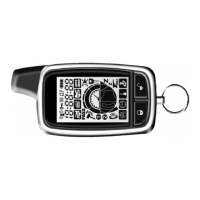
The 2way remote
will respond:
Icon will on for 2sec. and give 1 beep
sound to indicate the function has been
turned ON.
Reminder disarm status (Programmable)
If programmed with " 1way reminder disarm status to 2way" feature , this function will
reminder disarm status if disarming by 1-way remote control. The 2-way remote will display
disarm icon and give 2 beep sound .
Vehicle status checking
Turn on LCD display back light
The 2-Way remote offer the feature to check the current status of the car, simply press
button once within proper operation range. The main unit will send the signals to
the 2-Way remote about the vehicle current status.
Simply press button once, the back light of LCD display will turn on 5 seconds and
also check the vehicle status.


 To Next Page