13
eagletone.com
EAGLETONE electronic keyboard MPW300 USB User’s manual
FUNCTION MENU
• Press the [FUNCTION] button to access the Function
menu. By default, the first option to appear in the list is
“TRANSPOSE”. You enter the menu on the option that was
last selected.
• Press the [FUNCTION] button repeatedly to select the option
you wish to set.
• Use the [+/YES]/[-/NO] buttons to set the parameter.
• Options and their parameters are given in the table here
below:
Option Display Range
Default
value
Transpose XPS 00 -6…6 0
Octave OCT 00 -1…1 0
Beat BET 04 0, 2…9 4
Split Point SPT 19 1…61 19 (#F3)
MIDI Receive Channel
CHI
ALL
01…16, ALL ALL
MIDI Transmit
Channel
CH0 01 01…16 01
Accompaniment
Volume
AVL 20 00…31 20
Bank Selection BAK 01 01…128 01
NOTE: If you do not press any button for 5 seconds after
having pressed the [FUNCTION] button, this mode will be quit
automatically.
Transposing
070
TEMPO
FUNCTION
CHORD
DICT.
LESSON
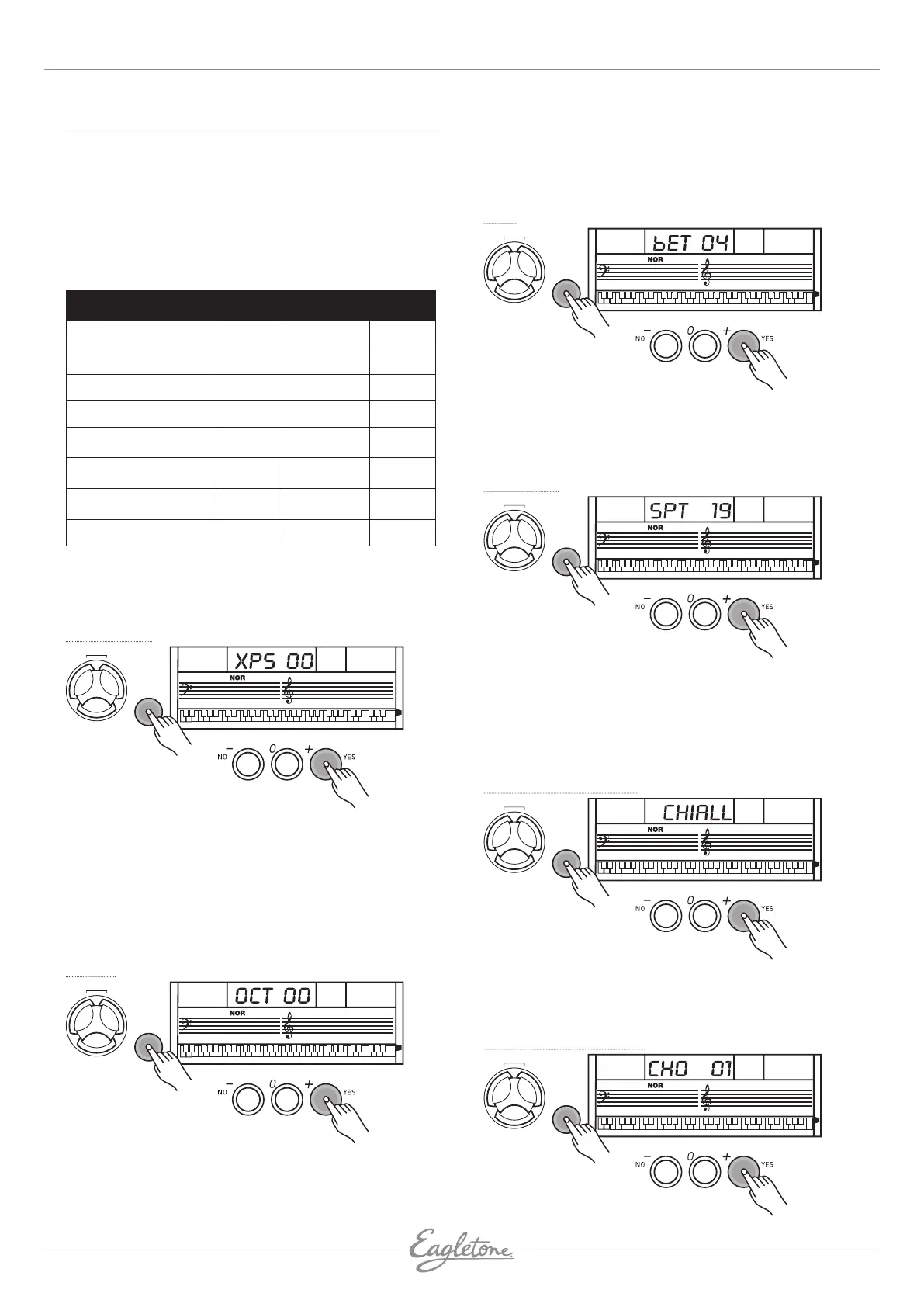
• Press the [FUNCTION] button to enter the Transpose
submenu. The current transposition value appears on the
LCD.
• Use the [+/YES]/[-/NO] buttons to set the transposition value
from -6 to +6 semitones, only for the right-hand section of
the keyboard.
• Press the [+/YES] and [-/NO] buttons together to reset the
transposition to its default value.
Octave
070
TEMPO
FUNCTION
CHORD
DICT.
LESSON
• Press the [FUNCTION] button to enter the Octave submenu.
The current octave value appears on the LCD.
• Use the [+/YES]/[-/NO] buttons to set the octave value from
-1 to +1 semitones, only for the right-hand section of the
keyboard.
• Press the [+/YES] and [-/NO] buttons together to reset the
octave to its default value.
Beat
070
TEMPO
FUNCTION
CHORD
DICT.
LESSON
L & R
Press the [FUNCTION] button to enter the Beat submenu. The
current beat value appears on the LCD.
Use the
[+/YES]/[-/NO] buttons to set the number of beats per
bar. The values are 0, 2 to 9, that is to say a total of 9 values.
Split Point
070
TEMPO
FUNCTION
CHORD
DICT.
LESSON
L & R
Press the [FUNCTION] button to enter the Split Point submenu.
The current split point appears on the LCD.
Use the [+/YES]/[-/NO] buttons to set the split point. You may
also do this directly using the keyboard.
The key selected as the split point belongs to the left section
(accompaniment range).
MIDI Receive Channel
070
TEMPO
FUNCTION
CHORD
DICT.
LESSON
This allows you to set the MIDI reception channel (MIDI IN).
Use the [+/YES]/[-/NO] buttons to select one of the channels
1-16. The default value is ALL.
MIDI Transmit Channel
070
TEMPO
FUNCTION
CHORD
DICT.
LESSON


 To Next Page