14
eagletone.com
User’s manual EAGLETONE electronic keyboard MPW300 USB
This allows you to set the MIDI transmission channel (MIDI
OUT).
Use the [+/YES]/[-/NO] buttons to select one of the channels
1-16. The default value is 001.
Accompaniment Volume
070
TEMPO
FUNCTION
CHORD
DICT.
LESSON
• Press the [FUNCTION] button to enter the Accompaniment
Volume submenu. The current accompaniment volume
value appears on the LCD, ranging between 0 and 31
(default is 20).
• Use the
[+/YES]/[-/NO] buttons to set the accompaniment
volume value.
• Press the [+/YES]/[-/NO] buttons together to switch the
accompaniment off and the message “ACC OFF” will
appear on the LCD.
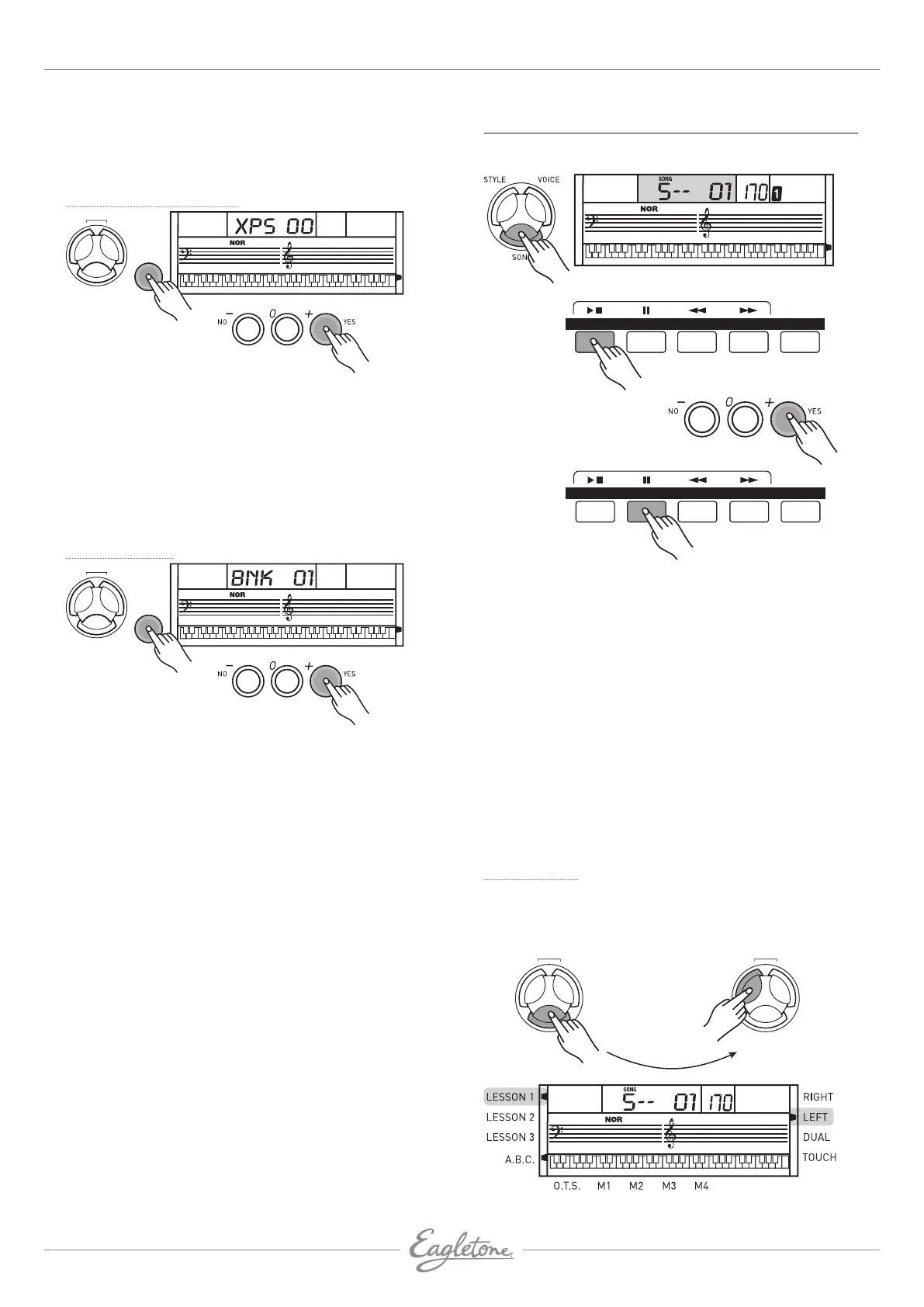
Bank Selection
070
TEMPO
FUNCTION
CHORD
DICT.
LESSON
L & R
• Press the [FUNCTION] button to enter the Bank Selection
submenu.
• The message “BNK01” appears on the LCD.
• The transmitted MIDI sound bank value can be set between
1 and 128.
SONG
There are 100 songs in total (see Appendix 3 – Song list).
Each song can be practiced in MELODY OFF mode.
TEMPO
STYLE
SONG
A.B.C.MAIN/FILLINTRO/ENDSTART/STOP SYNC
STYLE
SONG
A.B.C.MAIN/FILLINTRO/ENDSTART/STOP SYNC
1. Starting/stopping a song
Press the [SONG] button to activate the Song mode. The
SONG icon appears on the LCD. All the songs are played
one after the other.
Press the [START/STOP] button again to stop the song.
Doing so does not exit the Song mode.
2. Loop mode
Press a second time the [START/STOP] button to read the
song in loop.
3. Select a song.
4. Rewind [«], Fast Forward [»] and Pause [ıı]
During song playback, press the [»] button to fast-
forward the song.
Press the [«] to rewind the song (based on measure).
Press [II] to pause the song.
When the song is stopped, press the [STYLE], [VOICE] or
[DUAL] button to exit the Song mode.
Lesson Mode
Learning a new song implies mainly playing the right notes at
the right time. Therefore, the learning mode focuses on these
two aspects to help you to play a song.
TEMPO
CHORD
DICT.
LESSON
L & R
CHORD
DICT.
LESSON
L & R


 To Next Page