IV
Welcome to Eargo!!
If the two exclamation points above didn’t communicate to
you that we’re super-excited to have you as a part of the Eargo
family, hopefully this will: we’re super-excited to have you as
a part of the Eargo family, and we know you’re going to enjoy
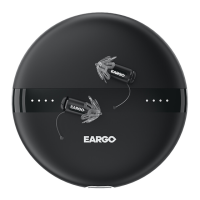
your new Eargo Max hearing devices.
STEP 2: CHARGE
Charge your
Eargo devices
(Pg. 09)
STEP 1: CLEAN
Clean your ears
(Pg. 05)
STEP 3: SIZE
Pick your size
(Pg. 27)
STEP 4: ADJUST
Find the right
setting for you
(Pg. 31)
GET GOING IN 4 EASY STEPS


 To Next Page