EasyManua.ls Logo

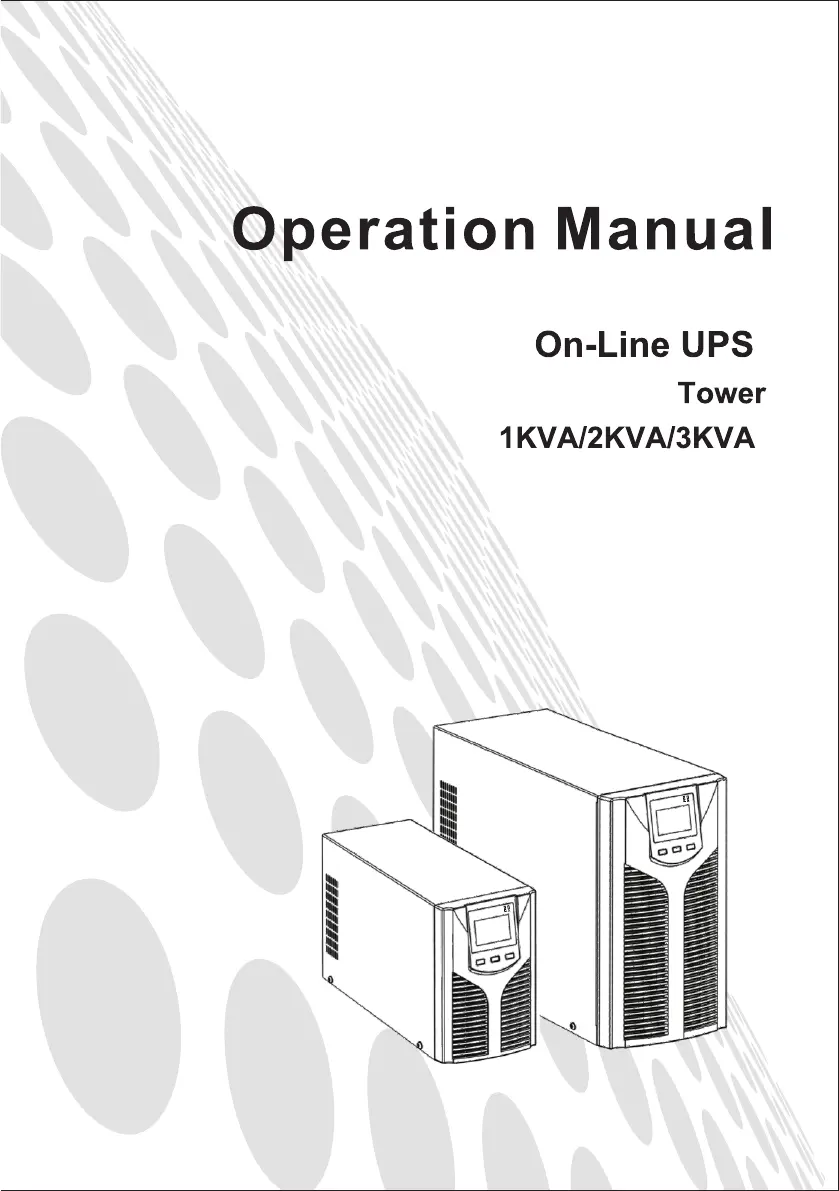
East EA900Pro Series - User Manual

Default Icon
27 pages
Print Icon
To Next Page IconTo Next Page
Loading...

Questions and Answers

  • L
    Lisa CarrollAug 17, 2025
    What to do if my East EA900Pro shows fault code 50-54 indicating an overload?
    • K
      Kevin BurtonAug 17, 2025
      If the East UPS displays a fault icon, sounds an alarm, and shows fault code 50-54, it indicates an overload. Check the load level, disconnect non-critical equipment, and recalculate the total capacity to reduce the load on the UPS. Also, inspect the connected equipment for any faults.
  • R
    russellchristopherAug 19, 2025
    Why is the backup time so short on my East EA900Pro UPS?
    • C
      Corey GordonAug 19, 2025
      If the backup time of your East UPS has become short, there are several possible causes. First, the battery may be undercharged; keep the UPS battery recharging for more than 3 hours. Second, the UPS may be overloaded; check the load level and disconnect any non-critical equipment. Finally, the battery may be old and its capacity diminished; consider replacing it.
  • J
    Jacqueline ThompsonAug 22, 2025
    What to do if my East EA900Pro displays fault code 45-49 indicating a short circuit?
    • W
      Wanda MunozAug 22, 2025
      If your East UPS displays a fault icon, sounds an alarm, and the fault code is 45-49, it means there is an output short-circuit. To resolve this, turn off the UPS, disconnect all loads, and ensure there are no faults or internal short circuits in the loads. Then, restart the UPS.
  • M
    martinezdanielleAug 25, 2025
    What to do if my East EA900Pro displays fault code 40-44 for over temperature?
    • E
      Edward YoungAug 26, 2025
      If your East UPS displays a fault icon, sounds an alarm, and shows fault code 40-44, it indicates an over-temperature issue inside the unit. Ensure the UPS is not overloaded, the fan vent is not obstructed, and the room temperature is not too high. Allow the UPS to cool down for 10 minutes before restarting it.
  • K
    Kelly BarnesAug 27, 2025
    Why won't my East EA900Pro turn on when I press the power button?
    • D
      Donna ThomasAug 27, 2025
      If your East UPS fails to start when you press the 'On' key, there could be a few reasons. Ensure you press the power key for more than 2 seconds. Check that the input connection is properly connected or if the internal battery is disconnected. If the battery voltage is too low, disconnect the input and start the UPS with no-load.
  • R
    Rachel WoodsAug 30, 2025
    What does it mean when my East UPS displays fault code 65-69?
    • M
      Marissa MyersAug 30, 2025
      If your East UPS displays a fault icon, sounds an alarm, and the fault code is 65-69, it indicates an input fuse fault. Check if the input fuse is burnt. If it is, replace it with a new fuse and restart the UPS.
  • H
    Hannah JohnsonSep 2, 2025
    Why doesn’t my East UPS have power even when plugged in?
    • J
      Jacqueline HarrellSep 2, 2025
      If your East UPS has no power going through it even when the mains power is on, it might be due to a disconnected input breaker. Try resetting the circuit breaker manually.
  • L
    Lisa GonzalezSep 4, 2025
    What does it mean when the fan icon is flickering on my East UPS?
    • A
      Aaron SmithSep 4, 2025
      If the fault icon is displayed, the buzzer sounds continuously, and the fan icon flickers on the LCD of your East UPS, it indicates a fan fault. Check if the fans are properly connected and fixed, and ensure they are not broken.
  • D
    Daniel JohnsonSep 7, 2025
    What does fault code 00-14 mean on my East EA900Pro UPS?
    • B
      bjacksonSep 7, 2025
      If the East UPS shows a fault icon, sounds an audible alarm, and displays the fault code 00-14, it indicates a bus bar voltage fault. Test the bus bar voltage.
  • J
    Joseph ThomasSep 10, 2025
    What does fault code 15-24 mean on my East UPS?
    • M
      Mark BurkeSep 12, 2025
      If your East UPS unit is showing a fault icon, the buzzer is alarming continuously, and the fault code displayed is 15-24, this indicates a soft start fault. You should check the soft start circuit, especially the soft start resistance.

Summary

Safety Information

UPS Safety Information

General safety precautions for operating the UPS unit.

Battery Safety Information

Safety guidelines related to the UPS batteries.

Operation

UPS Settings

Guide to configuring UPS output voltage, battery settings, and bypass mode.

Fault Messages and Alarm

Fault Code Messages

List of fault codes, their types, and bypass output status.

Alarm Code Display

Explanation of how alarm codes are displayed on the LCD screen.

Troubleshooting

Bus Bar Voltage Fault (Codes 00-14)

Troubleshoot bus bar voltage faults indicated by fault codes 00-14.

Soft Start Fault (Codes 15-24)

Troubleshoot soft start faults indicated by fault codes 15-24.

Inverter Voltage Fault (Codes 25-39)

Troubleshoot inverter voltage faults indicated by fault codes 25-39.

Over Temperature Fault (Codes 40-44)

Troubleshoot over-temperature faults indicated by fault codes 40-44.

Output Short-Circuit Fault (Codes 45-49)

Troubleshoot output short-circuit faults indicated by fault codes 45-49.

East EA900Pro Series Specifications

General IconGeneral
BrandEast
ModelEA900Pro Series
CategoryUPS
LanguageEnglish

Related product manuals