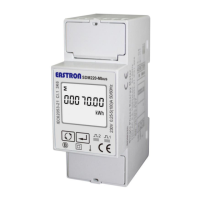
EASTRON SDM320-C User Manual
06-2018 V1.0
2018 EASTRON Electronic. All Rights Reserved. www.eastron.com.cn
None (default), Odd, Even
The first screen lights up all display
segments and can be used as a display
check
The second screen indicates the software
version.
After 5 seconds delay, the screen will display active energy measurements.
Measurements
The buttons operate as follows:
>Scroll the display for data checking.
>Changing option at Set-up mode
>Exit the Set-up mode
>Set-up mode entry
>Confirmation
After initialization and self-checking program, the meter display the measured values. The default
page is total kWh. If the user wants to check other information, please press the scroll button
on the front panel.


 To Next Page
 Loading...