10
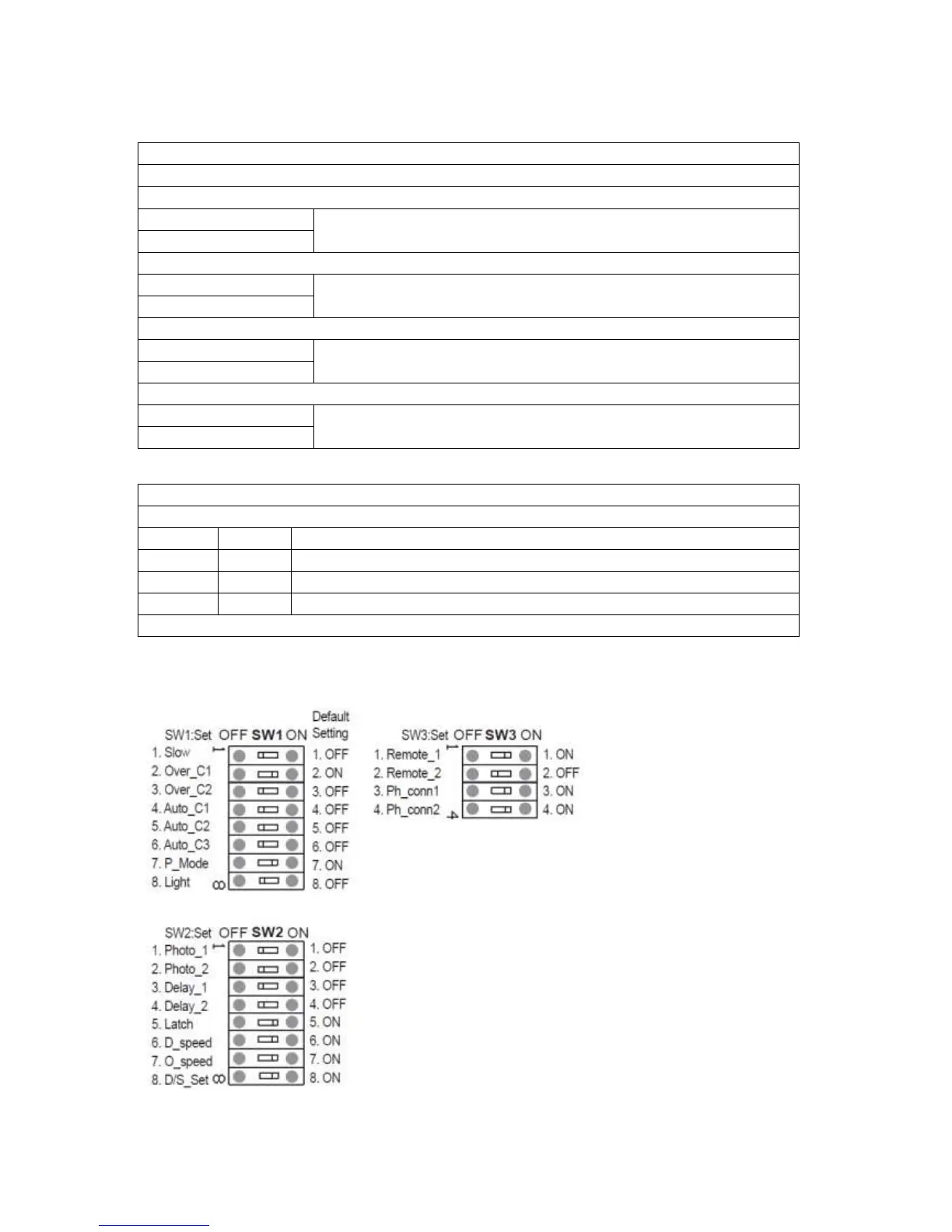
The following functions are all on SW3 (bottom block of switches).
This function is to select the command button of the remote
Option 1 (default setting for double gate)
Button A for double gate operation
Button B for single gate operation
Option 2 (setting for single gate)
Button A for single gate operation
Button B for double gate operation
Button C for single gate operation
Button D for double gate operation
Button C for double gate operation
Button D for single gate operation
This function is to activate the photo beam
Default setting for no photo beam installed
FO1 is connected ; FO2 no photo beam installed
FO1 no photo beam installed ; FO2 is connected
FO1 and FO2 both are connected, 2 sets of photo beam
Important : If the photo beam has been removed, switches must turn back to ON


 To Next Page