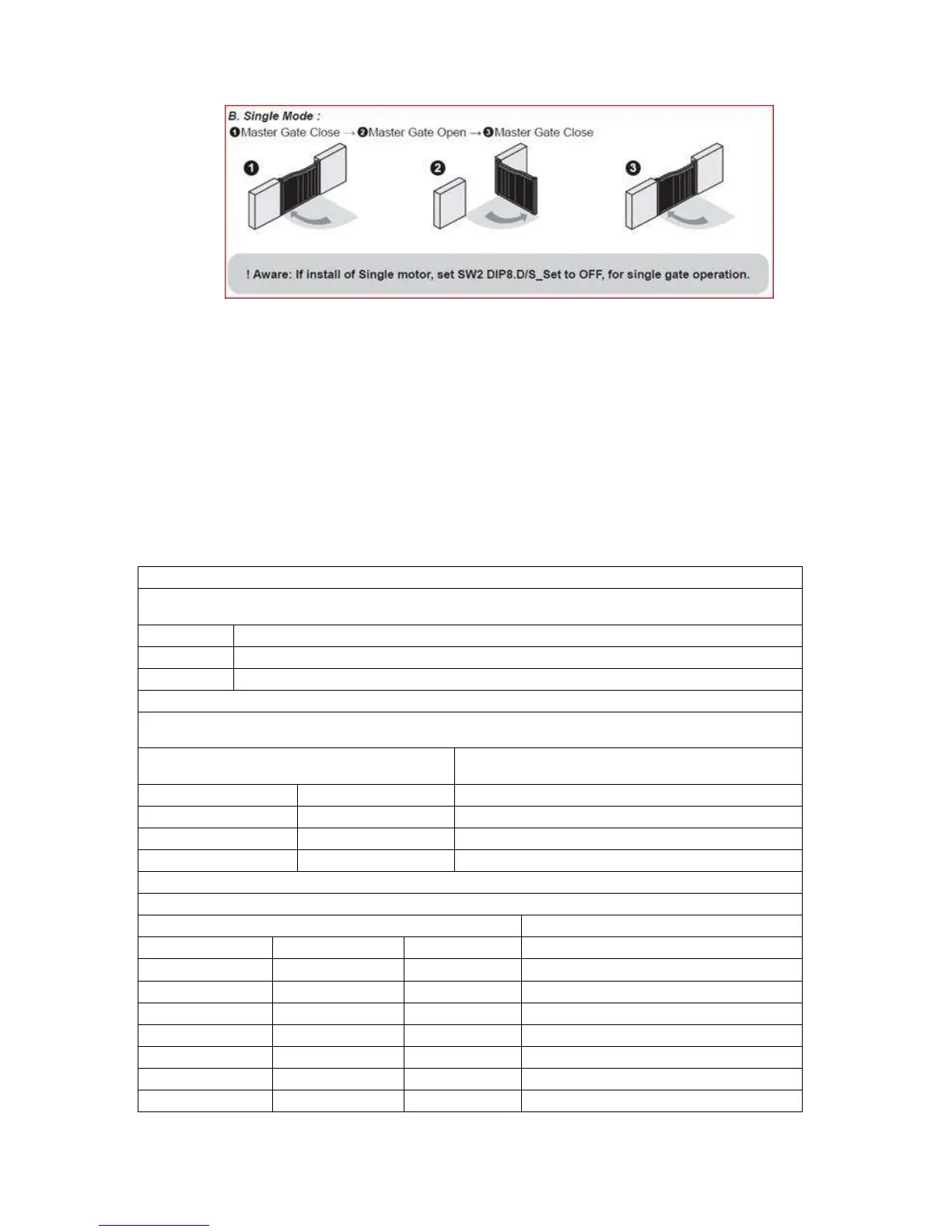
8
7. After the systems learn has finished, LED no.1 should be revert back to
flashing in bursts. You have successfully set up your gate opener kit and is
now ready for testing.
Dip switch overview:
The switches that you will see to the left hand side on the control board are separated
into 3 banks and are marked (printed on board) with SW1 SW2 or SW3. They control all
your customizations of gate systems functions.
The following functions are all on SW1 (the top block of switches).
This is used to slow the gates down a few seconds before the fully open or close
position. It prevents the gates from being slammed against the back stop.
The gates WILL NOT slow down before the gates completely close or open
The gates WILL slow down before the gates completely close or open
This function is to adjust the current amps to the motor. It is used for varying sizes of
gates and power needed to move them.
Current amp. Measure of force to move
gate
3A Light to medium weight gate
5A Medium to heavy weight gate
SW1 Auto - close function
This function will make the gates close automatically after opening.


 To Next Page